After launching on April 21, 2026, ChatGPT Image 2.0 achieved the top spot on the LMArena Image scoreboard with an Elo score of 1,512 in just 12 hours. That is the biggest margin in Arena’s history, 242 points more than Nano Banana 2. It’s not a close contest. However, in some situations, Nano Banana 2 still prevails.
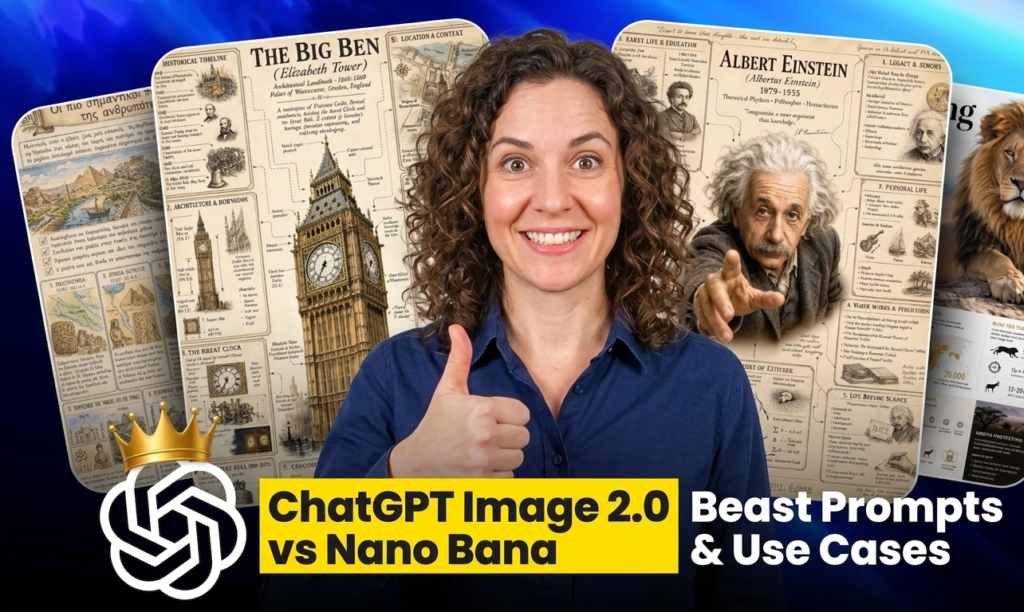
It operates on gpt-image-2, which has been completely rebuilt rather than being updated to 1.5. The research head at OpenAI called it a “generalist model” – basically, a “GPT for images.”
Key Specifications:
- Text Rendering Accuracy: ~99% (Latin, Hindi, Bengali, and CJK scripts)
- Instant Generation Modes: ~3 seconds + Thinking (justifications prior to creating)
- Maximum Resolution: 4096 x 4096 pixels
- World Knowledge Cutoff: December 2025
- Batch Output: Up to 8 photos per query (Thinking mode)
Thinking mode can search the web in mid-generation for reference material, count things, check limitations, and plan composition.
Instant mode is the free tier. Plus/Pro/Business = Thinking mode.

Nano Banana 2: What Is It?
Gemini 3.1 Flash Image is the official name. It combines Gemini Flash speed with Nano Banana Pro quality.
Key Specifications:
- Unique Edge: Grounding + Subject Consistency in Real-time Google Search
- Workflows may generate up to 5 characters and 14 objects in about 20 seconds (fast) or 30 to 40 seconds (pro)
- Native Integration: Gemini, Google Ads, Firebase, Vertex AI
Although text rendering has improved from previous iterations, several non-Latin scripts still have issues with grammar and colloquial expressions.
Head-to-Head Evaluation
| Feature | ChatGPT Image 2.0 | Nano Banana 2 |
|---|---|---|
| LMArena Elo Score | 1,512 (#1) | ~1,270 |
| Accuracy of Text Rendering | 99% | Excellent (with a few script problems) |
| Instantaneous Generation Speed | ~3 seconds | 20–40 seconds |
| Instantaneous Web Access | ❌ December 2025 deadline | ✅ Precision Layout/Live Google Search |
| Grid / Layout Perfection | ✅ Outstanding | ❌ Difficulties |
| Multi-Character Consistency | ✅ (up to 5 characters) | ✅ |
| Normal API Price | $0.04 per image | $0.07/image |
| 4K Image Price | ~$0.41 | ~$0.24 |
| Ecosystem | OpenAI, Azure | Google, Gemini, Firebase |
Summary: Text correctness, speed, layout perfection, and benchmark score are all won by GPT Image 2.0. Real-time information, 4K cost at scale, and the Google ecosystem are all advantages of Nano Banana 2.
Insane Open-Source Voice Model by Microsoft: What Is Vibevoice AI? Microsoft’s Open-Source Voice Model
Top ChatGPT Prompts for Image Generation
Prior to using these prompts, activate Thinking mode.
Thumbnail for YouTube
An eye-catching YouTube thumbnail for “AI tools that replace designers.” Dark backdrop. “REPLACED?” is written in bright neon. AI robot on the right, shocked creator on the left. The text needs to be centered, large, and readable.
Infographic with a Brand
“5 Ways GPT Image 2.0 Beats Competitors” is a clear infographic. Five-row vertical arrangement. Each row consists of an icon, a bold headline, and a 10-word description. White backdrop. Typography in dark navy. Electric blue is the accent color.
Mockup of a Product
Photorealistic “HydraGlow” skincare serum bottle on a marble surface. Gentle top-left natural illumination. The brand name, 30ml, “Vitamin C + Hyaluronic Acid” must appear on the label. There must be no typos.
Social Media Posts on Instagram
Square Instagram image with a dark background for the tech newsletter “AI Weekly”. “The AI Tools Replacing Your Team” is the bold white headline. “Issue #47 | April 2026” is the subtext. A tiny placeholder for the logo in the bottom right. Simple, minimalist design.
Storyboard / Comic Strip
Horizontal comic strip with three panels.
- Panel 1: A worried developer surrounded by code at their desk.
- Panel 2: Inputs a single prompt into an AI program.
- Panel 3: A polished user interface emerges. The developer grinned. Style: Prominent panel borders, simple line art, and little color.

How to Use ChatGPT Image 2.0 to Make a Thumbnail
Step 1: Launch ChatGPT, click the plus icon, and choose Create Image.
Step 2: Choose Thinking mode (Plus/Pro required) from the top-left dropdown menu.
Step 3: Make use of this prompt format: [Video topic] in [Thumbnail style]. Layout: [center focus or split left/right] “Exact words” is the text on the image. Visual tone: [bright/minimal/dark] Watermarks are absent. The text needs to be large and readable.
Step 4: Improve with straightforward follow-ups:
- “Make the text 30% larger”
- “Change background to black”
- “Add a glowing red border around the headline”
The model saves time and tokens by applying targeted modifications without full regeneration.
Claude Also Launch it’s Newest model to compete with ChatGPT 5.5: What’s New in Claude Opus 4.7? Features, Coding & Uses
Use Cases for ChatGPT Image 2.0
- Thumbnails on YouTube 99% text rendering means that on-image copies don’t need Photoshop cleaning. Bold headlines are consistently effective.
- Infographics with a Brand Handles timelines, comparison tables, and grids with accurate font and layout.
- Mockups of Products Produces labels, packing text, and realistic surface textures with accuracy.
- App Screenshots and UI/UX Wireframes Creates realistic browser user interfaces (UIs) and application screens with readable text throughout every UI element.
- Storyboards and Multi-Panel Comics From a single prompt, thinking mode preserves character consistency for up to eight panels.
- Multilingual Advertising Materials Reliable for large-scale regional campaigns, it supports Hindi, Bengali, Chinese, Japanese, Korean, and Arabic.
- Technical Schematics Architecture maps, RAG pipelines, and flow charts are examples of dense diagrams that render clearly and accurately.

Cost Breakdown
| Use Case | Best Choice | Why |
|---|---|---|
| One-time thumbnails and advertisements | ChatGPT Image 2.0 | ~$0.04/image, 3-second generation, large-scale 4K batch |
| Branded material with a lot of text | ChatGPT Image 2.0 | 99% text accuracy |
| Real-time and news-related content | Nano Banana 2 | Live Google Search foundation |
| Google ecosystem processes | Nano Banana 2 | Native Gemini, Ads, and Vertex |
When it comes to infographics, ad creative, and one-off thumbnails, OpenAI excels in terms of both cost and quality. The majority of marketers never utilize Nano Banana 2 because it only becomes less expensive in massive 4K batch runs.
Will Claude Design will replace Designers: What Is Claude Design: Features, Uses & Chat Integration
FAQ
1. Is ChatGPT Image 2.0 free?
Yes, all ChatGPT users can utilize instant mode for free. Plus, Pro, or Business are needed for thinking mode (up to 8 photos per prompt, mid-generation web search).
2. What makes ChatGPT Image 2.0 superior than Nano Banana 2 for thumbnails?
GPT Image 2.0 successfully manages bold layout compositions and produces on-image text with around 99% correctness. Rigid grid or text-heavy designs are frequently broken by Nano Banana 2.
3. In what areas is Nano Banana 2 still superior?
It can precisely render particular real-world topics, goods, or locations thanks to real-time Google Search grounding. 4K resolution is also less expensive ($0.24 vs. $0.41 per image).
4. How can I make the most of ChatGPT Image 2.0 prompts?
Turn on the Thinking mode. On the picture, write the precise words you desire. Indicate the visual tone, lighting, and arrangement. Rather than redoing the entire prompt, make incremental follow-up modifications.
5. Does ChatGPT Image 2.0 allow text in Hindi and Indian?
Yes, Devanagari script is one of the few dependable picture models for Hindi-language marketing assets, with an accuracy of about 99%.
Conclusion
The finest general-purpose AI picture model currently on the market is ChatGPT Image 2.0. Faster, more precise when it comes to text, and more adept at organized layouts; the benchmark lead is not close.
Within the Google ecosystem, Nano Banana 2 remains important for 4K batch operations and real-time knowledge application cases.
Use ChatGPT Image 2.0 by default for the majority of producers and marketers. Use Nano Banana 2 exclusively for Google stack or live data jobs.
Visit chat.openai.com to test out ChatGPT Image 2.0. Turn on the Thinking mode. Make use of the above prompts as a starting point. Visit Our Blogs for further breakdowns of AI tools.