What if you could quickly create a fully developed, editable user interface from a mere text description or a napkin sketch? This is precisely what Google Stitch, an experimental AI-powered interface design tool, achieves. Stitch Designer enables you to create editable Figma designs and production-ready HTML/CSS from text prompts or supplied wireframes by utilizing Google’s sophisticated Gemini 2.5 models. It is a useful design partner that helps close the gap between ideation and development, not just a picture generator.
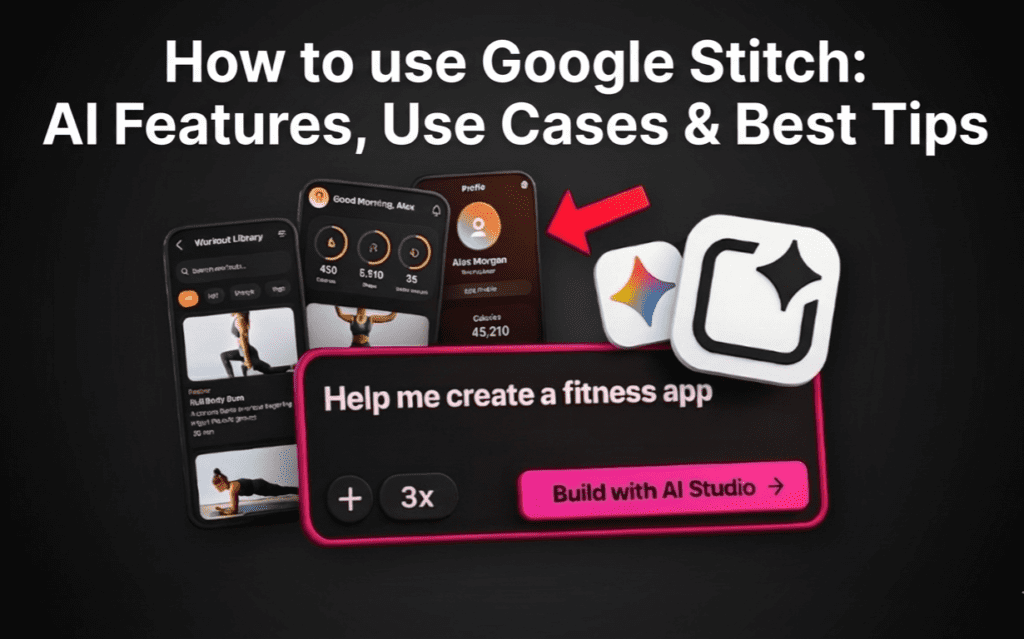
We’ll go into great detail about Google Stitch‘s functionality, target audience, and how to use Google Stitch to boost your online business in this article. Additionally, we’ll incorporate tried-and-true audience growth techniques from leading developers to guarantee that your lovely new app is seen.
What is Google Stitch?
Google Labs’ AI-powered Stitch Designer, Google Stitch, aims to democratize user interface design. Google Stitch comprehends interface logic, in contrast to generic image generators. It creates the code for a button, not just a picture of one.
Google Stitch AI Features
- Text-to-UI: Enter “A minimalist dashboard for a crypto app with dark mode,” and a multi-screen prototype will appear. 🎯
- Image-to-UI: Google Stitch can build a clean, editable design from a rough drawing or a screenshot of an existing application. 📌
Two Strong Modes:
- The Gemini 2.5 Flash Standard Mode is rapid, effective, and ideal for short iterations. (Monthly limit: ~350 generations).
- Gemini 2.5 Pro’s experimental mode allows for deeper, slower reasoning for intricate, high-fidelity designs. (Monthly limit: about 50 generations). 🚀
Export Flexibility: You can export clean HTML/CSS/Tailwind code or push your designs straight to Figma (with layers intact!).
Conclusion: Google Stitch is the best way to go from zero to version one, but it shouldn’t be used in place of a senior product designer.
Choose your best: Grok Image Gen vs. Canva Magic Studio: 2025 Creator Battle

How to use Google Stitch?
Are you prepared to begin construction? This is the process that makes the most of the tool.
- Establish Your Vision (The Phase of “Prompt Engineering”)
Context is essential to Google Stitch‘s success. Don’t simply state, “make a food app.” Instead, specify: Create a mobile webpage for a service that delivers vegan food. Add a bottom navigation bar, a horizontal scroll for “Trending Meals,” and a hero area with a discount banner. Make use of a light green and white color scheme. - Select Your Mode
When you are brainstorming and want to view ten distinct layout concepts in less than a minute, choose Standard Mode.
When you need to correctly digitize a certain wireframe, use Experimental Mode. - Improve and Repeat
The initial product is rarely flawless. To improve the design, use the chat interface:- “Make the buttons rounded.”
- “Change the background to a soft gray.”
- “Add a ‘Sign Up’ CTA in the header.”
- The Transfer: Once you’re satisfied, press export. Send it to Figma if you are a designer so that the typography and spacing can be adjusted. Take the HTML and CSS and add them to your codebase if you are a developer.
Pro Tip: Copy the layout of popular apps you like using the “Image-to-UI” function, then use prompts to entirely rebrand them to fit your aesthetic.

Top Google Stitch Use Cases
In reality, who gains from this? 🚀
- Startups and solo founders: validate your MVP over the weekend. Use Google Stitch to create a realistic-looking pitch deck rather than paying a designer $5,000 to see a mock-up.
- Developers: Avoid the “developer design” stage, where everything resembles Bootstrap 3. Concentrate on the backend logic while creating a clear user interface. 📌
- Content Producers: Do you need a unique image for a video thumbnail or a custom design for your blog? Stitch Designer creates distinctive, polished user interface materials.
- Product managers: envisioning a new feature? Don’t wait for the sprint of the design team. To gain quick support from stakeholders, mock it up in Google Stitch. 🎯
See our article on What Is Google Antigravity? if you’re curious about additional Google AI products. IDE, Developer Use, and Features.
Growth Strategies → Creating is Just the First Step
Using Google Stitch to create a stunning app or website is great, but a product that has no users is a ghost town. To support your development, we examined data from Google’s Creator team.
- Involvement is a two-way street 🚀
It is not enough to simply post and hope. You have to ask for the kind of involvement you desire, according to Google’s audience engagement guide.
Action: Use obvious micro-CTAs in your new blog or app. Use something like “Tell us what feature you want next!” instead than just a “Contact” button.
Approach: Address each comment. Your early adopters are your lifeblood if you are building in public. Consider them precious. - The Advantage of “Human”
One important insight was provided by a writer with 500,000 followers: Use video to convey your human side.
How to use it: Show more than simply screenshots of your Stitch Designer designs. Make a little YouTube or Loom video that explains how you constructed it. People, not just pixels, connect with each other.
Tool Tip: Before posting these videos on social media, polish them using video editing software. - Pay Attention to Your Viewers 📌
Successful creators listen instead than speculating. Google’s audience-growth advice places a strong emphasis on leveraging data to inform choices.
Take Action: Change course if your audience adores your “Dark Mode” designs but disregards your “Light Mode” ones. Track which designs or content items receive the most clicks by using analytics software.
I would like to know if you are creating what your audience needs or what you want.

Google Stitch’s Advantages and Disadvantages
Speed: Cuts the time needed for prototyping from days to minutes.
Code Quality: The HTML/Tailwind output is remarkably clear and functional.
For designers that require editable layers rather than flat images, Figma Integration is revolutionary.
Cost: During the preview period, it is currently free (with generous limits).
Cons:
- Generic Aesthetics: A “safe,” corporate tech aesthetic is typically the norm. To get something original, you must push it with imaginative prompts. 🎯
- Inconsistency: When navigating between multiple screen generations, items may hop around.
- Text Handling: It occasionally misspells certain brand names in the mockups, just like a lot of AI models.
Are you curious about how to use Google Stitch alternative? Check out our explanation of Gemini 2.5: How AI at Google Can Increase Your Income.

Google Stitch Alternatives
| Tool | Free Option? | Paid | Notes |
|---|---|---|---|
| Airbyte | ✅ Free (open-source self-host) | 🟡 Paid Cloud | Big connector library; self-host free or pay for cloud. |
| Meltano | ✅ Free (open-source) | ❌ No paid yet | Built on Singer protocol just like Stitch; simple and free. |
| Talend Open Studio | ✅ Free (open-source) | 🟡 Paid Talend Cloud | Powerful open-source ETL; enterprise cloud version paid. |
| Hevo Data | ✅ Free tier | ✅ Paid tiers | Free plan but limits connectors/volume; paid scales up. |
| Fivetran | 🚫 No free (some trials) | ✅ Paid | Enterprise class ETL; pricing based on data usage. |
| Integrate.io | 🚫 No free (trial likely) | ✅ Paid | Strong no-code ETL/ELT with visual pipelines. |
| Skyvia | ✅ Free plan | ✅ Paid | Drag-and-drop ETL with a free tier. |
| Dataddo | 🚫 Usually paid (free trial) | ✅ Paid | Rich connector set, paid plans. |
| CData | 🚫 Paid | ✅ Paid | Connector suite; not free except maybe trial. |
| Keboola | 🟡 Limited free minutes | ✅ Paid | Pay-as-you-go with some free quota. |
| Hightouch | ✅ Free tier | ✅ Paid | Focus on reverse ETL/sync. |
In Conclusion
Google Stitch is a window into the future of content creation tools, not just a flashy new toy. It lowers the barrier to entry for design, enabling both US users and innovators from across the world to quickly realize their ideas.
while keep in mind the Google Creator playbooks’ golden rule: Relationships make businesses, while tools produce products. Use Google Stitch to cut down on design time so you can spend more time interacting with your audience, getting their input, and producing long-lasting value.
Are you prepared to begin designing? Visit Stitch Designer official website to test out.