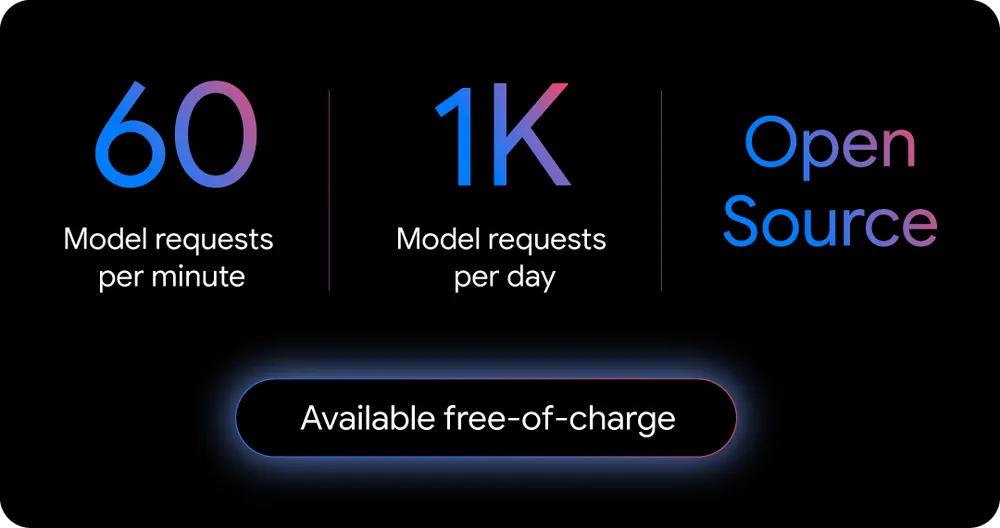
Gemini CLI is Google’s open-source AI agent for the terminal, released in June 2025 under the Apache 2.0 license. It gives developers direct access to Gemini models – with a 1M token context window and 1,000 free requests per day – making it the most accessible terminal coding agent available today. This guide covers how to use Gemini CLI, its real rate limits, and an honest comparison with Claude Code.
1. How to Install Gemini CLI
Requirements: Node.js v20+
# Global install (recommended)
npm install -g @google/gemini-cli

# Or run without installing
npx @google/gemini-cli
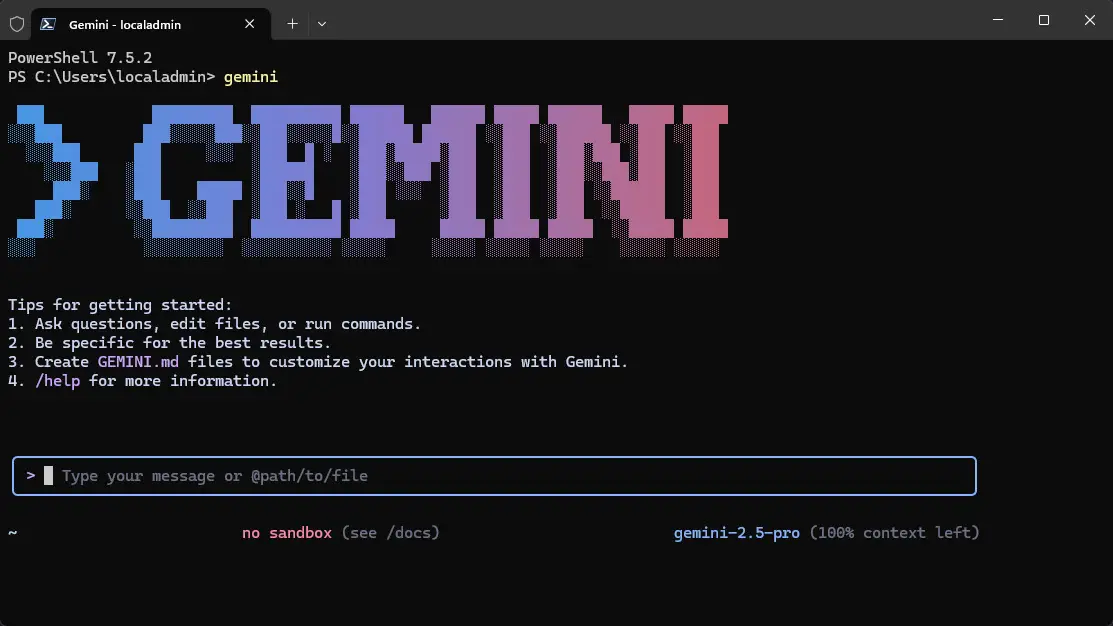
Once installed, type gemini in your terminal. On first launch, it prompts you to pick a theme and authenticate.
Gemini CLI comes pre-installed on Google Cloud Shell – no setup needed if you already use Cloud Shell.

2. Authentication Options
Three methods available:
| Method | Best For | Cost |
|---|---|---|
| Google Account (OAuth) | Individual developers | Free tier access |
| Gemini API Key | Pay-as-you-go, higher limits | Per token billing |
| Vertex AI (Express Mode) | Enterprise / GCP users | Varies by account |
Recommended for most developers: Sign in with Google. This unlocks the free tier instantly – no credit card required.
To switch auth methods mid-session, use /auth inside the CLI.
Here’s the Blunt truth about Claude Code: Claude Code for Vibe Coding: Features, Use Cases & Use Guide
3. Core Features Worth Knowing
- 1M token context window hold entire large codebases in a single session
- Built-in tools: Google Search grounding, file operations, shell command execution, web fetching
- MCP support configure custom integrations via
~/.gemini/settings.json - Plan Mode (added March 2026) read-only phase before any file writes; reduces the most common agentic failure mode
- Headless / scripting mode:
gemini -p "your prompt"for non-interactive pipelines - GEMINI.md context files persist project instructions across sessions
- Checkpointing save and resume conversations
Check token usage anytime with /stats model inside the CLI.
Gemini CLI Rate Limits | What Actually Happens
This is where expectations often diverge from reality.
Free Tier (Google Account Login)
| Metric | Limit |
|---|---|
| Requests per minute | 60 RPM |
| Requests per day | 1,000 RPD |
| Model access | Blend of Gemini 2.5 Pro + Flash |
| Context window | 1M tokens |
The daily limit is shared across Gemini CLI and Gemini Code Assist agent mode. One complex prompt can trigger multiple model requests internally – meaning your 1,000 daily requests deplete faster than expected.
The Pro Fallback Problem
On the free tier, Gemini CLI uses a blend of Gemini 2.5 Pro and Flash. After roughly 10–15 Pro prompts, it routes simpler tasks to Flash. Flash output has been documented as lacking type hints, module-level docstrings, and input validation compared to Pro – which matters for production code.
API Key Tier
Connects directly to the Gemini API rate limits, which vary by model:
- Gemini 2.5 Pro: 5 RPM, 25 RPD (free tier API)
- Gemini 2.5 Flash: 10 RPM, 500 RPD (free tier API)
- Gemini 2.5 Flash-Lite: 15 RPM, 1,000 RPD (free tier API)
⚠️ In December 2025, Google cut free API rate limits by 50–80% across all models, citing fraud and abuse. Plan accordingly if your workflow depends on the free API key path.

Paid Options
For sustained professional use, upgrade to Google AI Pro or AI Ultra to get higher daily request allocations with fixed pricing.
Claude can be Money making if you use it Right way with a Good Limit Plan: How to Build No-Code Apps to Earn Money with Claude (2026)
Gemini CLI vs Claude Code: Head-to-Head
| Factor | Gemini CLI | Claude Code |
|---|---|---|
| Cost | Free (Google account) | $20/mo (Pro), $100–200/mo (Max) |
| Default model | Gemini 3 Flash (free tier) | Claude Sonnet 4.6 (Pro) |
| Best model | Gemini 3.1 Pro (limited free) | Claude Opus 4.6 (Max plan) |
| Context window | 1M tokens | 1M tokens (Sonnet 4.6) |
| SWE-bench score | ~80.6% (Gemini 3.1 Pro) | 80.9% (Claude Opus 4.6) |
| First-pass accuracy | 85–88% | 95% |
| Token efficiency | 432K input tokens (test task) | 261K input tokens (same task) |
| Task completion time | 2h04m (Express.js refactor) | 1h17m (same task) |
| Open source | Yes (Apache 2.0) | No |
| MCP support | Yes | Yes |
| Multi-agent | Subagents (experimental) | Agent Teams (Feb 2026) |
Key insight: Claude Code used 65% fewer tokens on identical tasks in independent benchmarks. Gemini CLI’s apparent cost advantage narrows significantly for heavy API users.
Code Quality Gap
On the free tier, Gemini CLI defaults to Gemini 3 Flash – not Pro. Real Python’s benchmark documented Flash output as consistently lacking type hints, docstrings, and input validation. Claude Code’s Pro plan uses Sonnet 4.6 by default, delivering production-ready output across all sessions.
For complex multi-file refactoring, Claude Code finishes faster and requires fewer manual corrections. Gemini CLI’s 1M context window is a real advantage for reading large monorepos – it wins on context, not on agentic execution quality.
A Practical Combo Trick
Some developers use both together: run Gemini CLI in headless mode (gemini -p "<prompt>") from inside Claude Code to leverage the 1M context window for large codebase reads, then let Claude Code handle implementation. This hybrid approach was documented by Composio as a way to combine both tools’ strengths.
6. When to Use Gemini CLI Over Claude Code
Use Gemini CLI when:
- Budget is $0 – it’s genuinely usable for individual and light professional tasks
- You need to read and understand a very large codebase (1M context)
- You’re already in Google Cloud / GCP workflows
- You want an open-source, self-hostable agent
Use Claude Code when:
- Code quality and first-pass accuracy matter (95% vs 85–88%)
- You’re running complex multi-file autonomous refactors
- Token efficiency affects your API costs
- You need reliable production-ready output without babysitting the agent
FAQ
Q: Is Gemini CLI completely free?
Yes – authenticating with a personal Google account gives 60 requests/minute and 1,000 requests/day at no cost. The free tier uses a blend of Gemini 2.5 Pro and Flash, not exclusively Pro. For higher or guaranteed Pro access, paid tiers are required.
Q: What are the actual Gemini CLI rate limits in 2026?
Free Google account login: 60 RPM and 1,000 RPD. These limits are shared between Gemini CLI and Gemini Code Assist agent mode. Complex prompts can trigger multiple internal model requests, so real-world limits are lower than the headline numbers suggest.
Q: Does Gemini CLI always use Gemini 2.5 Pro on the free tier?
No. The free tier routes between Gemini 2.5 Pro and Flash based on request complexity. Simple tasks are served by Flash. After hitting Pro limits (roughly 10–15 complex prompts), most requests switch to Flash until the quota resets.
Q: Is Gemini CLI better than Claude Code for large codebases?
Gemini CLI’s 1M token context window makes it better for reading and understanding large codebases in a single pass. Claude Code performs better on executing complex multi-file changes autonomously, with higher first-pass accuracy and faster task completion times in benchmarks.
Q: How do I stop Gemini CLI from running out of Pro requests mid-task?
Use /stats model to monitor quota before starting long tasks. For critical work, authenticate with an API key and use pay-as-you-go billing instead of the shared free tier. Alternatively, route simple steps to Flash explicitly to preserve Pro quota for complex reasoning tasks.
Conclusion
Gemini CLI is a legitimate free tool – the 1M context window and 1,000 daily free requests make it the best zero-cost terminal coding agent available. But the free tier’s automatic fallback to Flash, combined with shared quotas and lower first-pass accuracy, means it’s not a drop-in replacement for Claude Code in professional workflows.
Use Gemini CLI for large codebase exploration and budget-constrained projects. Use Claude Code where output quality and execution reliability are non-negotiable. For many developers, the right answer is both.
Explore more AI tool breakdowns and comparisons at Our Blog