Google just made one of its biggest health moves yet. According to Google the Fitbit app is officially becoming the Google Health app, with the rollout starting May 19, 2026. This is not just a rename – it is a full platform upgrade that combines fitness tracking, sleep monitoring, AI coaching, and medical record management into one app.
If you have been using the Fitbit app, your app will update automatically. No separate download needed. Here is everything you need to know about the Google Health app features 2026.
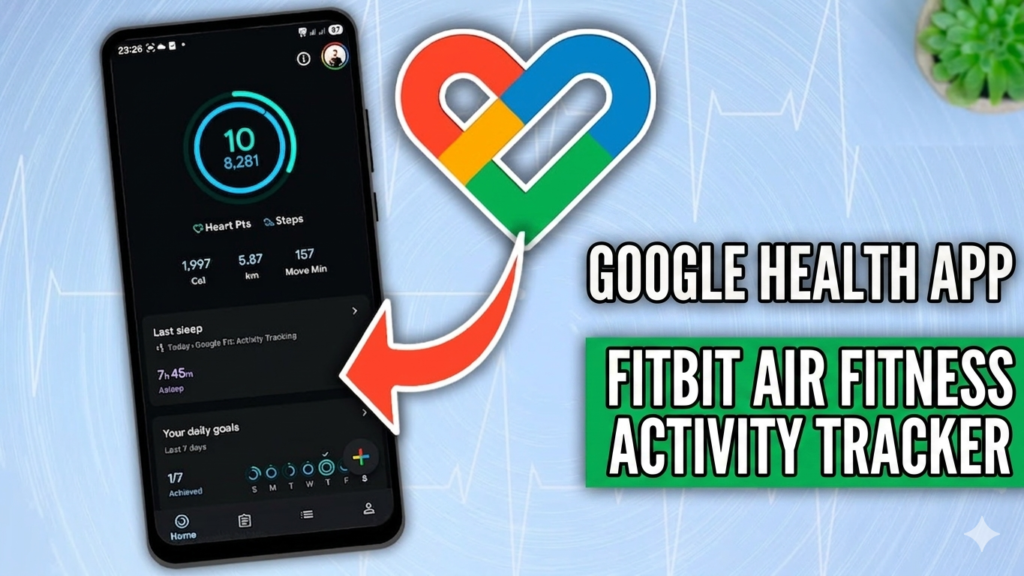
Fitbit App Becoming Google Health App
According to Google the transition from the Fitbit app to the Google Health app begins rolling out on May 19, 2026. Existing Fitbit users do not need to download anything – the app updates automatically on their device.
This shift has been building for years. Google acquired Fitbit in 2021, and since then it has steadily integrated Fitbit’s fitness and health tracking into its broader ecosystem. The Google Health app is the final result of that integration – a unified platform built on top of everything Fitbit offered, plus significantly more.

Google Health App Interface: 4 Core Tabs
The Google Health app is organized into four main tabs. Each tab is focused on a specific area of your health data, making it easy to navigate without feeling overwhelmed.
- Today – Your daily summary. Steps, active minutes, calories, heart rate, and any highlights from connected devices.
- Fitness – Workout history, exercise goals, activity trends, and personalized fitness insights.
- Sleep – Sleep stages, sleep score, resting heart rate during sleep, and progress over time.
- Health – Medical records, lab results, vitals, medications, and health trends all in one place.
Health Connect, Apple Health, and Google Health API Support
One of the strongest features of the new Google Health is how it connects with other platforms. The app supports data sync through Health Connect, Apple Health, and the Google Health APIs. This means your health data from different apps and wearables can all flow into one unified view.
Whether you use a Pixel Watch, a Fitbit tracker, an iPhone with Apple Health, or third-party fitness apps, the Google Health can pull that data together. This cross-platform compatibility is a major step forward compared to what the Fitbit app offered on its own.

Google Health App Medical Records in the US
For US users, the Google Health goes beyond fitness tracking. You can sync your medical records directly inside the app. This includes:
- Lab results
- Vitals (blood pressure, heart rate, oxygen levels)
- Medications
- Health trends over time
Having all of this inside one app means you can see the full picture of your health without jumping between hospital portals, pharmacy apps, and fitness trackers. This feature is currently available to US users and represents one of the most significant upgrades over the legacy Fitbit app.

Google Health Coach: AI Powered by Gemini
The biggest new addition is Google Health Coach, built directly into the app using Google’s Gemini AI. This is not a generic chatbot. It reads your actual health data and gives you context-aware guidance based on what your numbers show.
Google Health Coach can provide:
- Personalized workout suggestions based on your fitness history
- Sleep progress insights and tips to improve your sleep score
- Summaries of your medical records in plain, easy-to-understand language
- Overall health insights that connect data across all four tabs
This is where Google Health separates itself from most other health apps. Instead of just displaying raw data, the app now explains what your data means and what you can do about it.

Your Fitbit Data Is Not Used for Google Ads
Privacy has been a concern since Google acquired Fitbit. According to Google Fitbit health and wellness data is not used for Google Ads. This applies to the Google Health as well. Your sleep data, medical records, and fitness metrics stay in your health profile and are not used to target you with advertisements.
Fitbit App vs Google Health App: Key Differences
Here is a quick comparison of what changed between the old Fitbit app and the new Google Health app:
| Feature | Fitbit App (Old) | Google Health App (2026) |
|---|---|---|
| App Name | Fitbit | Google Health |
| AI Coaching | Basic goal nudges | Google Health Coach (Gemini AI) |
| Medical Records | Not available | Lab results, vitals, medications (US) |
| Platform Connections | Fitbit ecosystem only | Health Connect, Apple Health, Google Health APIs |
| Tab Navigation | Dashboard view | Today, Fitness, Sleep, Health tabs |
| Data used for Ads | No (post-acquisition) | No |
| Download Required | N/A | No – auto-update for existing users |
Frequently Asked Questions
What is the Google Health app?
The Google Health app is a unified health and fitness platform that replaces the Fitbit app starting May 19, 2026. It combines fitness tracking, sleep monitoring, AI coaching, and medical record syncing into one app.
Is the Fitbit app becoming the Google Health app?
Yes. According to Google the Fitbit app is officially becoming the Google Health. The rollout begins May 19, 2026. Existing Fitbit users do not need to download anything – the app updates automatically.
What is Google Health Coach?
Google Health Coach is an AI feature built into the Google Health using Gemini. It provides personalized workout suggestions, sleep insights, medical record summaries, and overall health guidance based on your data.
Can I view my medical records in the Google Health app?
Yes, but only for US users currently. You can sync lab results, vitals, medications, and health trends directly inside the Google Health.
Does Google Health app use my data for ads?
No. According to Google Fitbit health and wellness data – which now lives in the Google Health – is not used for Google Ads targeting.
Does Google Health app work with Apple Health?
Yes. The Google Health can connect and sync data through Health Connect, Apple Health, and Google Health APIs, making it compatible across different platforms and wearables.
What are the tabs in the Google Health app?
The Google Health has four main tabs: Today (daily summary), Fitness (workouts and activity), Sleep (sleep stages and score), and Health (medical records and vitals).
Conclusion
The Google Health app is a major upgrade over the Fitbit app it replaces. The combination of Gemini-powered coaching, cross-platform data sync, and US medical record integration makes it one of the most comprehensive health apps available on Android in 2026. If you are a Fitbit user, the transition is automatic and seamless. If you are new to health tracking, this is a strong starting point with real depth behind it.
According to Google the rollout begins May 19, 2026 – so the updated app should be on your device soon if it is not already.
Want to Stay on Top of AI and Tech Launches?
We cover every major AI tool, app launch, and platform update as it happens. Bookmark zypa.in/blog and never miss a release that matters to your workflow.