OpenAI’s ChatGPT Codex is now deeply integrated into the Codex CLI and API stack – is one of the most powerful coding agents available in 2026. It handles multi-file edits, shell commands, test generation, and PR-ready code – all in a sandboxed environment. But Codex burns tokens fast. Without tight prompting, you’ll hit usage limits quickly and produce bloated, low-precision outputs.
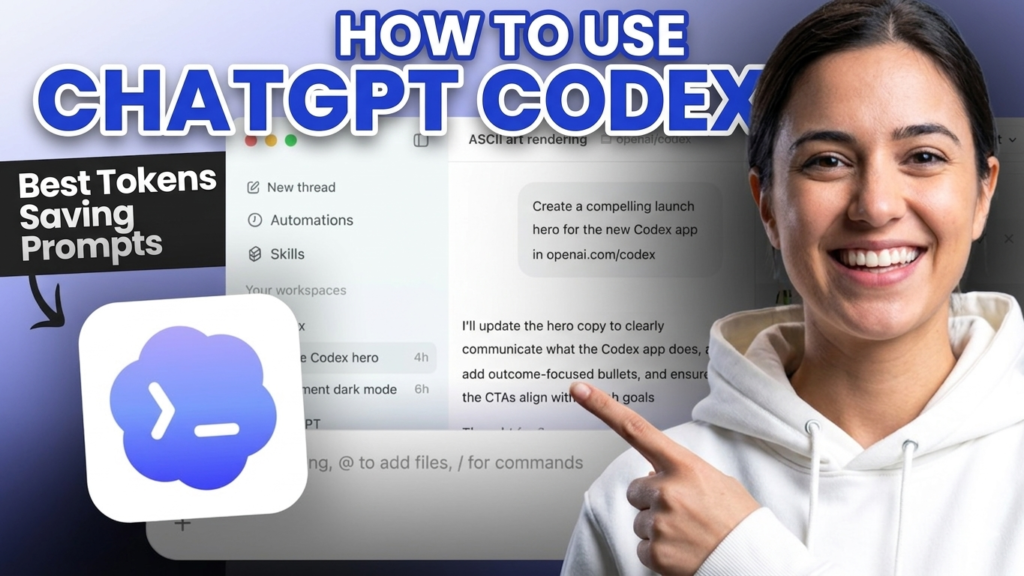
In this guide, we’ll cover how to use ChatGPT Codex tutorial effectively, the best token-saving prompt patterns, and real prompt examples for developers.
What Makes Codex Different From ChatGPT Code Interpreter
ChatGPT Codex is not the same as the Code Interpreter plugin. Key distinctions:
- Codex CLI runs directly in your terminal with access to your local repo
- Codex API is the underlying model (
code-davincilineage, nowo3-based for reasoning tasks) - It executes shell commands, reads file trees, and writes multi-file diffs
- It operates in a sandboxed cloud environment with internet access for research tasks
According to OpenAI’s Codex documentation, Codex is optimized for instruction-following in code contexts – making prompt precision directly tied to output quality and token cost.

ChatGPT New Image Model is Really Detailed: ChatGPT Image 2.0 vs Nano Bana: Beast Prompts & Use Cases
How to Use ChatGPT Codex (Setup + Access)
Via Codex CLI (Recommended for Developers)
npm install -g @openai/codex
codex
Requires Node.js 22+. Set your API key:
export OPENAI_API_KEY=your_key_here
Run in your project root. Codex reads your file tree automatically.
Via API
Use model codex-mini-latest for lightweight tasks or o3 for reasoning-heavy code:
from openai import OpenAI
client = OpenAI()

response = client.chat.completions.create(
  model="codex-mini-latest",
  messages=[{"role": "user", "content": "Refactor auth.py to use async/await"}]
)
Via ChatGPT Interface
Available under ChatGPT → Tools → Codex for Pro and Team users. Supports uploading repos as ZIP or connecting GitHub directly.

Why Token Efficiency Matters in Codex
Codex tasks can consume 10x more tokens than standard chat completions. Why?
- Multi-file reads = large context injections
- Agent loops (plan → act → verify) multiply token use
- Verbose prompts generate verbose code + verbose explanations
OpenAI charges Codex tasks under the standard API pricing model – currently $3/million input tokens and $12/million output tokens for o3. A poorly scoped task can cost 10–15x more than a tight one.
Token efficiency = faster outputs + lower cost + higher accuracy.
Best ChatGPT Codex Tokens Saving Prompts
1. Scope the Task Tightly
Never say: “Fix my code.”
Say: “Fix the TypeError on line 42 in utils/parser.py. Do not modify anything else.”
Scoped prompts prevent Codex from reading unrelated files, cutting context tokens significantly.
2. Specify Output Format Upfront
Return only the modified function. No explanation. No full file.
This single instruction can reduce output tokens by 40–60% on simple tasks.
3. Use “Diff Only” Instructions
Return a unified diff. Do not rewrite the entire file.
Diff outputs are dense and precise – ideal for large files where only 5–10 lines change.
4. Provide Explicit Context Boundaries
Only read these files: src/auth.js, src/middleware.js
Ignore all other files.
Without this, Codex may scan your entire repo, inflating input tokens.
5. Chain Small Tasks Instead of One Large One
Instead of: “Refactor the entire codebase to TypeScript”
Do: Break it into per-file tasks. Each task is cheaper, more accurate, and easier to review.
6. Suppress Explanations When Not Needed
No comments. No docstrings. No explanation. Code only.
Explanations in generated code can double token output with zero functional benefit when you’re iterating fast.
7. Use Role-Framing for Precision
You are a senior Python engineer. Return production-ready code only.
Assume the reviewer is an expert. Skip beginner explanations.
This compresses output by removing hedging language and over-explanation Codex defaults to.
Claude Opus 4.7 is a big competetor of Codex: What’s New in Claude Opus 4.7? Features, Coding & Uses

Ready-to-Use ChatGPT Codex Prompt Templates
🔧 Bug Fix (Token-Efficient)
File: src/api/routes.py
Issue: POST /submit returns 500 on null input
Fix: Add null check before line 88
Return: Diff only. No explanation.
⚡ Function Generation
Write a Python async function `fetch_user_data(user_id: str) -> dict`.
Use httpx. Handle 404 and timeout errors. No docstring. No comments.
🧪 Test Generation
Write pytest unit tests for the `calculate_discount()` function in pricing.py.
Cover: zero input, negative value, max discount cap.
Return tests only. No imports (I'll add them).
🔁 Refactor Task
Refactor `process_batch()` in batch_handler.py:
- Replace for-loop with list comprehension where possible
- No logic changes
- Return diff only
📦 Dependency Audit
Read requirements.txt. List any packages with known CVEs as of 2025.
Format: | Package | Version | CVE | Fix |
No prose. Table only.
Comparison: Wasteful vs. Efficient Prompts
| Scenario | Wasteful Prompt | Efficient Prompt | Token Savings (Est.) |
|---|---|---|---|
| Bug fix | “Fix my app” | “Fix null error line 42 in auth.py. Diff only.” | ~65% |
| Code gen | “Write a login function” | “Write async login(email, password) → JWT. No comments.” | ~50% |
| Refactor | “Refactor the whole module” | “Refactor only parse_csv() in parser.py. No logic changes.” | ~70% |
| Tests | “Write tests for my code” | “Write 3 pytest tests for validate_email(). Edge cases only.” | ~55% |
| Explanation | “Explain and fix this bug” | “Fix only. No explanation.” | ~45% |

Codex Limitations to Know
- Context window: Codex CLI uses up to 200K tokens, but large repos still require selective file inclusion
- No live database access: It can write queries, not execute them against live DBs by default
- Hallucination in unfamiliar libraries: Test Codex outputs against niche or internal libraries before deploying
- Rate limits: Codex tasks count as high-compute API calls – plan usage accordingly
- Not a replacement for code review: Treat Codex output as a first draft, not a final commit
Master Prompt Engineering for Exact Outputs: How to Master Advanced Prompt Engineering: Chatting to AI
FAQ
Q: Is ChatGPT Codex free to use?
Codex CLI is free to install, but tasks use OpenAI API credits. Costs vary by model and task complexity. codex-mini-latest is the most affordable option for simple tasks.
Q: How is ChatGPT Codex different from GitHub Copilot?
Copilot is an inline code completion tool inside IDEs. Codex is an agentic system – it plans, executes, and modifies entire files or runs terminal commands autonomously. Different use cases entirely.
Q: What model does ChatGPT Codex use in 2026?
OpenAI uses o3 for reasoning-heavy Codex tasks and codex-mini-latest for lighter operations. The underlying model selection is managed by OpenAI’s routing – you can specify in API calls when needed.
Q: Can ChatGPT Codex access my GitHub repo directly?
Yes – via the ChatGPT web interface (Pro/Team), you can connect GitHub for direct repo access. Via CLI, it reads your local repo from the directory you run it in.
Q: How do I reduce token costs when using ChatGPT Codex for large projects?
Use explicit file scoping, request diffs instead of full rewrites, suppress explanations, and chain smaller tasks instead of one large agent run. These habits alone can cut token usage by 50–70%.
Conclusion
ChatGPT Codex for developers is most powerful when paired with disciplined prompting. The model is capable – the bottleneck is almost always prompt quality and scope.
Master the patterns above, and you’ll cut token costs significantly while getting cleaner, more precise code outputs. Codex is not a shortcut for lazy prompts – it rewards specificity.
Use these templates as your starting point. Adapt them to your stack.
Want more practical AI tool breakdowns for developers? Explore the ZYPA Blogs for weekly guides on tools like Cursor, Claude Code, Gemini and more.