In 2026, NotebookLM for in-depth research and audio summaries, Gemini for individual support and in-depth web analysis, Google AI Studio for creating unique productivity apps without code, Stitch for instant user interface design, Pomelli for automated marketing campaigns, and Veo for Hollywood-style video production are the Best Google Tools to Use. These Google AI Tools create, plan, and carry out workflows for you in addition to chatting.
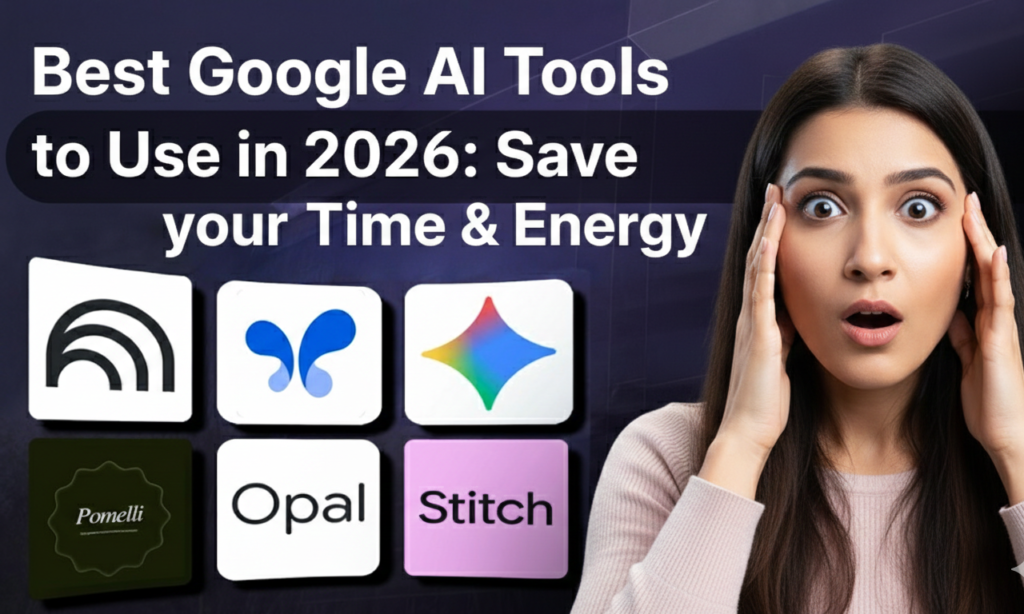
This year, let’s explore the Google AI Tools that are subtly outperforming the paid competitors.
NotebookLM: The Best Study & Research Tool
Give up reading dull PDFs. Really? NotebookLM is your new best buddy if you’re a student, researcher, or designer attempting to comprehend difficult subjects. It is a “brain” that analyzes your particular texts, not merely a summarizer.
Reasons for Needing It
Because they draw from the entire internet, the majority of AI bots experience hallucinations. Only the sources you upload—PDFs, Google Docs, and website links—are used by NotebookLM to build a “grounded” AI.
The best feature is audio summaries. With just one click, NotebookLM creates a viral-style podcast featuring two AI hosts discussing your course notes or a 50-page industry study. Walking the dog allows you to literally “listen” to your exam or meeting notes.
Visual Learning: It’s more than simply talking in 2026. It now provides Video Overviews, which can quickly transform dry text into animated explanation videos.
Revision Maps: Do you need to see the broader picture? It creates mind maps of your main subjects that are related.
Growth Tip: Producing useful content that addresses an issue is one of the finest methods to expand your audience. Utilize NotebookLM to condense complicated industry news into straightforward, readable Twitter threads or LinkedIn articles.

Read NotebookLM Complete Guide:
Gemini: The Personal Assistant for “Deep Research”
Gemini may seem familiar to you, but are you utilizing the Deep Research feature? Put an end to your typical Google search. Gemini now does more than simply guess when you ask it a question. It provides you with a report-level response by reading, analyzing, and synthesizing real-time data from the internet.
The Advantage of “Personal Context”
Gemini, in contrast to other tools, resides within your Google Workspace. “Find that email from Dave”: It can search through your Drive, Gmail, and Photos to locate and summarize specific information (such as a picture of a whiteboard from a meeting three months ago).
Market Analysis: When you ask it to “Write a 1,000-word analysis on the Subscription pricing strategies of SaaS tools in 2026,” it will analyze financial reports, go through live websites, and cite sources.
Conclusion: Use Gemini to automate data collection, the “boring” aspect of your organization, so you can concentrate on innovation.

Google AI Studio & “Opal”: Create Your Own Tools Without Knowing Any Code!
The Google ecosystem’s greatest secret is this. Developers are no longer the only users of Google AI Studio. You can create unique mini-apps simply by describing them using the new Build function, which is frequently powered by the logic engine known as “Opal”.
How It Operates
Let’s say you detest composing formal emails.
- Launch Google AI Studio.
- Enter: “Build me an app with a text box for a rude email and a button that rewrites it to be polite and professional.”
Boom. In a matter of seconds, it develops the code and creates a functional application.
You can create personalized AI food planners, subscription monitors, and writing helper tools. In essence, you are developing your own SaaS products at no cost.
Google Stitch: Create Stunning Interfaces Quickly
Alright, so AI Studio creates the “brain” of your application, but it typically resembles a dull developer test. Let’s talk about Google Stitch.
A prompt-to-UI generator is called Stitch. “Cozy, minimalist coffee shop aesthetic” is how you describe the atmosphere, and Stitch creates the HTML/CSS code for a stunning website interface.
The 2026 Workflow: Use AI Studio to construct the logic. Create the style in Stitch. Mix them together.
Result: In less than ten minutes, a professional-caliber, completely usable web tool was created.
Engagement Tip: Pay attention to your brand. Use Stitch to make sure that every tool or landing page you create reflects the color scheme and “vibe” of your personal brand, just as Christina Galbato counsels bloggers to maintain visual consistency to foster trust.
Read Google Stitch Full Guide:

Pomelli: One of the HiddenAI Tools by Google: Your Free Advertising Firm
Marketing is the most difficult aspect of being a creative or small business owner. Pomelli modifies the course of events. It’s an AI tool made to manage automation in digital marketing.
The Magical Technique
You enter the URL of your website into Pomelli. That’s all. In order to comprehend your “Brand DNA”—your typefaces, colors, tone of voice, and products—it scans your website. Then all you have to do is say, “Create a one-week Instagram campaign for my new fall collection.”
Pomelli is going to produce:
- 🎯 Pictures: Product-related images that are on-brand.
- 📌 Copy: Human-sounding captions, not robotic ones.
- 🚀 Schedule: A full posting calendar.
This is fantastic for promoting software for tiny businesses, taking the place of pricey agencies for early-stage developers.

Veo & Imagen (Nano Banana) → Best Google Tools: Hollywood in Your Browser
Images are crucial. You are not developing if you do not use video. Google’s solution for producing high-end videos is called Veo.
Veo: Use text to create cinematic shots at 1080p+. Do you need a drone photo of a city in the future? Completed. Do you need to add movement to a still image of rising coffee steam? Simple.
Imagen (Nano Banana): We’ve seen some of the most lifelike photographs produced by this device. It’s ideal for coming up with ideas for high-end digital products like blog headlines, mood boards, and stock pictures.
Creator Lesson: Show your human side through a video. Make sure you occasionally announce yourself on camera, even if you utilize AI for B-roll. Compared to words alone, it creates a stronger bond.
Students Must Know this hack:
Firebase Studio → one of the Best Google Tools to Use: Start Full-Stack Web Applications
If you’re prepared to move from “Google AI Tools” to “businesses,” Firebase Studio lets you create and launch full-stack web applications right from your browser.
Databases, authentication, and hosting are all taken care of so you can concentrate on the concept. This technology reduces development time by 90%, whether you are creating a portfolio or a SaaS comparison 2025 website.

How to Use These Google AI Tools for Development
It’s one thing to have these Best Google Tools; it’s quite another to use them to advance. Here are three short tactics that renowned innovators have inspired:
- 🎯 Pay Attention to Your Audience: Don’t make assumptions about what to create. To learn what your audience wants, use Gemini to examine comments on your social media posts. Next, utilize Stitch to create a tool that addresses the problem after using NotebookLM to investigate the solution.
- 📌 “Open Loop” Method: Always leave a “curiosity gap” when creating material (using your AI Tools by Google).
- 🚀 Participation in the Community: Avoid being a ghost. Answer questions in-depth on forums like Quora or Reddit (or utilize Gemini to locate pertinent conversations). Provide a backlink to the free Best Google Tools you’ve created.
Concluding Remarks → The “Zero Coder” Era
The “Zero Coder” era is upon us. Software development no longer requires a degree, and hiring a marketing staff no longer requires a sizable budget.
Which Google Tool to use first?
- 🎯 Learner? Which Google Tool to use: NotebookLM.
- 📌 Owner of a business? Which Google Tool to use: Pomelli.
- 🚀 Constructor? Which Google Tool to use: Google AI Studio.
The finest aspect? You already utilize the Google ecosystem, which includes all the Best Google Tools. Stop paying for ten different subscriptions and save time and energy.
See More Awesome Detailed Posts on Our Blog.