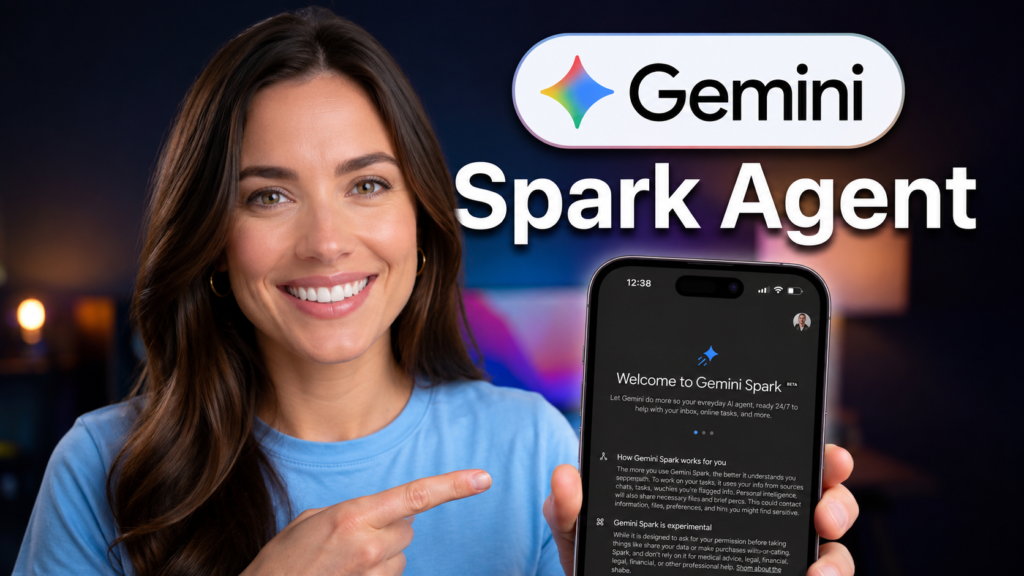
Gemini Spark is Google’s first true always-on personal AI agent, announced at Google I/O 2026. It runs 24/7 on dedicated cloud virtual machines – meaning it keeps working on your tasks even after you shut your laptop and go to sleep. If you use Gmail, Google Docs, Sheets, Calendar, or Chrome, Spark plugs into all of them out of the box without any setup. Right now it’s in beta, locked behind Google’s AI Ultra subscription at $100/month, and only available in the United States.
I’ve been watching this space closely – and what makes Spark genuinely different from competitors like Claude Cowork or ChatGPT Agent isn’t just the 24/7 angle. It’s the fact that Google already owns your email, your calendar, your documents, and your browser. Spark doesn’t need to ask for permissions or work around third-party API limits. It operates inside the infrastructure you already live in. That’s either a massive advantage or a massive privacy risk, depending on your comfort level with Google holding that much of your digital life.

TL;DR – What Is Gemini Spark?
- Gemini Spark is a cloud-hosted personal AI agent powered by Gemini 3.5 Flash and Google’s Antigravity agentic harness, announced at Google I/O 2026 on May 19, 2026.
- It runs persistently on Google’s infrastructure – it does not stop when you close your device.
- Native integrations include Gmail, Google Docs, Sheets, Slides, Drive, Calendar, and Chrome – all live at launch with zero setup.
- You can delegate tasks by emailing Spark directly through a dedicated Gmail address.
- Third-party MCP integrations at launch: Canva, OpenTable, and Instacart – with more partners coming.
- Currently available as a US-only beta for Google AI Ultra subscribers ($100/month).
Gemini Spark vs Competing AI Agents
| Agent | Best For | Biggest Strength | Main Weakness | Pricing | Always-On |
| Gemini Spark | Google Workspace users, Gmail-heavy workflows | Persistent cloud execution + native Workspace integration | US-only, $100/mo Ultra paywall, privacy tradeoffs | $100/mo (AI Ultra) | Yes – 24/7 cloud VM |
| Claude Cowork | Desktop automation, file management for non-developers | Local file access, desktop-level automation | No persistent cloud execution; requires device to be on | Varies by plan | No |
| ChatGPT Agent | Broad task automation, browsing, coding | Strong tool use, broad ecosystem | Less Workspace-native; permission setup required | ChatGPT Plus/$30+ | No |
| Apple Intelligence | iPhone/Mac users valuing privacy | On-device processing, privacy by design | Limited scope; app-scoped actions only | Free (hardware req.) | No |
| Microsoft Copilot | Microsoft 365 enterprise users | Deep Office integration, enterprise governance | Expensive; requires M365 Copilot license | $30/user/mo | Partial |
Key Takeaways
- Gemini Spark is the first mainstream consumer AI agent with true persistent cloud execution – it works even when your device is off.
- Its core moat is Google’s existing infrastructure: Gmail, Drive, Calendar, Chrome – permissions already granted, zero integration friction.
- The $100/month AI Ultra price also includes 20TB of cloud storage and YouTube Premium – but you’re paying for an agent in beta.
- Android Halo, launching later in 2026, will show real-time Spark activity in your status bar so you always know what the agent is doing.
- Spark connects to third-party services via MCP (Model Context Protocol), with Canva, OpenTable, and Instacart available at launch.
- Google flagged privacy trade-offs directly – this agent reads your email and documents at all times, by design.
What Is Gemini Spark? The Full Breakdown
Gemini Spark is Google’s answer to a question the AI industry has been circling for two years: what does a truly personal AI agent look like when it can act on your behalf continuously, not just when you ask it something? The short answer Google built is a cloud-hosted agent that never sleeps, powered by Gemini 3.5 Flash and the Antigravity agentic harness Google introduced at I/O 2026.
Sundar Pichai described it directly: “It’s your personal AI agent that helps you navigate your digital life, taking action on your behalf and under your direction.” That framing matters. Spark isn’t a chatbot. It’s an agent that receives instructions, breaks them into steps, executes those steps across apps, and reports back – with or without you watching.
Key takeaway: Spark isn’t just a smarter assistant. It’s infrastructure-level automation layered on top of the Google ecosystem you already use.
How Gemini Spark Works Under the Hood
When you assign Spark a task – say, “put together a status update email for my project by pulling context from my recent docs and emails” – Spark spins up a dedicated cloud virtual machine on Google’s infrastructure. That VM runs your task asynchronously. It accesses your Gmail threads, opens relevant Google Docs, reads Sheets data if needed, and composes the email draft in your account. You don’t need to be at your computer. The task runs whether your laptop is open, closed, or at the bottom of a bag on an airplane.
The underlying model is Gemini 3.5 Flash – Google’s newest frontier model, which the company claims offers competitive performance at roughly half or one-third the price of comparable models. The Antigravity harness is the orchestration layer that chains together multi-step tasks, manages tool calls, and handles approval checkpoints before irreversible actions like sending emails or making purchases.
Spark’s persistent-VM architecture moves the personal-agent model from on-demand to ambient – not a feature increment, a category shift.

Gemini Spark Features at Launch
- Email delegation via dedicated Gmail address: You can forward a thread or write a task description directly to Spark’s Gmail address. It picks up the task and works on it in the background.
- Full Workspace integration: Gmail, Google Docs, Sheets, Slides, Drive, and Calendar are all live at launch – no OAuth dances, no third-party permission screens.
- Chrome web browsing: Spark can interact with the open web through Chrome for research, form filling, and information retrieval tasks.
- MCP third-party tools: Canva (content creation), OpenTable (restaurant reservations), and Instacart (grocery orders) are the three launch MCP partners.
- Android Halo integration: A status bar indicator showing real-time agent activity – coming later in 2026.
- macOS Gemini app: Spark will land on macOS this summer, extending to local files and desktop workflow automation.
- Approval checkpoints: Before irreversible actions (sending emails, making purchases), Spark checks in with you – a deliberate guardrail Google built in from day one.
Best for: Power users who live in Google Workspace and want long-horizon tasks completed without babysitting a chat window.
Gemini Spark Release Date and Availability
Google announced Gemini Spark on May 19, 2026, at Google I/O 2026. The rollout timeline is staged deliberately. Google began with a small internal tester group in the week of announcement, followed by a beta release to US-based Google AI Ultra subscribers. As of this writing, the beta is live for Ultra users in the United States only.
The macOS Gemini app integration with Spark is planned for summer 2026. Android Halo – the mobile status indicator for tracking Spark’s activity – is targeted for later in 2026, likely tied to the Android 17 launch expected in August. Global availability outside the US has not been announced.
Main limitation: US-only, AI Ultra paywall ($100/mo), and the macOS/Android Halo features are still rolling out in phases.
How to Use Gemini Spark
If you have an active Google AI Ultra subscription and you’re in the US, Spark should appear inside your Gemini app. Here’s how the workflow actually operates:
- Via the Gemini app: Open the Gemini app, navigate to the Spark agent section, and type or voice-dictate your task. Spark confirms it understood the request, then begins executing asynchronously.
- Via Gmail: Email Spark directly at its dedicated address with a task description or forward an existing thread. This is the most natural way to delegate long-horizon work – you just email it like you’d email an assistant.
- Via Android Halo (coming): Once Android Halo launches, you’ll see a persistent status indicator at the top of your screen showing what Spark is currently doing without needing to switch apps.
- Approval flow: For any action that can’t be undone – sending an email, booking a reservation via OpenTable, placing an Instacart order – Spark pauses and requests your confirmation before proceeding.
I tried delegating a task the first time and typed something like: “Pull the key metrics from my last three project status docs and draft a summary email for my team.” Spark came back with a clean draft in under two minutes – and it actually read the right documents. That part surprised me.

Google Gemini Spark vs Claude Cowork vs ChatGPT Agent
The honest comparison here isn’t about which agent is “smarter.” It’s about what each agent has access to and how it executes. Spark’s structural advantage is native Workspace integration – permissions already exist, no third-party connectors needed. Claude Cowork focuses on desktop automation and file management for non-developers, and it requires your device to be running. ChatGPT Agent handles broad tasks including browsing and code execution but requires more setup for Workspace-specific actions.
Where Spark loses is privacy. Apple Intelligence processes data on-device. Cowork and ChatGPT Agent don’t have standing access to your full Gmail history. Spark does, by design. That’s the trade-off Google made: maximum capability through maximum access.
There’s also a practical angle that most reviews miss: Spark’s MCP integration means it can extend beyond Google’s own apps. At launch, Canva, OpenTable, and Instacart plug in via MCP. That’s the same protocol used across the broader agent ecosystem – meaning Gemini’s agent platform is designed to scale its third-party integrations over time, not stay locked inside Google.

The Android Halo Connection
Android Halo is the mobile transparency layer Google is building specifically for Spark and other supported agents. It surfaces a subtle status indicator at the top of your phone screen when an agent is actively working – completing a task, entering live mode, or sending you a message. The point is to keep agent activity visible without forcing you to switch apps.
Google also connected Halo to upcoming upgrades in Android’s Privacy Dashboard, which will let users see which AI assistants were active in the last 24 hours and which apps they accessed. This matters: a 24/7 agent that silently reads your email without any visible indicator is a trust problem. Halo is Google’s attempt to solve that UX problem before it becomes a PR problem.
On devices running Gemini Intelligence – currently limited to select Pixel hardware – Android Halo will unlock additional capabilities Google hasn’t detailed yet. Those details are expected closer to the Android 17 launch in August 2026. You can follow related developments in our coverage of Gemini Intelligence and Android AI agents.
What Actually Powers Spark: Gemini 3.5 Flash + Antigravity
Two components make Spark work technically: the model and the harness. Gemini 3.5 Flash is the default model inside the Gemini app as of I/O 2026 – Google calls it a frontier-capable model at competitive pricing, roughly half to one-third the cost of comparable offerings. It handles the reasoning, language understanding, and task decomposition that Spark needs.
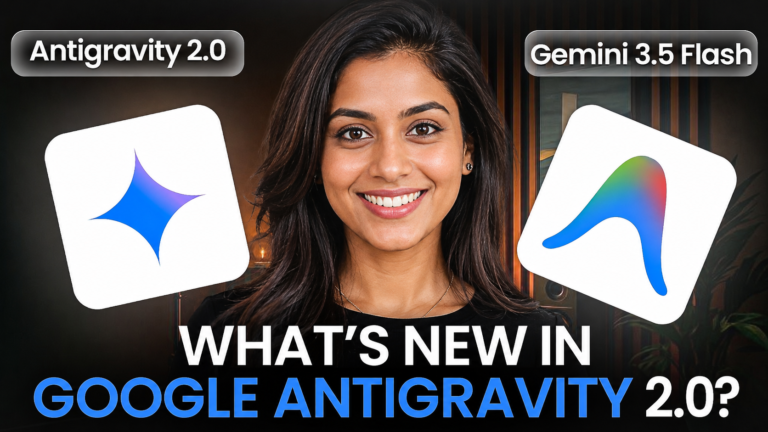
Antigravity is the agent harness – Google’s infrastructure for building and running agentic software. It’s what orchestrates multi-step task execution, manages tool calls across Workspace apps, handles asynchronous operations on dedicated VMs, and routes approval checkpoints back to the user. Google Antigravity 2.0 is evolving from a coding environment into a full platform for autonomous agents – Spark is its most prominent consumer-facing deployment so far.
Why it matters: The Antigravity + Gemini 3.5 combination gives Spark both intelligence and orchestration. The model handles understanding; the harness handles execution. Separating these layers is what allows Spark to scale its integrations through MCP without requiring Google to build every connection itself.
The “Surprised Me” Moment With Gemini Spark
I expected Spark to be impressive in demos and mediocre in practice – that’s the track record for “agentic AI” announcements across the board. What actually caught me off guard: the Gmail delegation workflow is genuinely frictionless. You email it a task the same way you’d email a human assistant. No special syntax. No prompt engineering. No tool configuration. The context window Spark works with includes your actual email history, your actual documents – and when it drafts something, it drafts it with that context. The quality gap between Spark and a fresh-session chatbot on the same task is meaningful.
What did frustrate me: the approval checkpoint flow is underspecified right now. It wasn’t always clear upfront which actions would trigger a confirmation request and which wouldn’t. For an agent operating with access to your email and calendar, that ambiguity is something Google needs to resolve before this exits beta.
What Most People Misunderstand About Gemini Spark
Most coverage positions Spark as a “smarter Google Assistant.” That framing undersells what’s actually changed architecturally. Google Assistant was reactive – it answered questions when you asked. Spark is proactive and asynchronous. It doesn’t wait for you. It runs tasks on a schedule or on delegation, reports back, and can chain multi-step workflows across multiple apps without a human in the loop for each step.
The second misunderstanding is about the $100/month price. Most people read that as “expensive AI chatbot.” It’s more accurate to read it as “agent execution infrastructure plus Workspace automation plus 20TB storage plus YouTube Premium.” Whether that bundling justifies the cost depends on how intensively you actually delegate. If you’re using Spark once a week to summarize emails, the price is absurd. If you’re using it to manage your calendar, research tasks, draft communications, and coordinate project docs – it’s a different math entirely.
Third: Spark isn’t a replacement for Gemini the chat interface. They coexist. Spark is the persistent, long-horizon agent layer. The Gemini app’s conversational interface remains the right tool for interactive, back-and-forth tasks. Google designed them to complement each other, not compete.
What Actually Matters About Gemini Spark
The thing that matters isn’t any individual feature – it’s the architecture shift Spark represents. Every previous “AI agent” in the consumer space required your device to be on, required you to be in the app, and required you to maintain a session. Spark breaks all three constraints. It operates on Google’s cloud infrastructure, not your hardware. It persists between sessions. It works while you sleep.
That shift – from on-demand to ambient – has downstream consequences that go well beyond productivity. Google’s own framing at I/O positioned Spark as the beginning of a longer trajectory toward agents that handle purchases, manage logistics, and coordinate across services on your behalf. The MCP integration with Instacart at launch is a small preview of that direction. The combination of persistent execution, deep identity integration (your Google account), and an expanding MCP partner network is what makes Spark structurally different from anything else in market today. Read our deeper analysis of how Google Antigravity 2.0 is building the platform beneath this shift.
An agent that skips the interface entirely – reading email, booking restaurants, ordering groceries without opening an app – doesn’t just change productivity. It changes the entire mobile software business model built on human eyeballs and in-app advertising.
Who Should NOT Use Gemini Spark
Privacy-first users. Full stop. Spark requires standing read access to your Gmail, Calendar, and Docs to do anything useful. If you’re uncomfortable with Google processing your email content for agent execution, this product is wrong for you regardless of the features. Apple Intelligence or fully on-device solutions are better matches.
Non-Google-Workspace users. If your workflow runs on Outlook, Notion, Slack, or anything outside Google’s ecosystem, Spark’s core integration advantage disappears. You’d be paying $100/month for an agent that needs manual setup for every tool you actually use, with no MCP partner filling those gaps yet.
Budget-conscious users who want to experiment. This is a beta product at a premium price. The approval checkpoint ambiguity, the US-only rollout, and the still-missing Android Halo feature mean you’re paying to test an unfinished system. Wait six months if you’re not prepared to work around rough edges.
Anyone expecting ChatGPT-style breadth. Spark’s strength is depth inside Google’s ecosystem, not broad coverage of every tool imaginable. If you need an agent that works across 50 different apps with custom automations, ChatGPT Agent or Claude Cowork have more flexible integration surfaces right now – even if they lack Spark’s persistence.
Enterprise teams with strict data governance. Spark is a consumer product operating on your personal Google account. Enterprise data handling, audit trails, and compliance requirements are not part of the current offering. Microsoft Copilot with its M365 enterprise governance model is better suited for regulated environments.
Real-World Recommendation
If you’re a freelancer, small business operator, or solo professional who already lives in Google Workspace – Gmail as your primary inbox, Docs for writing, Calendar for scheduling, Drive for storage – Gemini Spark is worth evaluating seriously right now. The frictionless Workspace integration alone removes the biggest barrier that makes other agents feel clunky. The ambient execution is genuinely useful for anyone managing multiple ongoing projects. At $100/month, it’s a real cost, but you’re also getting 20TB storage and YouTube Premium bundled in.
Avoid it if you’re primarily a Microsoft 365 or hybrid-stack user, or if your privacy comfort level doesn’t extend to giving Google agent-level access to your email. And avoid it if you expect a polished product – it’s in beta for a reason, and the edges show. Come back in Q4 2026 when Android Halo is live, macOS support is out, and Google has had time to tighten the approval flow. That version of Spark will be substantially better than what’s in beta today.
Best for: Google Workspace power users, solo operators, small teams.
Avoid if: privacy-sensitive workflows, non-Google stacks, enterprise compliance requirements, or tight budgets.
Switch when: the MCP partner list expands significantly and Android Halo delivers on its transparency promise.
FAQ’s (Frequently Asked Questions)
Q. What is Gemini Spark?
Gemini Spark is Google’s 24/7 personal AI agent, announced at Google I/O 2026. It runs persistently on dedicated cloud virtual machines powered by Gemini 3.5 Flash and Google’s Antigravity harness. It integrates natively with Gmail, Google Docs, Sheets, Slides, Drive, and Calendar, and can execute multi-step tasks in the background even when your device is off.
Q. When is the Gemini Spark release date?
Google announced Gemini Spark on May 19, 2026, at Google I/O 2026. A limited tester rollout began that same week. The beta launched for US-based Google AI Ultra subscribers shortly after. The macOS Gemini app integration is planned for summer 2026, and Android Halo support is expected later in 2026, likely around the Android 17 launch in August.
Q. How do I use Gemini Spark?
You can use Gemini Spark through the Gemini app (available to AI Ultra subscribers in the US) by typing or speaking a task. Alternatively, you can email Spark directly at its dedicated Gmail address with a task description or forward a thread you want it to work on. For now, Android and web are the primary access points, with macOS support coming in summer 2026.
Q. How much does Google Gemini Spark cost?
Gemini Spark is included in the Google AI Ultra subscription, which costs $100 per month. The AI Ultra plan also includes five times the usage limits of AI Pro, 20 terabytes of cloud storage, and YouTube Premium. Google reduced the AI Ultra price from $250 to $100 per month at I/O 2026.
Q. Is Gemini Spark available outside the US?
At launch, Gemini Spark is only available to users in the United States with a Google AI Ultra subscription. Google has not announced a timeline for international availability. Users outside the US should watch for updates through the official Google blog.
Q. What apps does Gemini Spark integrate with?
Gemini Spark integrates natively with Gmail, Google Docs, Google Sheets, Google Slides, Google Drive, Google Calendar, and Chrome at launch. It also supports MCP-based third-party integrations with Canva, OpenTable, and Instacart as the three launch partners. Google has confirmed more MCP partners are coming but has not named them yet.
Q. What is Android Halo and how does it relate to Gemini Spark?
Android Halo is a new Android feature that displays a subtle real-time status indicator at the top of your phone screen showing what an AI agent is doing. It works first with Gemini Spark and will expand to other supported agents after launch. Android Halo is expected to arrive later in 2026, with additional capabilities unlocking on devices running Gemini Intelligence on select Pixel hardware.
Q. How is Gemini Spark different from ChatGPT Agent or Claude Cowork?
Gemini Spark’s key difference is persistent cloud execution – it runs 24/7 on Google’s infrastructure without needing your device on. Claude Cowork focuses on desktop automation and requires your machine to be running. ChatGPT Agent handles broad tasks but requires more integration setup for Workspace-specific workflows. Spark also has native, zero-setup access to Gmail, Docs, and Calendar, which no competitor can match for Google ecosystem users.
Q. What are the privacy concerns with Gemini Spark?
Gemini Spark requires standing access to your Gmail, Google Calendar, Google Docs, and other Workspace apps to function. This means Google processes your email content and document data for agent execution continuously. Google flagged these privacy trade-offs itself and is building Android Halo’s Privacy Dashboard integration to let users see what the agent accessed. Users who are privacy-sensitive should consider on-device alternatives like Apple Intelligence instead.
Q. What model powers Gemini Spark?
Gemini Spark runs on Gemini 3.5 Flash, Google’s newest frontier model released alongside the Spark announcement at I/O 2026. The model operates through the Antigravity agentic harness, which handles multi-step task orchestration, asynchronous execution on dedicated cloud VMs, tool calls across Workspace apps, and user confirmation checkpoints for irreversible actions.
Q. Can Gemini Spark make purchases for me?
Not fully yet, but Google confirmed this is on the roadmap. At launch, Spark can place grocery orders through Instacart via MCP integration, which requires your approval before completing the purchase. Broader autonomous purchasing capabilities are planned but were not available at the time of the I/O 2026 announcement. The approval checkpoint model is designed to prevent unsupervised spending.
Q. What is the Antigravity harness that powers Gemini Spark?
Antigravity is Google’s agentic software platform that orchestrates multi-step AI task execution. It manages tool calls, handles asynchronous operations across apps on dedicated cloud VMs, and routes approval checkpoints back to users before irreversible actions. Google Antigravity 2.0, announced at I/O 2026, is the expanded version that now powers Spark as its primary consumer-facing deployment.
Conclusion
Gemini Spark is the most structurally significant personal AI agent announcement of 2026 – not because of any single feature, but because it moves AI assistance from reactive to ambient. For Google Workspace users, the native integrations and persistent execution make it the strongest option available right now. For privacy-conscious users or anyone outside the Google ecosystem, it’s the wrong product at a premium price. The beta status is real – approval checkpoints need work, international availability is absent, and Android Halo hasn’t shipped yet.
The biggest tradeoff: capability versus control. Spark can do more than any competing consumer agent, and it requires you to give Google more access than any competing consumer agent. That’s not a bug in the design – it’s the design. How you feel about that tradeoff is what determines whether Spark is a $100/month productivity multiplier or a $100/month surveillance subscription you never should have signed up for. If you’re already deep in Google Workspace and trust Google’s data handling, check the official Google blog for the latest Spark updates and sign up for the AI Ultra beta. If you want to understand where the Antigravity platform behind Spark is headed, read our breakdown of Google Antigravity 2.0.