On October 16, 2025, Anthropic launched Claude Skills, a feature that fundamentally changed how Claude approaches specialized tasks. Rather than relying on generic prompting every time, Skills let you package domain expertise, workflows, and resources into reusable modules that Claude loads automatically when needed.
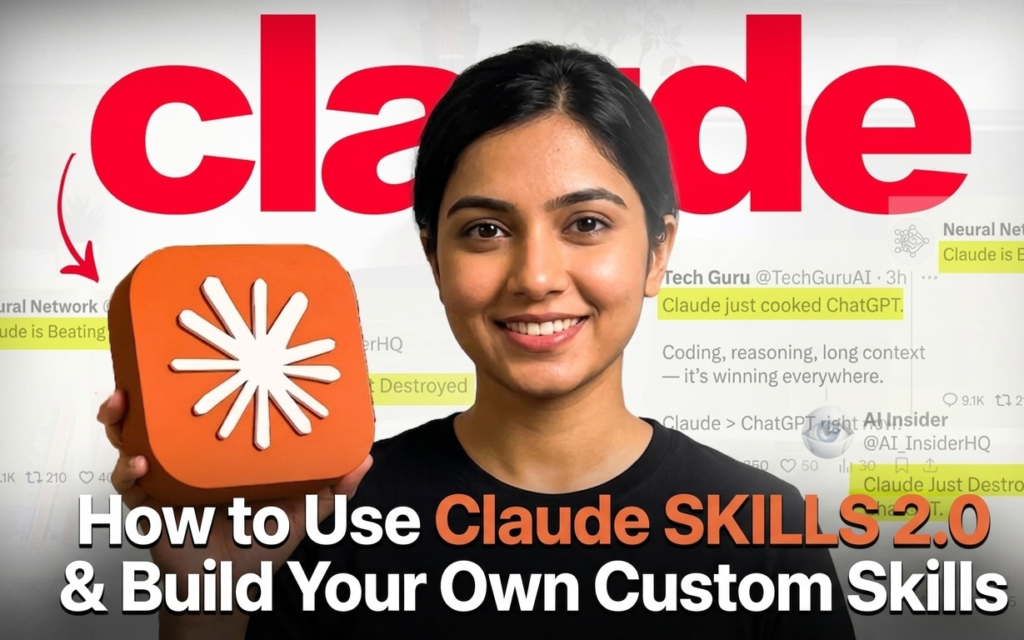
By December 2025, Anthropic upgraded this system with organization-wide management and an open standard—often referred to as the Agent Skills 2.0 era. This guide covers everything: what Claude Skills are, how to use them, how to create your own, and practical side-by-side comparisons that demonstrate just how transformative they can be.

What Are Claude Skills?
Claude Skills are modular folders containing instructions, scripts, and resources that Claude can discover and load dynamically. Unlike a global system prompt that burdens every interaction, Claude will only access a skill when it is explicitly relevant to the task at hand.
Insight: The shift from “prompting” to “skills” represents the evolution of AI from a chat interface to a functional operating system where capabilities are installed rather than explained.
Think of a Skill as an onboarding manual for a new hire. Instead of re-explaining your workflows in every chat, you encode that expertise once—and Claude draws on it whenever the task calls for it.
The Anatomy of a Skill
Structurally, a skill is a Markdown file telling the model how to do something, optionally accompanied by extra documents and pre-written scripts. A basic skill folder looks like this:
- SKILL.md: The core file containing frontmatter (metadata) and instructions.
- REFERENCE.md: Optional deeper documentation or data for the model to consult.
- scripts/: Optional Python helper scripts that the model can run to execute tasks.
At the start of a session, Claude’s various harnesses scan available skill files. This is highly token-efficient: each skill only takes up a few dozen extra tokens for the initial scan, with the full details only loaded into the context window if the user request matches the skill’s purpose.
Claude Skills vs. Agent Skills 2.0: Key Differences
The evolution from the October 2025 launch to the December 2025 update significantly expanded the power of this feature.
Claude Skills (October 2025 — v1)
- Launched with the ability to build and use skills across Claude apps, Claude Code, and the API.
- Included pre-built Anthropic skills for Excel, PowerPoint, Word, and PDF files.
- Primarily functioned as smart, auto-loading markdown folders—powerful, but largely static.
Agent Skills 2.0 (December 2025 — Updated Standard)
- Open Standard: The specification was released as an open standard, making skills portable across platforms like ChatGPT or Cursor.
- Organization Management: Enterprise administrators can now manage Skills from a central dashboard.
- Subagents: Skills can now spawn isolated subagents with their own context windows to handle sub-tasks.
- Dynamic Injection: Shell commands can inject live data into skill prompts before Claude sees them.
| Feature | Claude Skills v1 (Oct 2025) | Agent Skills 2.0 (Dec 2025+) |
| Portability | Claude platforms only | Open standard (cross-platform) |
| Org Management | Individual use | Enterprise-wide central dashboard |
| Skill Creation | Manual file editing | Prompt-based Skill Creator |
| Subagents | No | Yes — isolated context windows |
| Partner Skills | No | Canva, Notion, Figma, Atlassian |
| Live Data | No | Shell commands inject live data |
How to Use Claude Skills
For Claude.ai Users
Paid users (Pro, Max, Team, Enterprise) have access to pre-built Anthropic skills. These allow Claude to work natively with:
- Excel: Using formulas and data analysis.
- PowerPoint: Generating structured presentations.
- Word & PDF: Managing documents and fillable forms.
Simply ask Claude to perform the task—e.g., “Create a PowerPoint presentation summarizing our Q3 results”—and if the skill is available, Claude loads it automatically.

For Developers (API & Claude Code)
Developers can reference pre-built skills via skill_id (e.g., pptx, xlsx) or upload custom skills via the /v1/skills API endpoints. In Claude Code, you can register the Anthropic skills repository as a plugin marketplace. You can then use a skill by mentioning it, such as asking Claude Code to use the PDF skill to extract form fields.
Insight: By unifying commands and skills in Claude Code, Anthropic has bridged the gap between static documentation and executable terminal logic.
How to Create Your Own Skill in Claude
Building a custom skill allows you to standardize how Claude handles your specific business logic.
Step 1: Define Your Use Case
Identify repetitive tasks that require specific guidelines. Common examples include:
- “Summarize support tickets using our internal triage format.”
- “Generate blog posts following our brand voice guidelines.”
Step 2: Create the Skill Folder
Organize your folder with a SKILL.md file and an optional references/ folder for supporting documents.
Step 3: Write the SKILL.md File
The file requires YAML frontmatter, which Claude uses to decide when to activate the skill.
YAML
---
name: brand-writer
description: >
  Write blog content following ACME Corp brand voice.
  Use when user asks to write a blog post, article, or marketing copy.
---
Follow the frontmatter with your Markdown instructions. Keep the core instructions in SKILL.md and link to more detailed documentation in the references/ folder to maintain efficiency.

Step 4: Deploy and Test
- Claude Code: Place the folder in
.claude/skills/(project-specific) or~/.claude/skills/(global). - Skills 2.0 Testing: Utilize the new automatic evals for structured pass/fail testing and A/B benchmarking. This ensures your skill actually improves output rather than adding unnecessary complexity.
Claude Skills Use Cases
Real-world applications of Claude Skills demonstrate their versatility in automating complex workflows within defined boundaries.
- Box Integration: Skills teach Claude to transform Box content into standardized PowerPoint or Excel files.
- Canva: Teams use Skills to capture unique brand context and bring it directly into agentic design workflows.
- Enterprise Compliance: Workflow Skills can automate the generation of NDA checklists or manage code review flows, enforcing compliance without manual oversight.
- CRM & Support: Skills can fetch data from company databases to compose personalized email responses or summarize meeting transcripts in a specific format.

Side-by-Side Comparison: With vs. Without Skills
Scenario: Brand-Consistent Content Generation
Without a Claude Skill (Generic Prompting): You must re-paste a massive block of instructions every session: “Write a 600-word post… use a professional tone… avoid words like ‘seamless’… follow AP Style.” If you forget one detail, the output drifts.
With a Claude Skill (brand-writer skill active): Prompt: “Write a 600-word blog post about our new product launch.” Claude automatically loads the skill, applies all internal rules, and produces on-brand content with zero re-prompting.
| Feature | Without Skill | With Skill |
| Consistency | Varies per session | Repeatable and accurate |
| Efficiency | High manual overhead | Zero re-prompting |
| Sharing | Must share prompts manually | Shared org-wide via dashboard |
| Output Quality | Depends on prompt completeness | Enforced by skill standards |

FAQ
Q. Are Claude Skills available on the free plan?
No. They are available to Pro, Max, Team, and Enterprise users across Claude.ai, Claude Code, and the API.
Q. How is a Skill different from a system prompt?
System prompts apply to every conversation. Skills are selective; they only activate when relevant, saving tokens and preventing “instruction creep” in unrelated tasks.
Q. Can I use Claude Skills in other AI models?
Yes. Because Agent Skills 2.0 is an open standard, skills created for Claude can be ported to other platforms like ChatGPT or Cursor if they adopt the standard.
Q. Are there security risks?
Because Skills can execute code and scripts, you should only use Skills from trusted sources.
Conclusion
Claude Skills represent a genuine shift in how AI fits into professional workflows. Rather than treating every session as a blank slate, Skills let teams encode their expertise once and deploy it consistently across platforms and tools.
The jump to Agent Skills 2.0 added subagent execution, open-standard portability, and structured testing that make enterprise adoption not just feasible but genuinely productive. Whether you are a solo developer or an enterprise admin, Claude Skills offer a scalable, auditable, and reusable approach to AI specialization that generic prompting simply cannot match.
Next Step: Explore the official Anthropic skills GitHub repository for production-grade examples or start building your first skill in the Claude Console today.
See More Awesome article on Our Blogs.