Everybody has spent hours copying and pasting data between spreadsheets, manually renaming dozens of files, or gazing at a disorganized “Downloads” folder. The “work about work” that consumes 60% of your time is the less glamorous aspect of being a creator or business owner. What if you had a buddy that could complete the task for you? Not only talk about it, but open the folder, start working on it, and let you know when it’s finished?
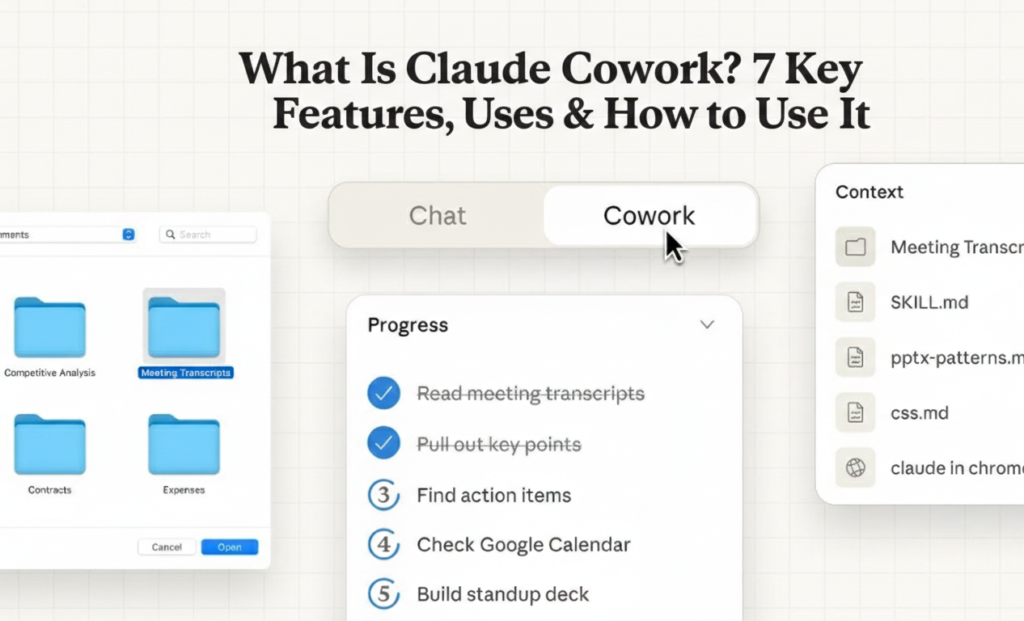
Anthropic’s new “agentic” AI tool, Claude Cowork, functions as an independent virtual coworker. Claude Cowork, in contrast to a typical chatbot, works directly on your desktop (currently macOS), accessing particular folders that you allow to read, edit, and create files. It successfully gives non-technical professionals access to the power of “Claude Code” by planning multi-step workflows, carrying out intricate administrative chores, and operating in a safe sandbox.
In this in-depth analysis, we’ll look at Claude Cowork Features, How to use Claude Cowork to boost productivity, and why it might be the greatest program for creators hoping to grow in 2025.
What is Claude Cowork
Consider Claude Cowork to be the link between “AI as a consultant” and “AI as an intern.”
Tools like ChatGPT and Claude were conversational up until this point. They sent you a text after you requested a blog article. It needed to be copied, pasted, formatted, and saved. By directly integrating with your computer’s file system through the Claude Desktop app, Claude Cowork transforms the game.

For Claude Max subscribers in the United States and other supported areas, it is presently in a research preview. It makes use of a “agentic” design, which means it does more than just respond. It divides an objective (such as “Organize my tax receipts”) into steps, carries them out, and makes necessary course corrections.
Overall, Claude Cowork is a productivity engine that handles the clicking and typing for you, not only a chatbot.
Choose Your Fit:
Claude Cowork Features
Let’s examine the technological wizardry behind the scenes to see why this is a significant change for AI tools for business.
- Independent Task Scheduling
The majority of AI programs wait for your next command. Claude Cowork takes initiative. When you instruct it to “Turn these meeting notes into a project plan and a slide deck,” for example, it first creates a plan. Before beginning, it requests your consent and lists the actions it plans to conduct (such as “Read notes,” “Draft outline,” and “Create PowerPoint file”). - Read/Write Direct File System Access
The killer feature is this. The files in the shared folder are visible to Claude Cowork. Not only can it “read” a PDF upload, but it can also read a CSV file and produce a fresh, clean version, or it can open a folder containing fifty photos and rename them according to their content. It’s among the most useful automation tools we’ve seen for creators. - Sandbox for virtual machines (VMs)
When granting AI access to your computer, security is crucial. Every task at Claude Cowork is executed within a virtual machine that has been containerized. It is therefore separate from the remainder of your system. It cannot access directories you haven’t specifically shared or “accidentally” remove your system data. - Workstreams in parallel
Do you need to write an email and evaluate data at the same time? Claude Cowork is capable of managing parallel processing. It is far faster than a human manually switching pages because it can spin up numerous “threads” to tackle different portions of a complex problem at simultaneously. - “Steering” and Adjusting the Course
When it operates, you are not locked out. Like a “terminal” view for non-programmers, the interface lets you see exactly what it’s doing in real-time. If you see it heading in the wrong direction, you can interrupt and “steer” it back on track without restarting the whole process. - Analyzing and Visualizing Complex Data
Claude Cowork is capable of performing analytics software tool functions and digesting raw data files (Excel, JSON, and CSV). You won’t need a separate data scientist for fundamental business analytics because it can perform cross-tabulations, spot outliers, and even create charts and graphs. - Contextual Persistence (Session Management)
Claude Cowork in the desktop program preserves the “state” of your project as long as the session is alive, in contrast to a web chat that may time out or lose context. Iterative work is possible because it retains the file structure modifications it recently made.
Are you interested in mastering these features? To compare them, visit our guide on Digital marketing automation tools.

Claude Cowork Uses
What does this mean in actual life? Here’s how Claude Cowork is being used by both US users and international artists.
- The Engine for “Content Repurposing”
Repurposing material is crucial for expanding your audience, according to Google’s creator recommendations.
The Process: Place a transcript of a video into a folder. Request that Claude Cowork: “Read this transcript, create a 1000-word blog post (Markdown), write 5 LinkedIn posts, and generate a newsletter HTML file.”
The outcome is one input and three outputs, each saved as a separate file that is prepared for publication. This is software that creates content automatically. - Administrative and Financial Triage
Tax season is a nightmare for small business owners.
The Process: Make a folder named “Receipts.” Put all of your jumbled PDFs and pictures in there. Ask your Claude Cowork: “Rename all these files by date and vendor, and create an Excel sheet summarizing the total expenses by category.”
As a result, hours of data entry were completed in a matter of minutes. - Strategy Driven by Data
Do you want to analyze your traffic or find high-paying freelance tools?
The Process: Get your CSV exports from YouTube Studio or Google Analytics. Claude Cowork should be asked to examine these three CSVs. Tell me which subjects had the best retention rates, and use this information to create a plan paper for the material for the following month.”
The outcome is actionable insights that don’t require an Excel wizard.
What is the one administrative chore that you detest the most? Could Claude Cowork manage it?

How to use Claude Cowork
Are you prepared to put this productivity software review into practice? This is your comprehensive handbook.
- 🎯 Choose the Correct Plan: You must have a subscription to Claude Max, which is currently available to individuals in the US and a few other countries.
- 📌 Download the App: Claude Cowork can only be accessed through the macOS Claude Desktop app.
- 🚀 To activate the feature, search the UI for the “Cowork” tab or toggle, which is frequently located next to the model selector.
- 🎯 Grant Permissions: Claude will request access to a particular folder when you begin a task. Advice: To keep things safe and organized, make a special “Work” folder.
- 📌 Use normal language to begin prompting. Think of it as a remote internship. “Hey, look at the files in this folder and…”
- 🚀 Expert Advice: Begin modestly. Before you ask it to erase files or reorganize your entire hard drive, ask it to arrange a subfolder!
Having Trouble with Robotic Content
Expanding Your Viewership→ Insights from Google Creators
Your plan needs to be human-led, with tools like Claude Cowork handling the implementation. To determine how to combine AI efficiency with tried-and-true growth strategies, we examined insights from the most popular Google Creator posts.
- Maintain Consistency Without Burning Out
According to Google, audience loyalty is mostly dependent on consistency. But the enemy is burnout.
The plan is to use Claude Cowork to create a “content buffer.” If you have a Sunday free, jot down your unfinished ideas, and Claude Cowork will turn them into drafts for the entire month. This guarantees that you maintain consistency even when things get hectic. - Pay attention to “Who, How, and Why” (E-E-A-T).
Content that exhibits Experience, Expertise, Authoritativeness, and Trust (E-E-A-T) is rewarded by Google.
Approach: Don’t simply let AI to provide generic content. To organize your deep skills, use Claude Cowork. Give it your own case studies and let it format them. The “How” (Claude Cowork) manages the delivery, while the “Who” (you) supplies the value. - Get More Involved
One important lesson was imparted by a blogger with 500,000 readers: Provide detailed answers to questions.
Method: Use Claude Cowork to scan your YouTube responses or blog comments (saved as a text file). Tell it “Categorize these questions and draft detailed, empathetic responses for me to review.” This facilitates the quicker development of community.
Must try this: What Is Google Antigravity? Features, IDE & Developer Use

The Conclusion→ Is the Hype Justified?
A significant advancement in SaaS comparison 2025 is represented by Claude Cowork. It shifts the focus from chat-based AI to action-based AI. It provides a window into a future in which “software” is a collaborator rather than a tool for digital marketers, independent contractors, and creators.
Claude Cowork is a useful tool whether you’re trying to manage your desktop or are searching for high-quality digital product ideas.
Are you prepared to optimize your workflow? To keep ahead of the curve, visit Zypa.in/blog for additional business growth software reviews and advice.