Are You Curious About Midjourney’s 2026 Creative Boundaries and NSFW Policy? Many artists are curious about Midjourney’s NSFW rules and how to push creative boundaries in an ethical manner. Even though adult or explicit content is strictly prohibited on Midjourney, you can still use suggestive but complying suggestions to explore bold, provocative, and emotionally intense themes. The official Midjourney NSFW policy, safe prompting techniques, and methods for producing edgy, narrative-driven art that complies with platform guidelines are all covered in this book. Let’s explore responsible AI innovation!
Does Midjourney Allow NSFW Content in 2026? The Clear Answer
No, Midjourney does not allow NSFW or adult content. The platform prioritizes a safe, inclusive environment for all users, including families and professionals. Midjourney NSFW policy explicitly prohibits generating explicit sexual imagery, nudity, or highly suggestive material.
Instead of seeking “unlocks,” focus on Midjourney’s strengths: artistic fantasy, abstract expressions, and stylized visuals that evoke emotion without crossing lines. This keeps your account safe while unlocking stunning creative potential.
Midjourney NSFW Policy 2026
Midjourney implements a stringent “Safe For Work (SFW)” policy in 2026. In order to maintain the platform’s friendliness, security, and accessibility for all users, NSFW (Not Safe For Work) content—including sexual, violent, or abusive imagery—is forbidden.
- Basic Rule:
- Content is limited to SFW.
- Every image created must be suitable for both workplaces and public audiences.
- Prohibited Content:
- Explicit or sexual imagery is not allowed.
- Harassment, violence, and gore → Totally prohibited.
- Prompts that are offensive or abusive are prohibited.
- Community Standards:
- Be courteous and friendly.
- Avoid harassing or acting aggressively.
- Be careful when sharing → Steer clear of offensive or startling results.
- No unapproved automation → Third-party programs or bots are prohibited.
- Enforcing:
- Content removal, account suspension, or bans could result from infractions.
- Violations can be reported directly to Midjourney moderators.
Dangers & Debate
Some NSFW content manages to get past filters, leading to discussions on the efficacy of filtering. External blogs talk about “workarounds,” but these are against Midjourney’s policies and could result in account penalties.
Key Takeaway
Does Midjourney Permit NSFW? No—All content must be SFW according to Midjourney’s strict 2026 policy. Workarounds that are discussed on other websites are against the rules and may result in permanent bans. For the greatest experience, stick to conforming creativity.
How to Unlock MidJourney NSFW Features?
Let’s now address the most pressing issue: offensive material. For those who are unaware, NSFW is an acronym for “Not Safe For Work.” When your grandma is exploring the internet, you don’t want her to come across this type of stuff.
NSFW content in AI-generated art can range from sexual imagery and nudity to more specialized fetishes. Midjourney has established a clear boundary regarding inappropriate content, despite the fact that some may contend that art is all about pushing boundaries. And with good cause! Ultimately, our goal is to maintain the platform as a secure and friendly environment for everyone, even your grandmother.
For No Restrictions: Grok 3 Sexy NSFW Mode Tutorial– Unlock 18+ Mode
Safe & Ethical Prompting Tips to Push Creative Boundaries
Sometimes, you want to test the boundaries without going into NSFW zone. Here’s how you manage MidJourney’s AI securely while keeping creativity intact and attain a mature, evocative vibe while adhering to all regulations:
- Employ Metaphors and Symbolism: Choose symbolic elements or abstract silhouettes over explicit images.
- Pay Attention to Emotion and Mood: State “intense romantic tension in shadowy lighting” or the “mystical allure under neon glow.”
- Steer clear of trigger terms and instead choose for artistic nuances like “elegant” or “dramatic.”
- Try Different Styles: Terms like “film noir silhouette” or “Renaissance masterpiece” provide nuance and sophistication.
🔥 Creative Example: For seductive yet secure effects, try “ethereal figure in flowing fabrics, cinematic golden hour lighting.”
Who Should Use MidJourney? Content Creators, Designers & More
MidJourney isn’t only for artists—it’s for anyone looking to boost their visual content! Whether you’re a master or a beginner, this AI can revolutionize the way you produce graphics.
🎨 Who benefits the most?
- Digital Artists & Designers — Want jaw-dropping concept art without spending days on it? MidJourney delivers.
- Content Creators & Influencers — Generate eye-catching images for posts, thumbnails, and brand identity.
- Marketers & Businesses — Create high-quality advertising and branding materials with AI-powered precision.
- Authors & Storytellers — Illustrate book covers, character designs, and world-building scenes effortlessly.
- Game Developers — Generate concept art for characters, environments, and objects in record time.
💡 Fun Fact→ Some users have even created AI-generated NFT collections using MidJourney!
How to Use MidJourney Commands Like a Pro
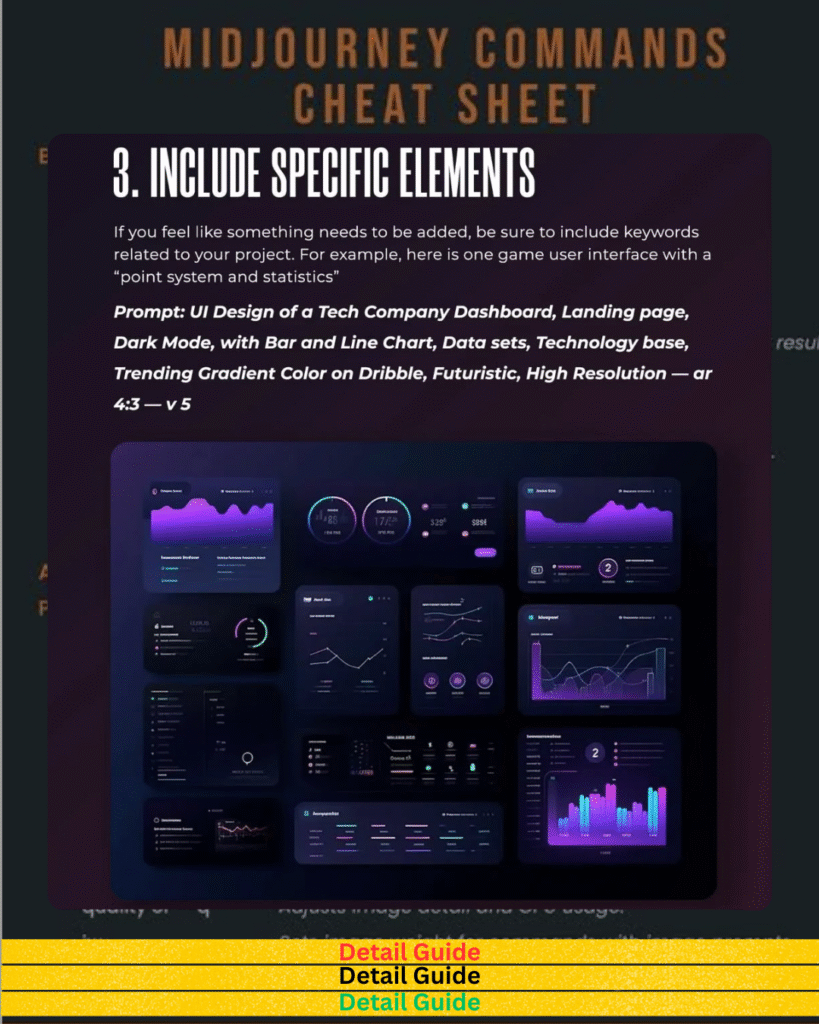
MidJourney’s power rests in its command mechanism, allowing users to construct incredibly intricate visuals effortlessly. Below is a table of key MidJourney commands to level up your MidJourney game!
| Command | Function | Example Usage |
|---|---|---|
| /imagine | Generates an image from a text prompt | /imagine futuristic city at sunset |
| –ar | Sets aspect ratio | /imagine serene landscape –ar 16→9 |
| –q | Adjusts image quality | /imagine cyberpunk portrait –q 2 |
| –v | Controls variation level | /imagine enchanted forest –v 4 |
| –style | Selects different artistic styles | /imagine ethereal glow –style 4c |
| –no | Excludes specific elements | /imagine vintage poster –no text |
🚀 Pro Tip→ Combine multiple commands to fine-tune your results—AI works best with precise details!
Essential MidJourney Commands for Beginners
If you’re just starting out, don’t worry—MidJourney’s AI is intuitive! Here are must-know commands to get you going→
- Basic Generation — Type /imagine [your idea] and let MidJourney produce magic!
- Aspect Ratio Mastery — Use –ar 16→9 for widescreen photos or –ar 1→1 for Instagram-perfect art.
- Quality Tweaks — Adjust sharpness with –q 2 (better quality) or –q 1 (faster generation).
- Variations — Add –v 4 for more creative interpretations of your prompt.
- Refinement — Use –style 4c to achieve cinematic effects for beautiful images.
Want next-level AI-generated art? Master these commands, and MidJourney will feel like an extension of your own creative brilliance!
Read More: How to Reset Instagram Algorithm & Boost Your Reach Fast!
MidJourney AI Price Breakdown→ Plans, Features & Value
Choosing the right plan in 2026 is no longer just about “how many images” you want, but whether you need specialized tools like Draft Mode, Stealth Mode, or the HD Video Engine.
The Midjourney Subscription Matrix
| Plan | Price (USD) | Fast GPU Time | Key Features | Best For |
| Basic | $10/mo | ~3.3 Hrs (~200 gen) | V7/V8 Access, Web Editor | Beginners & Hobbyists |
| Standard | $30/mo | 15 Hrs | Unlimited Relax Mode | Full-time Content Creators |
| Pro | $60/mo | 30 Hrs | Stealth Mode, HD Video | Commercial Pros & Agencies |
| Mega | $120/mo | 60 Hrs | 12 Concurrent Fast Jobs | High-Volume Studios |
Pro Tip: In 2026, Relax Mode is the “secret sauce” for the Standard plan and above. It allows for unlimited generations at no extra cost, making it the most sustainable choice for professional iterative design.
2026 Feature Updates: What Your Money Buys
- V7 & V8 Architecture: Superior coherence in hands, text rendering, and complex “Omni-Reference” systems that allow you to lock in specific characters across different scenes.
- Ultra-Fast “Draft Mode”: Available on all tiers, this renders 10x faster at 50% of the GPU cost—perfect for rapid ideation before committing to a final “High-Def” render.
- The Unified Web Editor: Most users have migrated from Discord to the native web interface, which features Canvas-based Inpainting, selective retexturing, and drag-and-drop style references.
- Personalization Profiles: The system now learns your aesthetic “vibe” based on your past ratings, automatically tailoring new generations to your specific artistic style.
Commitment Strategy: Monthly vs. Annual
Annual plans are highly recommended for 2026, as the “Subscription Fatigue” of multiple AI tools (Text, Video, Image) makes the 20% discount a significant budget saver.
✅ Monthly Flexibility ($10 – $120/mo)
- Best for seasonal projects or checking in on new version launches (like the transition from V7 to V8).
- No long-term commitment; ideal for “one-off” brand refreshes.
✅ Annual Savings ($8 – $96/mo billed yearly)
- The 20% price drop effectively gives you two months free.
- Required for “Power Users” who use the API or Personalization Profiles to maintain a consistent brand identity throughout the year.
💡 Key Consideration→ If MidJourney is part of your daily creative workflow, the annual package saves money in the long term.
Safe Midjourney Prompt Alternatives for Artistic & Provocative Concepts
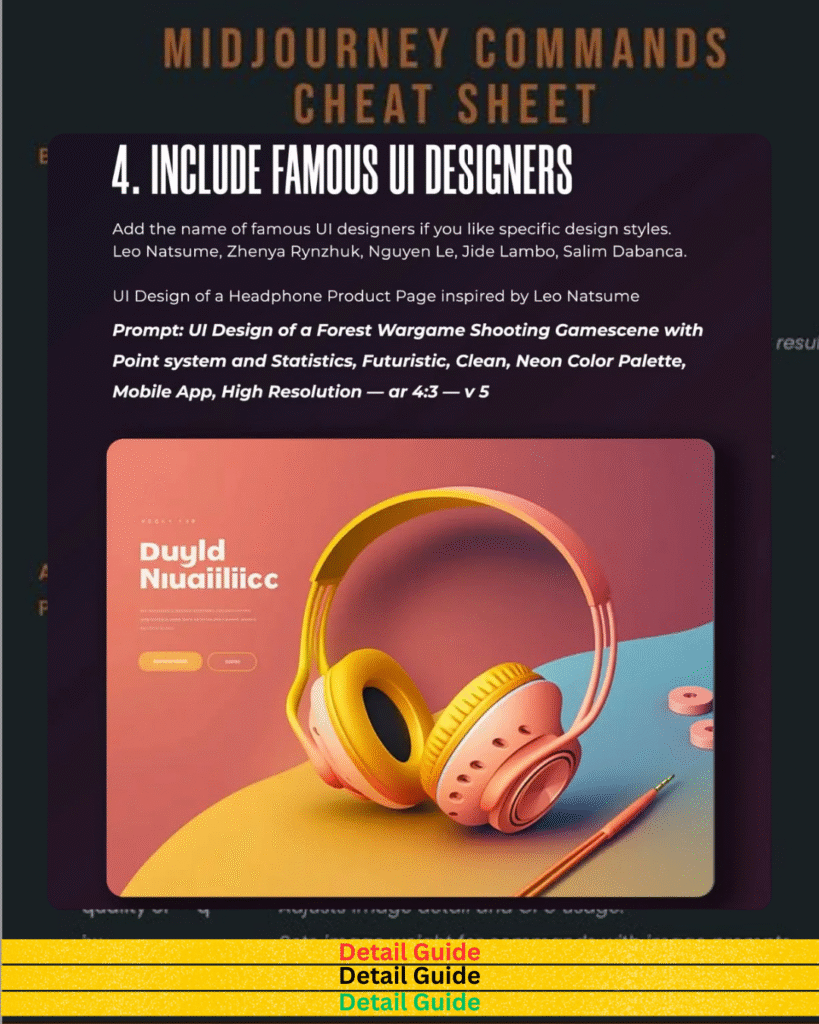
If you’re wanting to create artistic, suggestive, or stylized graphics without breaching NSFW bounds, employing safe prompts is crucial. Here’s a selection of MidJourney NSFW-safe options to achieve visually pleasing outcomes without breaching standards.
| Intended Concept | Safe Prompt Example | Description |
|---|---|---|
| Sensual Portrait | “Elegant cinematic close-up with dramatic shadows and soft lighting” | Moody, expressive faces with artistic depth |
| Romantic Tension | “Dreamlike couple in misty golden hour embrace” | Soft, emotional ambiance without explicitness |
| Mysterious Allure | “Silhouetted form under ethereal moonlight fog” | Suggestive refinement through abstraction |
| Classical Elegance | “Renaissance-inspired portrait in rich oils” | Timeless beauty in a tasteful, historical style |
| Fashion Edge | “High-fashion editorial with bold contrasts and deep shadows” | Stylish focus on composition and mood |
💡 Pro Tip→ Combine with parameters like –ar 9:16 or –style raw for polished, policy-safe outputs.
MidJourney vs Competitors→ DALL·E, Leonardo AI & More
AI-generated art is booming, and MidJourney isn’t the only player in town. Here’s how it stacks up against DALL·E, Leonardo AI, and other competitors.
| AI Model | Strengths | Weaknesses | Best For |
|---|---|---|---|
| MidJourney | Stunning artistic styles, great detail | Requires Discord, trial mode is limited | Concept artists, designers |
| DALL·E | Broad versatility, generates realistic images | Less stylized than MidJourney | Advertisers, product design |
| Leonardo AI | High-speed image generation, customization tools | Still evolving, not as refined as MidJourney | Bulk AI-generated assets |
| Stable Diffusion | Open-source, full control | Steeper learning curve, complex setup | Developers, AI experimenters |
🎯 Verdict→ MidJourney dominates in artistic quality, while DALL·E excels in realism. Leonardo AI is great for fast, customizable workflows, and Stable Diffusion gives complete control to users who prefer hands-on customization.
Feature-by-Feature Comparison
Here’s how MidJourney ranks against competitors in terms of functionality→
- Image Detail & Creativity→ MidJourney leads with gorgeous, painterly art.
- Ease of Use→ DALL·E wins with a simple web-based interface.
- Customization Power→ Stable Diffusion allows full control over parameters.
- Processing Speed→ Leonardo AI is built for bulk picture production.
💡 Choosing the proper tool relies on your individual needs—whether it’s artistic flexibility, realistic graphics, or speedy processing.
Output Quality & Style Differences
Each AI model adds a unique style to the table.
- MidJourney→ Rich, dramatic, and cinematic. Works best for concept art & styled imagery.
- DALL·E→ Balanced realism. Great for product graphics, advertising, and narrative.
- Leonardo AI→ Fast, efficient, and versatile. Ideal for AI-generated assets at scale.
- Stable Diffusion→ Highly configurable but technical. Best for experimental AI creations.
🎨 Bottom Line→ If you want excellent digital paintings, MidJourney is unrivaled. If photo-realism is your priority, DALL·E or Leonardo AI might be the best alternative.
MidJourney for Monetization→ Can You Sell the Art You Create?
Yes! MidJourney-generated art can be sold, but there are a few conditions you should be aware of before using AI-generated graphics for business use.
✅ You Can Sell Your MidJourney NSFW or normal Creations If→
- You’re on a premium plan (free users have limited rights).
- You comply with copyright and content rules.
- Your artwork is original and does not duplicate branded designs.
🚫 Restrictions Apply If→
- You attempt to sell photographs with trademarked characters (e.g., Disney or Marvel designs).
- You use MidJourney’s created art commercially without a paid subscription.
- Your work violates ethical AI principles, such as utilizing celebrity likenesses without permission.
💡 Pro Tip→ Many producers offer AI-generated posters, book covers, NFT artwork, and even custom prints utilizing MidJourney designs—just ensure you follow intellectual property regulations!
Legal Considerations When Using MidJourney Images
AI-generated art is a fascinating area, but legal considerations still exist. Here’s what you need to keep in mind→
- Copyright Ownership — Paid MidJourney subscribers own their developed photographs and can use them commercially.
- Trademark & IP Risks — Avoid creating art that resembles branded logos, characters, or proprietary designs, as these may lead to legal conflicts.
- Ethical Use — Be cautious when employing AI art for news, politics, or deepfake-like imagery, as ethical considerations can develop.
- Fair Use & Licensing — Some AI-produced photos may come under creative commons licenses based on the created content’s uniqueness.
🎯 Bottom Line→ MidJourney grants paid customers commercial rights, but respect copyright rules and guarantee your AI-generated art is used legally and responsibly.
Pros and Cons Based on Real Use
Before swiping that credit card, you need the complete picture. Let’s talk actual user experience—not just marketing fluff.
✅ Pros→
- Exceptional AI-Generated Art — MidJourney pushes limits with amazing visuals and mind-blowing intricacies.
- Easy Access Through Discord — No complex software installations. Just enter in your command, and the magic emerges.
- Customization & Flexibility — Fine-tune your images with commands and prompts to bring your exact idea to life.
- Constant Updates & Improvements — The team behind MidJourney continuously developing the concept, delivering new styles and enhanced functionality.
❌ Cons→
- Subscription Cost — MidJourney comes with a price tag, and while acceptable for professionals, it may not fit every budget.
- Learning Curve — It’s powerful, but it takes some trial and error to grasp the proper cues for excellent outcomes.
- NSFW Limitations — While MidJourney enables creative freedom, there are severe content guidelines that may limit some users.
- Limited Free Usage — The trial option gives a taste of its capabilities, but serious users need a subscription plan for consistent results.
💡 Pro Tip→ If you’re new to AI art, start with a minimal membership before going all-in. Test how it fits your workflow before committing entirely.
For 0 NSFW Limitations: How to Use Grok 3 Sexy Mode: The Disastrous Power Guide
MidJourney for Business→ ROI Potential
AI-generated art isn’t just for hobbyists—it’s revolutionizing how corporations create content. MidJourney can boost your branding, marketing, and product images in ways standard design tools can’t.
🔥 Here’s how businesses are using MidJourney for big ROI→
- Unique Branding & Logo Design — Companies are developing eye-catching logos and brand graphics without paying pricey designers.
- Social Media Content — Engaging graphics and AI-enhanced pictures that promote interaction and make posts go viral.
- Advertising & Marketing — AI-generated images that reduce down design costs while keeping excellent quality.
- Concept Art & Product Mockups — Perfect for startups wanting to visualize concepts before full-scale development.
- E-Commerce & Merchandising — Businesses generate distinctive artwork for garments, accessories, and digital products effortlessly.
🎯 Bottom Line→ If utilized appropriately, MidJourney can save firms thousands in creative fees while providing high-quality, eye-catching visuals that rival expert designers.
Frequently Asked Questions (FAQ’s)
-
Is MidJourney Worth it?
Totally worth it if you’re like AI art. The output quality is unbelievably good—great for designers, marketers, and producers who want unique visuals without employing an artist.
-
Can MidJourney make NSFW
No, NSFW generating is not permitted on Midjourney. Explicit or ambiguous prompts are blocked by advanced filters.
-
Does MidJourney allow NSFW?
Not at all. Adult content is forbidden by Midjourney’s official NSFW policy; infractions could result in account suspension.
-
Is MidJourney Uncensored?
No, it’s purposefully censored to prevent damaging, violent, or sexual content.