Forty-five tabs open. Flight booking in one. Research in another. Email half-written in a third.
You’re not browsing anymore — you’re drowning in tabs. What if your browser could finally do the work instead of just showing you more work? Here’s the direct answer: Perplexity Comet Browser is the first serious agentic browser built to automate real tasks using embedded AI — and it’s changing how power users work in 2026.
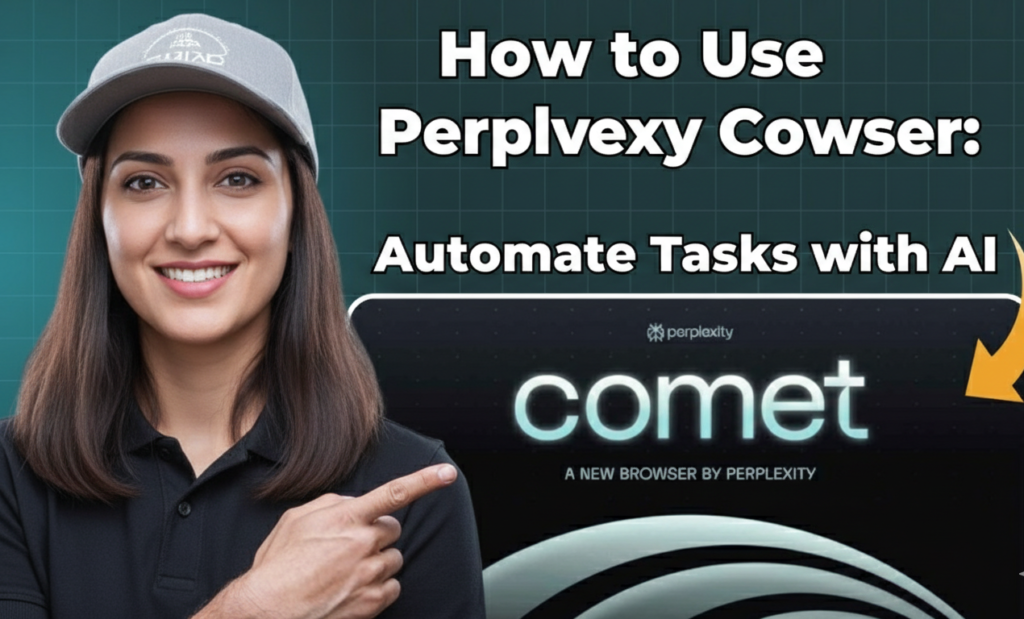
What is Perplexity Comet
Perplexity Comet is a Chromium-based AI browser developed by Perplexity AI that goes far beyond traditional browsing.
Unlike regular browsers that passively display websites, Perplexity Comet Browser introduces agentic AI — artificial intelligence that can act, click buttons, fill forms, navigate websites, compare options, and complete multi-step workflows on your behalf.
Powered by Perplexity’s advanced large language models, it turns your browser window into an active digital assistant that understands context, sees your open tabs, and executes goals instead of just answering questions.
In short:
- You give it a goal
- Perplexity Comet Browser does the heavy lifting
Make your Own AI Agents:

Why Perplexity Comet Browser Matters in 2026
The internet experience in 2026 is no longer about searching harder — it’s about executing faster.
Perplexity Comet Browser to Automate task is becoming the new standard for:
- Digital marketers who juggle 15 tools daily
- Content creators doing deep niche research
- Small business owners automating repetitive admin
- Anyone tired of tab overload and context switching
The core promise is simple and powerful: Do more. Browse less.
Getting Started with Perplexity Comet Browser
Switching browsers sounds painful — but Perplexity Comet makes it painless.
Here’s how to start in under 5 minutes:
- Download Perplexity Comet Browser (available for Windows, Mac, and Android)
- Import bookmarks, passwords, and history from Chrome/Edge with one click
- Install your favorite Chrome extensions — full compatibility
- Pin the Comet AI sidebar (this is where the magic lives)
Pro Tip: Once the sidebar is open, Perplexity Comet can see the current page, understand your open tabs, and accept drag-and-drop text/images for instant analysis.
You Should Have these AI Tools:

How to Use Perplexity Comet – The Agentic Sidekick
This is the killer feature that separates Perplexity Comet Browser from everything else. Instead of searching manually, you give it a clear goal — and it tries to complete it.
Real example you can try right now:
Type this into the address bar or sidebar:
"Find me a round-trip flight from JFK to LHR departing next Friday, returning Sunday, under $600, with Wi-Fi and at least 4-star reviews."What Perplexity Comet Browser will do:
- Navigate flight aggregators and airline sites
- Filter results intelligently
- Build a clean comparison table
- Show the best options
- (With your permission) proceed to checkout with fields pre-filled
Try this today: Ask Perplexity Comet Browser to Automate task → “Create a comparison table of the top 5 high-yield savings accounts in the US right now with current interest rates.”
Watch how many minutes (or hours) you instantly save.
How to Use Perplexity Comet for Research & Summarization
Tab fatigue is real — especially for researchers, bloggers, and analysts.
Perplexity Comet Browser solves it with powerful context-aware features:
- Summarize This Page → Get instant bullet-point summary of any article
- Cross-Tab Reasoning → Ask it to compare pricing/models across multiple open tabs
- Rank & Analyze → “Rank these 5 SaaS pricing pages from best value to worst”
Perfect when you’re doing competitive analysis, SaaS comparisons, or deep niche research in 2026.

Perplexity Comet Browser Growth Hacks for Creators
Top creators already use Perplexity Comet Browser to Automate task workflows. Here are three powerful hacks inspired by growth experts:
- Goldilocks Niche Finder
Open 3 competing blogs in your space
Ask: “Analyze these three sites. What high-engagement subtopics are they all missing?”
→ Instantly discover your unique angle - Instant Hook Generator
Staring at a blank page?
Ask: “Give me five ultra-strong opening hooks that start with a curiosity question for an article about [your topic]”
→ Writer’s block gone in seconds - Competition Gap Closer
Open the #1 ranking article for your keyword
Ask: “What’s missing from this article? What questions would a beginner still have after reading it?”
→ Create content that’s objectively better and more complete
Perplexity Comet Have a Competetitor:
Benefits and Drawbacks of Perplexity Comet Browser
The Good:
- Lightning-fast performance (aggressive ad removal)
- Excellent built-in Focus Mode + ad-blocker
- True task automation that saves hours weekly
- Familiar Chromium feel with futuristic powers
The Caution Points:
- Security: Early reports of prompt injection risks on malicious sites — be careful with sensitive logins
- Accuracy: Like all LLMs, occasional hallucinations — always double-check critical info (finance, bookings, etc.)

Who Should Use Perplexity Comet Browser in 2026
Ideal for:
- Digital marketers automating repetitive small business tasks
- Content creators researching high-ticket digital products
- Freelancers comparing tools, rates, and hosting
- Students synthesizing huge amounts of information fast
- Anyone who wants to stop managing tabs and start managing outcomes
Final Verdict – Is Perplexity Comet Browser Worth It?
Perplexity Comet Browser isn’t just another browser. It’s your first real look at the agentic internet future — where AI doesn’t just answer questions, it completes goals.
If you’re serious about productivity, automation, and staying ahead in 2026, Perplexity Comet Browser deserves a permanent spot in your workflow.
Download it today. Give it one real task. See for yourself how much time you can reclaim.
It might just become your favorite automation tool for creators.
What’s your first task for Perplexity Comet Browser?
Drop it in the comments — let’s see what this thing can really do! 🚀
See More Awesome Blogs like this in Our Blog.