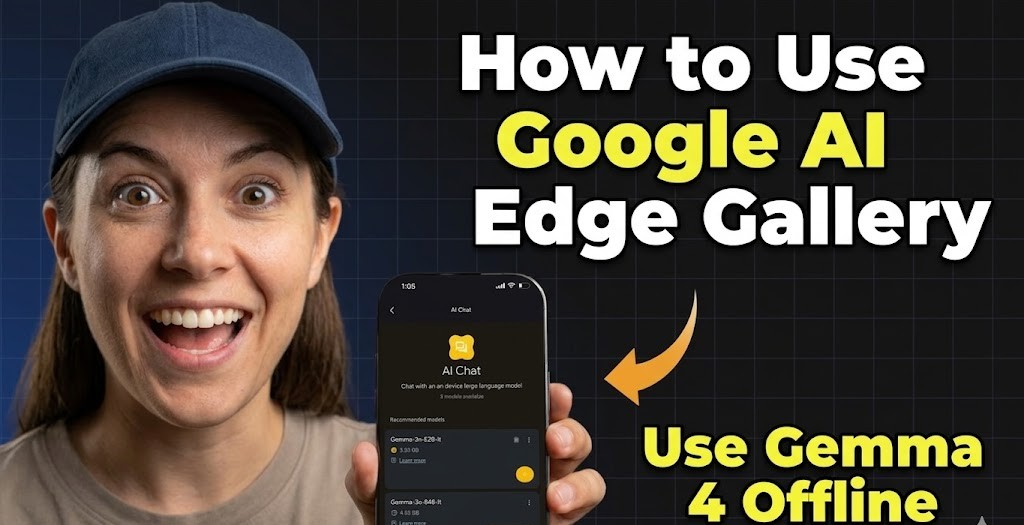
You need tools that are as quick and adaptable as you are if you are a digital creator. This arises a question How do I use Google AI Edge Gallery and run Gemma 4 offline? To put it simply, download the Google AI Edge Gallery App from the app store. Get the Gemma 4 E2B or E4B model by opening the app and going to the “Models” section. After the download is finished, select “Ask Image” or “AI Chat” to begin creating content completely on your device without requiring an online connection. It’s actually that easy!
What more can this offline powerhouse accomplish for your creative process, though? Let’s take a closer look at the best content creation software available in 2026.
What is Google AI Edge Gallery?
Google’s AI Edge team created the ground-breaking, open-source Google AI Edge Gallery. On their own hardware, it enables users to run potent Large Language Models (LLMs) natively.
The Gemma 4 family was formally supported by the app in 2026. This implies that high-performance generative AI is available right on your smartphone through the Google AI Edge Gallery App.
There are no data privacy issues or reliance on the cloud. Just undiluted, pure processing power. This software is a complete game-changer, whether you require AI writing assistant tools for a lengthy journey or a safe place to brainstorm.
Are you familiar with using AI locally? Please share your favorite mobile AI feature in the comments section!

The Reason why Google AI Edge Gallery is Popular now: What is Google GEMMA 4 by Google DeepMind & How to Use it
How to Access Gemma 4 using Google AI Edge Gallery
The setup process is quite quick. To turn your phone into an offline AI powerhouse, just follow these easy steps:
- Download the Google AI Edge Gallery App. Look for Google AI Edge Gallery on the app store. Install it on your device (it works flawlessly for both worldwide authors and US Users).
- Grant Permissions. Launch the application and permit storage. This is crucial in order for the app to safely store the local model files on your device.
- Go to the “Models” page after downloading Gemma 4. Gemma 4 E2B (Effective 2 Billion parameters) for lightning speed and Gemma 4 E4B for complicated reasoning are examples of possibilities you will see. Press download.
- Start Creating. Go to the AI Chat or Prompt Lab workspace. Watch the model produce responses locally as you type your prompt!
Takeaway: The model can be downloaded with just one internet connection. Your AI is then fully off-the-grid and yours forever.

How to Use Google AI Edge Gallery: Step-by-Step for Beginners
Here is a clear numbered guide to get started with the Google AI Edge Gallery App and run powerful models like Gemma 4 offline:
- First, ensure you have a compatible smartphone with sufficient storage and RAM.
- Search for and install the Google AI Edge Gallery App from your device’s app store.
- Open the app and complete the initial setup by granting necessary storage permissions.
- Navigate to the Models section and select the desired Gemma 4 variant (E2B for speed or E4B for advanced tasks).
- Download the model → once complete, the Google AI Edge Gallery runs everything locally.
- Switch between AI Chat, Ask Image, or other workspaces to start prompting.
This process makes How to use Google AI Edge Gallery straightforward even for first-time users.
Google’s Powerfull AI Browser: What Is Google Disco: New Browser, Features & Full Guide
Key Features of Google AI Edge Gallery with Gemma 4
Why is Gemma 4 important for digital creators? It is more than a simple chatbot. It is among the best software for creators that is now accessible.
Gemma 4 is capable of using modular tools. It can use natural language to control your device’s settings (such as turning on the flashlight), retrieve interactive maps, and consult Wikipedia for rapid fact-checking.
- Thinking Mode: Are you curious in how AI operates? Turn on “Thinking Mode” to see the model’s sequential reasoning process. It is ideal for figuring out how prompts are understood or debugging complicated logic.
- Multimodal Ask Image: Take a picture of a document or a beautiful scene, then ask Gemma 4 to examine it. It is an extremely safe tool for private projects because it operates entirely offline.
- Audio Scribe: Do you need a brief voice note transcribed? Without uploading audio to the cloud, Audio Scribe instantly translates speech to text. When browsing productivity software review blogs, it’s a great substitute.
Which of these offline features would most improve your day-to-day productivity?

Google AI Edge Gallery for Content Creators in 2026
Google AI Edge Gallery stands out as a powerful offline solution for creators who value privacy and speed. With full support for Gemma 4 models, the Google AI Edge Gallery App lets you generate ideas, draft content, and analyze images without any internet connection.
Whether brainstorming blog posts or editing visuals through Ask Image, the app delivers consistent performance directly on your device.
Most Powerfull Feature of Claude you haven’t used yet: How to CREATE a Skill in Claude: Use Claude SKILLS 2.0 Now!
Growth Strategies Using Google AI Edge Gallery and Gemma 4
The first stage is having excellent AI tools for business. How can such effectiveness be transformed into a vibrant online community? Here’s how to combine tools like Gemma 4 with tried-and-true growth strategies.
- Produce Useful, Detailed Content
Create concise subheadings, eliminate technical jargon, and plan lengthy blog entries with Gemma 4’s Prompt Lab in the Google AI Edge Gallery App. Always write a compelling introduction that draws the reader in with a promise or a query. A compelling hook keeps readers on the page! - Pay Attention to Niche & Branding
Create a consistent tone of voice, taglines, and brand colors using Gemma 4. Choose a niche that is both broad enough to scale and specific enough to attract devoted followers. - Pay Attention and Involve Your Audience
Use Gemma 4 to assist in creating intelligent, customized answers to queries posed by your audience in the comments section.
Key Takeaway: Consider your audience as a community. Sincere connection is necessary for engagement, which is a two-way street.

Advanced Tips for Using Google AI Edge Gallery Offline
Do you want to develop your hobby blog into a successful company? Here are some sophisticated methods for sharing the material you produce using offline AI:
- Provide incentives: Offering a freebie (such as an eBook or a digital template) to new readers who sign up for your mailing list will encourage them to return. Create the secure content for your freebie using Gemma 4 via Google AI Edge Gallery.
- Creatively Promote Online: Learn SEO before you begin writing. To rank for popular keywords. Next, use Pinterest to draw in visual search traffic and share previews of your long-form content on social media.
- Use the video: Add a brief introduction video on your homepage to humanize your brand.
See our internal guides at Zypa Blog (https://zypa.in/blog) for more information on expanding your online presence and growing your creative business.
Why Privacy Matters with Google AI Edge Gallery
Privacy is the new luxury as automation tools for creators gain traction. Strict Non-Disclosure Agreements (NDAs) are necessary for many high-end clients or those who use high paying freelance tools.
You can be sure that no data leaves your smartphone by utilizing Google AI Edge Gallery with Gemma 4. This is essential for creators who are organizing confidential material for web hosting for creative professionals or working on unreleased items or ghostwriting.
Takeaway: Offline AI keeps you highly productive while safeguarding your intellectual property.

How to Access Gemma 4 using Google AI Edge Gallery – Quick Recap
To quickly How to Access Gemma 4 using Google AI Edge Gallery:
- Install the Google AI Edge Gallery App
- Download Gemma 4 E2B or E4B model
- Start using AI Chat or Ask Image offline
This makes running advanced AI on your phone simple and secure.
Final Thoughts on Google AI Edge Gallery and Gemma 4
In 2026, the Gemma 4 models and Google AI Edge Gallery will transform the way we engage with machine learning. Google has given artists the ultimate offline companion by delivering cutting-edge intelligence straight to your phone.
Gemma 4 is ready to assist whether you are creating interesting posts, responding to devoted fans, or coming up with fresh digital tactics—no Wi-Fi is necessary.
Try the Gemma 4 E2B model, download the Google AI Edge Gallery App, and let us know how it alters your workflow. Remember to forward this article to another creative in need of a safe, offline AI boost!