Imagine building a full-stack application by simply describing what you want in plain English, watching an AI agent navigate files, write functions, run terminal commands, and self-correct — all without a single manual keystroke. That is no longer science fiction. It is exactly what Cursor Composer 2 makes possible, and it is accelerating the vibe coding movement faster than anything the developer community has seen before.
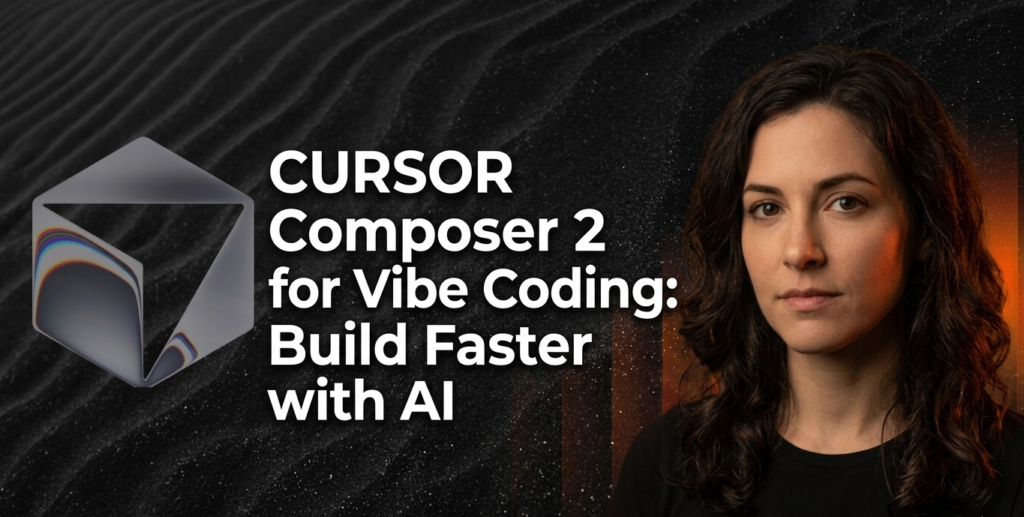
Vibe coding — the practice of guiding software development through natural language prompts rather than line-by-line code writing — has been growing in momentum throughout 2025 and into 2026. Cursor, the AI code editor built by San Francisco-based startup Anysphere, has been at the center of that shift. Now, with the launch of Cursor Composer 2 in March 2026, the company has raised the stakes dramatically.
This guide covers everything you need to know: what Composer 2 is, how it works, how it compares to competing models, and exactly how to use it for vibe coding.

What Is Cursor Composer 2?
Cursor Composer 2 is Anysphere’s second-generation in-house AI coding model, launched on March 19, 2026, and available natively inside the Cursor AI code editor. It is explicitly not a general-purpose language model.
Cursor co-founder and research lead Aman Sanger has explicitly stated that Composer 2 “won’t help you do your taxes” and “won’t be able to write poems”. Instead, the model was trained exclusively on code data and is optimized for multi-file edits, code generation, refactoring, and long task chains that can run across hundreds of actions. Under the hood, Composer 2 is a fine-tuned variant of the Chinese open-source model Kimi K2.5.
That foundation, combined with Anysphere’s proprietary training pipeline, has produced a model that outperforms many larger frontier systems on specialized coding benchmarks — at a fraction of the cost. Cursor itself reports more than 1 million daily active users, a scale that helped the company secure a $29.3 billion valuation last November.
Insight: Composer 2 is both a technical milestone and a strategic bet: by building its own model rather than routing all requests to OpenAI or Anthropic, Cursor is asserting control over its own AI stack.
What Is Vibe Coding and Why Does It Matter?
Vibe coding refers to a style of software development in which developers use conversational, natural language prompts to direct an AI agent through the construction of software. Instead of writing syntax manually, the developer sets intent — describing functionality, architecture, or desired behavior — and the AI handles the implementation.
The term gained significant traction in 2025 and has since been embraced by both professional developers and non-technical builders who want to create software without deep programming knowledge. Cursor has been one of the primary tools associated with the vibe coding movement because of its agent-first design philosophy.
Cursor for vibe coding works because the editor is built around a continuous agentic loop: you describe what you want, the model reads your codebase, makes edits across multiple files, runs terminal commands, handles errors, and iterates — often without requiring further human input. Composer 2 makes this loop significantly more powerful.

Key Features of Cursor Composer 2
A Massive 200,000-Token Context Window
Composer 2 supports prompts with up to 200,000 tokens. It can generate code, fix bugs in existing software, and interact with a computer’s command line interface. Additionally, developers can optionally extend the model’s capabilities by providing it with access to a browser, an image generator, and other tools.
A 200K context window is critical for vibe coding because real-world projects are exceptionally large. When you are asking an AI to refactor an entire repository or build a feature across a dozen interconnected files, smaller context windows cause the model to lose the thread of what it is doing. Composer 2 holds significantly more context, enabling more coherent, longer-running tasks.
Self-Summarization: The Core Technical Innovation
The most significant technical advancement in Composer 2 is a training technique Anysphere calls self-summarization. Cursor trained Composer 2 for long-horizon tasks through a reinforcement learning process called self-summarization, and by making self-summarization part of Composer’s training, the company can get training signal from trajectories much longer than the model’s maximum context window.
Cursor’s approach, which the team calls compaction-in-the-loop reinforcement learning, builds summarization directly into the training loop. When a generation hits a token-length trigger, the model pauses and compresses its own context to roughly 1,000 tokens, down from 5,000 or more with traditional methods.
Because the reinforcement learning reward covers the entire chain including the summarization steps, the model learns which details to keep and which to discard. In practical terms, this means Composer 2 can work on a task requiring hundreds of sequential steps — like refactoring an entire codebase — without losing its goal orientation midway through.
Continued Pretraining on Code Data
Composer 2 is the first version where Cursor ran continuous pre-training, which the company says provided “a far stronger base to scale our reinforcement learning”. Previous Composer models applied reinforcement learning to an existing base model without modifying the base itself.
This distinction matters. Pretraining on code-specific data gives the model a richer underlying understanding of programming patterns before fine-tuning even begins, which translates directly to higher-quality output for complex coding tasks.
Deep CLI and Terminal Integration
Composer 2 can interact with a computer’s command line interface. For vibe coding workflows, this is a game-changer. Rather than just generating code snippets, Composer 2 can execute build commands, run tests, install dependencies, and respond to terminal output — making it a genuinely autonomous coding agent rather than a sophisticated autocomplete tool.

How Cursor Composer 2 Compares to Competing Models
Cursor evaluated Composer 2 using an internal benchmark called CursorBench. The average CursorBench challenge includes 352 lines of code spread across eight files.
Here is how the models compare across the three primary benchmarks Cursor has published:
| Model | CursorBench | Terminal-Bench 2.0 | SWE-Bench Multilingual |
| Composer 2 | 61.3 | 61.7 | 73.7 |
| Composer 1.5 | 44.2 | 47.9 | 65.9 |
| Composer 1 | 38.0 | 40.0 | 56.9 |
| Claude Opus 4.6 | Below Composer 2 | Below Composer 2 | — |
| GPT-5.4 (High) | Above Composer 2 | — | — |
Composer 2 achieved a score of more than 60% on CursorBench, which put it in third place behind GPT-5.4’s high and medium configurations. According to Cursor, Composer 2 outperformed GPT-5.4’s low configuration and Claude Opus 4.6. The new model also bested Anthropic’s model on the Terminal-Bench 2.0 benchmark.
Insight: These benchmark numbers have real implications for vibe coding. Terminal-Bench 2.0 specifically measures a model’s ability to perform tasks in a command line interface — exactly the kind of autonomous multi-step work that defines serious vibe coding sessions.
Pricing: A Dramatic Drop from Composer 1.5
One of the most compelling aspects of Composer 2 is what it costs. Composer 2 is priced at 50 cents per million input tokens and $2.50 per million output tokens. That is a big drop from Cursor’s predecessor in-house model, Composer 1.5, which cost $3.50 per million input tokens and $17.50 per million output tokens.
This means Composer 2 is about 86% cheaper on both counts. In addition to the standard version, there is a faster variant that is equivalent in intelligence but costs more: $1.50 per million input tokens and $7.50 per million output tokens. Cursor makes the fast variant the default option. According to the company, this price remains lower than that of other fast models on the market.
For developers running continuous vibe coding sessions — where the agent may be processing millions of tokens in a single working day — this pricing difference is not marginal. It is the kind of cost reduction that makes sustained AI-assisted development economically viable at scale.

How to Use Cursor Composer 2 for Vibe Coding (Step-by-Step)
This is where cursor composer 2 vibe coding becomes a practical reality. Follow these structured steps to get the absolute most out of your agentic coding sessions.
Step 1: Open Cursor and Select Composer 2
Launch the Cursor editor and open the model selection panel. Composer 2 Fast is now the default model for agent sessions. If you want the standard version for cost efficiency, select it from the model dropdown. Both versions deliver the same output quality — the fast version simply responds more quickly.
Step 2: Define Your Project Context
Before writing your first prompt, make sure Cursor’s codebase indexing is active. Cursor indexes your local project files, which gives Composer 2 the full context of your existing code. For vibe coding to work well, the model needs to understand what already exists before it starts building or modifying.
Step 3: Write Intent-Driven Prompts
The philosophy of cursor for vibe coding is built on intent, not instructions.
- Instead of writing: “Add a function called validateEmail that checks if a string matches an email regex pattern”
- Try writing: “Add email validation to the user registration flow. It should check format on blur, show an inline error message, and prevent form submission if invalid.”
The second prompt communicates outcomes and behavior. Composer 2 will autonomously determine the implementation — selecting the right file, writing the function, connecting it to the UI, and testing the logic.
Step 4: Let the Agent Run
After submitting your prompt, do not interrupt. Composer 2’s self-summarization architecture allows it to manage complex, multi-step tasks autonomously. Watch the agent panel as it reads files, writes edits, runs terminal commands, and responds to errors. Intervene only if the direction is clearly wrong.
Step 5: Review Diffs Before Accepting
Cursor presents all AI-generated changes as diffs that you must accept or reject before they are committed to your files. Review these carefully. Even a capable model like Composer 2 can make assumptions that do not align with your architectural preferences. Treat the diff review as a strict quality gate, not a formality.
Step 6: Extend with Browser and Image Tools
Developers can optionally extend Composer 2’s capabilities by providing it with access to a browser, an image generator, and other tools. For vibe coding tasks that involve pulling documentation, reading API references, or generating placeholder assets, enabling these integrations unlocks a significantly more autonomous workflow.

Real-World Use Cases for Cursor Composer 2 Vibe Coding
To truly grasp the power of Composer 2, developers must view it as an active participant rather than a passive assistant. Here are powerful ways to deploy it:
- Repository-Scale Refactoring: Ask Composer 2 to migrate a legacy codebase from REST to GraphQL. The model will navigate the file tree, identify all relevant endpoints, rewrite the schema and resolvers, and update tests — a task that previously required days of careful manual work.
- Full-Stack Feature Development: Describe a new feature end-to-end — database schema, API routes, front-end components, and unit tests — in a single prompt. Composer 2 builds each layer in sequence, maintaining consistency across the stack.
- Debugging Complex Errors: Paste an error trace and describe the behavior you expect. Composer 2 reads the relevant files, identifies the root cause, applies a fix, and runs the relevant tests to confirm resolution.
- CLI Automation: Use Composer 2 to write and execute shell scripts for deployment pipelines, data migrations, or infrastructure provisioning. Its terminal integration makes it capable of acting on the results of commands in real time.
Limitations to Be Aware Of
No tool is perfect, and Composer 2 has clearly defined boundaries. Composer doesn’t have the reasoning depth that Opus 4.6 has. The challenge comes in when doing more than just coding, like running long term tasks like operating or maintaining systems.
Some developers have described frustration with Cursor’s pricing, context loss, or editor-centric experience, while praising alternatives as a more direct and fully agentic way to work. These concerns are worth tracking as the competitive landscape continues to shift.
Additionally, Composer 2 is a purely Cursor-native model. The materials provided by Cursor do not indicate separate availability through external model platforms or as a general-purpose API outside the Cursor environment. If your workflow requires model portability, that is a relevant constraint.
FAQ
Q1: What is Cursor Composer 2?
Cursor Composer 2 is Anysphere’s second-generation in-house AI coding model, released in March 2026 and available exclusively inside the Cursor AI code editor. It is trained on code data, features a 200,000-token context window, and is optimized for long-horizon agentic coding tasks.
Q2: Is Cursor Composer 2 good for vibe coding?
Yes. Cursor Composer 2 is one of the most capable tools available for vibe coding in 2026. Its self-summarization training technique, CLI integration, and large context window make it well-suited for the kind of multi-step, intent-driven software development that defines vibe coding.
Q3: How does Composer 2 compare to Claude Opus 4.6 for coding?
According to Cursor’s published benchmarks, Composer 2 outperforms Claude Opus 4.6 on both CursorBench and Terminal-Bench 2.0. However, independent observers note that Opus 4.6 maintains stronger general reasoning capabilities beyond pure coding tasks.
Q4: How much does Cursor Composer 2 cost?
The standard version is priced at $0.50 per million input tokens and $2.50 per million output tokens. The faster Composer 2 Fast variant costs $1.50 per million input tokens and $7.50 per million output tokens. Both represent an approximately 86% reduction compared to Composer 1.5.
Q5: Can Cursor Composer 2 run terminal commands?
Yes. Composer 2 integrates with the command line interface, allowing it to execute build commands, run tests, install packages, and respond dynamically to terminal output during agentic coding sessions.
Q6: Is Composer 2 available outside of Cursor?
No. As of March 2026, Composer 2 is a Cursor-native model and is not available through external APIs or standalone platforms outside of the Cursor editor environment.
Q7: What is self-summarization in Cursor Composer 2?
Self-summarization is a proprietary reinforcement learning training technique developed by Anysphere. It trains the model to compress its own context when it approaches token limits, reducing what Cursor calls “compaction error” by 50% compared to prior methods. This allows the model to maintain goal coherence across tasks requiring hundreds of sequential actions.

Conclusion
Cursor Composer 2 represents a meaningful inflection point in the evolution of AI-assisted software development. By combining a 200,000-token context window, self-summarization training, CLI integration, and dramatically lower pricing than its predecessors, it delivers a tool that is genuinely built for sustained, complex vibe coding workflows — not just quick autocomplete suggestions.
For developers who have been on the fence about adopting cursor for vibe coding as a primary workflow, Composer 2 removes most of the remaining practical objections. The benchmarks are competitive with frontier models from OpenAI and Anthropic. The cost structure makes daily, heavy use economically rational.
Furthermore, the agent architecture — tuned tightly to Cursor’s own tool stack — delivers the kind of coherent, long-horizon task execution that defines productive vibe coding. Rather than launch another broad frontier model, Cursor is betting that focus — not breadth — will help it compete more directly with larger rivals. So far, that bet is paying off.
Ready to transform the way you build software? Start by opening Cursor, selecting Composer 2 as your active model, and running your first intent-driven prompt on a real project.
If you want to go deeper, explore our related guides on AI coding agent workflows, vibe coding best practices, and how to structure prompts for maximum agentic performance. The tools are here. The only thing left is to start building differently.
See More Awesome article on Our Blogs.