Content producers have been dealing with an annoying gap for years. When we attempted to create an image of a “startup founder in a bright office holding a sign that says ‘Grow Now’,” the AI would produce a twisted visage with six fingers clutching a sign that reads “Grwo Nwo.” The promise was present, but the dependability was lacking. With gemini 3, everything is different. gemini 3 pro offers a significant improvement over its predecessors in three key areas: photorealistic detail, realistic text rendering, and prompt adherence.
It's a fresh competitor, not merely an update. However, how does it compare to the current champions? More significantly, how can you utilize it to produce gorgeous, high-quality images for your products, blog, and social media? Now let's get started.

The Titans vs. Gemini 3 Pro → A Brief Comparison
It's crucial to select your creative toolkit. Understanding your audience entails employing the appropriate tools to provide value, as Google's own creator guides stress. Is gemini 3 pro the appropriate instrument, then?
We compared it with DALL·E 3 and Midjourney v6 on the four criteria that are most important to creators.
Gemini 3 Pro vs. Rivals in a Mini-Comparison Table
| Features | Gemini 3 Pro | Midjourney v6 | DALL·E 3 (via ChatGPT) |
|---|---|---|---|
| Photorealism | ⭐⭐⭐⭐ | ⭐⭐⭐⭐⭐ | ⭐⭐⭐⭐ |
| Artistic Style | ⭐⭐⭐⭐ | ⭐⭐⭐⭐⭐ | ⭐⭐⭐⭐ |
| Prompt Compliance | ⭐⭐⭐⭐⭐ | ⭐⭐⭐⭐ | ⭐⭐⭐⭐ |
| Text-in-Image | ⭐⭐⭐⭐⭐ | ⭐⭐⭐ | ⭐⭐⭐⭐ |
| Generation Speed | Fast | Slowest | Fast |
| Face Consistency | Good | Excellent | Fair |
| Best For: | Text, Mockups, Ads | Creative, Cinematic | All-in-One Chat |
The lesson is as follows:
- Midjourney continues to be the best in terms of unadulterated artistic flair and surreal, cinematic "vibes."
- DALL·E 3, which resides inside ChatGPT for simple workflow, is the king of convenience.
- The new expert is gemini 3 pro. It thrives where others fall short, particularly when it comes to comprehending intricate, precise directions and—most importantly—getting text right. This is revolutionary for artists creating advertisements, product mockups, or particular social media designs.
This presents gemini 3 as more than just a toy, but as an essential component of content creation software.

Also Read: Top 11 AI Tools for Creators: Best Power-Picks (Free & Paid)
Real Questions, Real Outcomes → Your Initial Gemini 3 Pro Pictures
The prompting is the evidence. Let's test gemini 3's capabilities.
1. Landscape and Cinematic Prompts
The objective is to produce amazing, captivating images for blog headers, video thumbnails, or just for inspiration. This is about developing a powerful visual identity—a crucial lesson learned from great designers who develop a genuine voice.
The prompt is:
Create a image with golden hour illumination, a neo-noir color scheme, a 16:9 aspect ratio, photorealistic, and sharp focus, this cinematic wide shot features a lone hiker standing on a mossy cliff edge overlooking a large, misty canyon at daybreak.2. Expert Character Design & Portraits
The objective is to create realistic photographs without paying a photographer for case studies, brand personas, or "About Us" pages on websites. Face consistency is a crucial criterion here, and gemini 3 pro does a good job with it.
The prompt is:
In this 4K, hyper-detailed headshot portrait, a female software developer with curly dark hair smiles confidently in a bright, contemporary office setting with natural lighting and a soft bokeh background.3. Graphic Design & Product Mockups
The Objective: gemini 3 pro really well in this situation. Do you need to sell digital templates online? or make a brief advertisement? Its capacity to produce text is unparalleled. At this point, it transforms from a basic graphic design software tool into an effective marketing tool.
The prompt is:
The product mockup has studio lighting, professional photography, and a white porcelain coffee mug with the words "Creator Fuel" printed on it in a clean black sans-serif font on a spotless marble table next to a little succulent.Also Read: Nano Banana for Creators: Ultimate Content Creation Tool
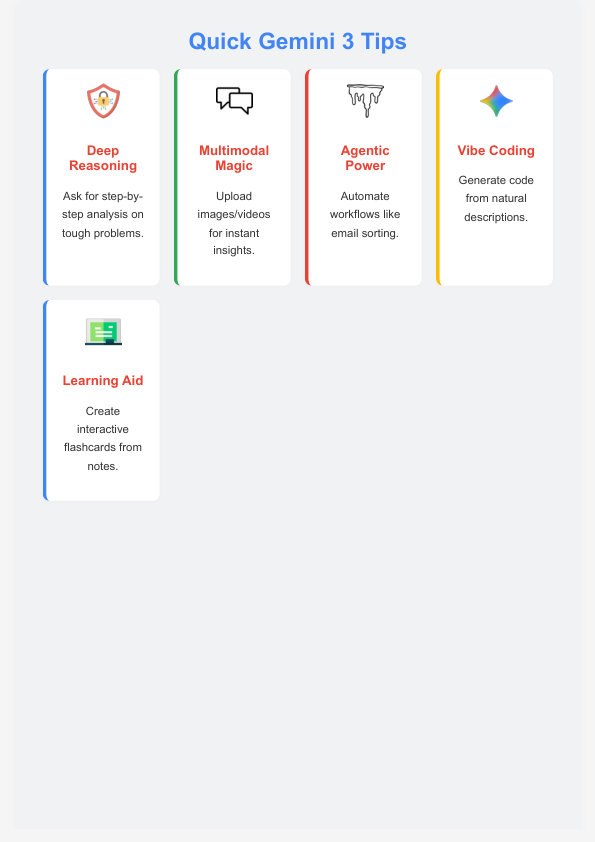
Your Starter Pack → The Copy-Paste Prompt List
Are you prepared to give it a try? To help you get started, here are some copyable prompts to create images with gemini 3.
Cinematic Prompts:
🎯 1. Anamorphic wide-angle view of a nighttime cyberpunk street market with rain-slicked pavement, reflecting neon signs, a throng of people, and melancholy, teal and magenta lighting🚀 2. A whimsical, pastel-colored hotel lobby, a central old sofa, simple, flat lighting, and a symmetrical shot in the Wes Anderson mannerPrompts for Portraits:
📌 1. A close-up of an old man with a white beard and deep wrinkles, laughing, crinkling eyes, sharp focus, Rembrandt lighting, and a soulful expression🎯 2. In this medium image, a young businessman wearing a polished business suit stands confidently in a high-rise office with glass walls and a hazy metropolitan cityscape in the background.Prompts for Products and Ads:
🚀 1. product shot, a high-end, clean, 1:1 aspect ratio luxury skincare bottle (serum, amber glass) on a pedestal of damp stone with jungle plants in the background📌 2. A top-down view, well-organized, warm natural light, a wooden desk with a Moleskine notebook, a fountain pen, a smartphone, and a cup of black coffeePrompts for Anime and Illustration:
🎯 1. anime art style, 1990s throwback, a spiky-haired high school protagonist gazing out a train window at a passing cityscape, lofi aesthetic, faint film grain🚀 2. vector illustration, minimalist, a group of varied individuals constructing a massive puzzle piece, corporate art style, brand colors (white, green, and blue), isolated on white background
Expert Advice → How to "Speak" the Language of Gemini 3
A prompt is designed rather than just written. These are some short tips to improve outcomes, highlighting key gemini 3 features.
Gemini 3's Favorite Reactions
The "Subject, Action, Setting, Style" formula should be used for the structure. (For instance, A Corgi [subject] wearing glasses [activity] at a library [setting], digital art style [style]).
- 📌 Clarity over Poetry: gemini 3 prefers instructions over "vibes," in contrast to Midjourney. Be straightforward. Use "photorealistic" rather than "dreamy."
- "Photorealistic," "Cinematic," "Minimalist," "Vector Graphic," "Studio Lighting," "Golden Hour," "35mm film photo," and "Flat Lay" are style keywords.
- Text: Put the text you want in quote marks:
a sign that says "Welcome Home".
Things to Steer Clear of
- 🎯 The "Kitchen Sink": Avoid using ten distinct style terms, such as "cinematic," "vector," and "watercolor." The AI is confused by it.
- Negative Prompts: Even if they are getting better, Gemini still has trouble saying "no" (such as "a man with no hat"). Rather, ask what you do desire, such as a man with short hair.
- Too Much Information: Don't describe fifteen separate objects in one scene. Concentrate on two to three essential components.
It's half the struggle to get the image correct. Integrating it into a strong content strategy makes up the other half. Our comprehensive guide to Content Strategy for Digital Growth (Content Strategy for Digital Growth) will teach you more about creating one.
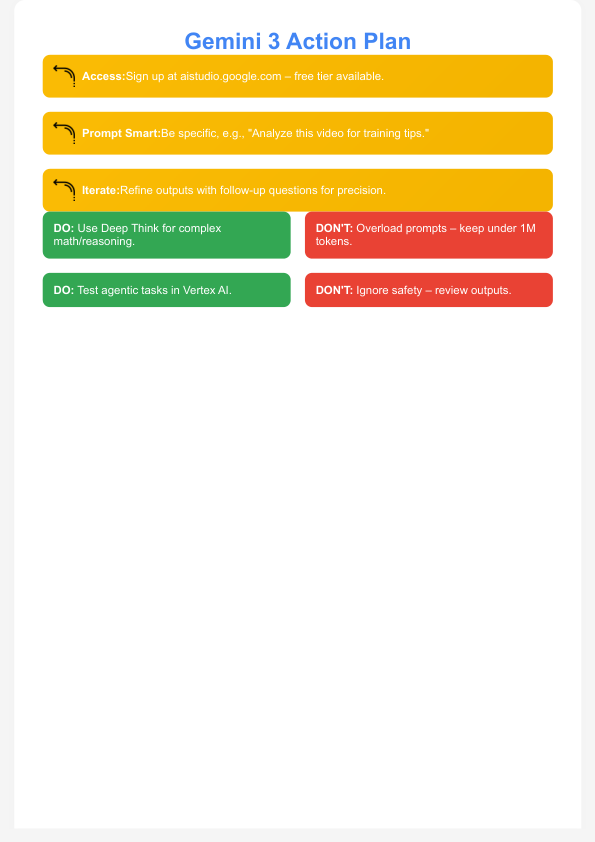
Synopsis Flash Card → The Best 5 Gemini 3 Pro Image Techniques
If nothing else comes to mind, keep this in mind. This is how you create distinctive, high-quality images that grow your audience and create a vibrant community. Explore these top gemini 3 pro benchmarks for success.
- Be Clear: Request "photorealistic" or "vector art." Don't be ambiguous.
- Use "Quotes" for Text: For 99% accuracy, always enclose text in quote marks.
- Use camera words such as "wide-angle shot," "close-up," "headshot," or "top-down view" to define the shot.
- Control the Light: Use "neon" for sci-fi, "golden hour" for landscapes, or "studio lighting" for items.
- Chain Your Prompts: refine your prompt if the first image is close but not flawless. Don't begin anew. (e.g., "Make it
more red" instead of "Change the text to..." ).
Also Read: Canva Affinity Designer: Full Feature Breakdown (2025)
Conclusion → Is Gemini 3 Pro the Greatest Program for Artists?
No one tool is. The most astute creators—those who witness true digital growth—don't search for a single panacea. The top AI tools for business are assembled into a stack.
The gemini 3 pro has earned a spot in that stack.
It doesn't kill Midjourney. It is a solver of problems. It's for bloggers who need a certain header, marketers who need a quick advertisement, and entrepreneurs who need a product mockup right now that doesn't look like a kid's drawing.
Gemini 3 is one of the most valuable and practical AI-driven marketing (AI-Driven Marketing) technologies to be published this year since it solves a real-world problem by understanding text and complex instructions. For any creator who is serious about quality, it's a potent new tool.
With gemini 3 pro, what will you make first?