ChatGPT Image 1.5 is a significant improvement, particularly when it comes to modifying pre-existing photos without compromising their appearance. Compared to DALL-E 3, it is much faster (4x performance improvement) and manages text rendering much better. But is it really “better” than Google’s Nano Banana, which powers Gemini’s picture tools? That is dependent. ChatGPT Image 1.5 is a beast for fine, iterative adjustments (such as altering a shirt color without warping the face). Nano Banana is still a powerful tool if you require extensive multimodal reasoning and Google Workspace integration.
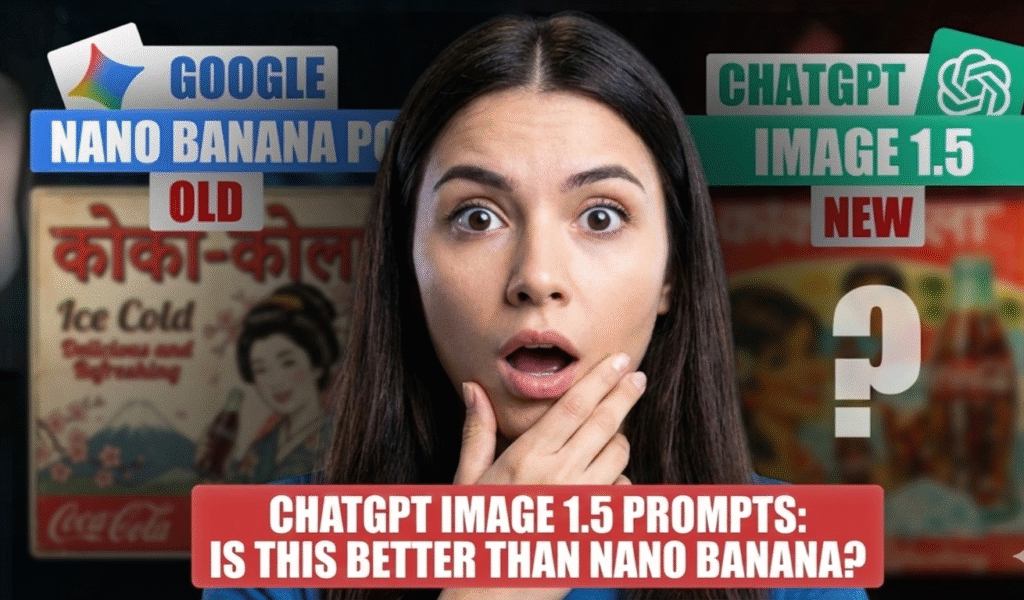
Are you annoyed by AI spelling errors? Everybody has been there. You have the ideal idea for a social media post or blog header. When you enter a prompt for a “cyberpunk coffee shop with a neon sign that says COFFEE,” the AI responds with either “COFFFE” or “C0F3E.” For digital artists, consistency and text accuracy are the biggest problems. The Solution is ChatGPT Image 1.5.
Let’s examine the specifics, try a few prompts, and choose which tool should be part of your 2025 content production software stack.
What is ChatGPT Image 1.5?
ChatGPT Image 1.5, which was released in December 2025, is a comprehensive redesign of OpenAI’s visual engine rather than merely a minor fix. This methodology was developed to address the “randomness” issue, according to LiveMint reports.
Crucial Elements for Artists:
- 🎯 4x Faster Generation: You won’t have to wait 30 seconds for a single picture anymore. For high-volume workflows, this is essential.
- 📌 Precise Editing: You can now ask the AI to modify just a certain region by highlighting it, such as a logo or a face.
- 🚀 Style Consistency: One of the best branding design techniques available in 2025, it retains the “vibe” of your earlier photos.
- 📝 Text Rendering: At last, it can spell (basically).
Micro-CTA: Have you used ChatGPT Image 1.5‘s new “Images” tab yet? It functions as a little studio. Check to see if it spells it correctly by creating a logo with text right now.
You Should Know about What is ChatGPT 5.2 Code Red: OpenAIs ALERT-Level Update

The Challenger → “Nano Banana” → What is it?
The most recent Gemini image generation models go by “Nano Banana” both internally and publicly. The visual tools in Google’s ecosystem are powered by it.
The Pro/Thinking versions of Nano Banana are particularly good in multimodal reasoning, whereas ChatGPT Image 1.5 is mostly focused on editing. It can manage extremely complicated commands and comprehends context from Google Search.
- 🎯 Nano Banana (Flash): Ideal for brainstorming, this device is optimized for maximum speed.
- 📌 Nano Banana (Pro/Thinking): Designed to follow intricate, multi-step directions with excellent fidelity.
Nano Banana is perhaps the best option if you’re searching for business AI products that work with your Docs and Slides. But for a generation that is solely creative? The conflict is intensifying.
Nano Bana vs ChatGPT Image 1.5 → Feature Comparison
Let’s break it down by category so you can choose the SaaS comparison 2025 winner that best fits your needs.
- The Billboard Test for Text Rendering
Is it possible for the AI to write a whole statement on a sign without experiencing letter hallucinations?
ChatGPT Image 1.5: much better. It can accurately handle brief texts and logos.
Using Google’s optical character recognition (OCR) data, Nano Banana excels at multilingual text and longer paragraphs.
Winner: Tie (based on text length). - The “Edit” Feature
ChatGPT Image 1.5 excels in this situation.
Situation: You created an ideal picture of a CEO, but you need it to be red and she’s wearing a blue blazer.
ChatGPT Image 1.5: All you have to do is say, “Change the blazer to red.” It maintains the same background, lighting, and her face.
Although ChatGPT Image 1.5‘s new interface makes this “masking” process quite intuitive for non-designers, Nano Banana is still capable.
ChatGPT Image 1.5 won for usability. - Quickness and Effectiveness
ChatGPT Image 1.5: It feels almost instantaneous thanks to a 4x speed bump.
Nano Banana: While high-quality “Thinking” models require time, flash models are incredibly quick.
Winner: ChatGPT Image 1.5 for quality-speed balance; Nano Banana (Flash mode) for sheer speed.
Takeaway: ChatGPT Image 1.5‘s consistency may save you hours of “re-rolling” images if you are a freelancer using well-paying freelance tools to complete client work.
Want to Create 18+ Content: Use Grok SPICY Mode: Create 18+ Content with Grok Imagine

ChatGPT Image 1.5 Prompts → Try These 5 High-Converting
You must stop prompting like it’s 2023 if you want to get the most of this update. Natural language is better understood by ChatGPT Image 1.5. These templates can be used for blog graphics or digital marketing automation solutions.
1. A Cinematic Portrait
A young Indian creator working late at night is depicted in this incredibly realistic cinematic portrait with a neon screen glow on his face, shallow depth of field, an 85mm lens appearance, dramatic lighting, cyberpunk atmosphere, and great detail.2. AI Workspace of the Future
A future, minimalist AI office with floating holographic screens, a dark theme, accents of blue and purple light, incredibly realistic reflections, and a contemporary tech vibe3. Style of YouTube Thumbnails
An AI robot with a bright brain is shown in a bold YouTube thumbnail-style image with exaggerated expressions, vivid colors, strong contrast, a clean background, and an eye-catching arrangement.4. Hero Banner for a Website
An AI startup's modern website hero banner features a clean layout, professional SaaS design, soft gradients, abstract AI shapes, a wide angle, and high resolution.5. Illustration of Isometric Technology
A clean vector design, soft shadows, pastel color scheme, laptops, AI tools, money icons, and an isometric depiction of a content creation ecosystem6. Extremely Realistic Product Photo
Superior commercial photography, studio lighting, precise focus, and an incredibly lifelike product shot of a futuristic AI technology on a dark reflective surface7. Scene of Storytelling
A lone developer in a rain-soaked metropolis is depicted in a cinematic storytelling setting with neon signs, emotive mood, realistic rain effects, and movie still quality.Pro Tip: Using particular camera angles (such as “low angle,” “macro shot”) produces far better results in ChatGPT Image 1.5 than general descriptors.

2 Powerful Reusable Prompt Templates
Here are two powerful reusable prompt template that you can use for most task:
Template 1: Realistic / Cinematic Image
Ultra-realistic [subject], in [environment/scene],
lighting: [soft / dramatic / neon / studio],
camera style: [cinematic / DSLR / 85mm / wide-angle],
mood: [emotional / futuristic / calm / intense],
high detail, sharp focus, professional photography
Template 2: Illustration / Creative Style
[Style: isometric / vector / 3D / cartoon],
illustration of [main concept],
color palette: [pastel / vibrant / dark],
clean composition, modern design,
high resolution, visually engaging
How to Use OpenAI Image 1.5 for Monetization and Digital Growth
As a maker, you are developing a business rather than merely experimenting with tools. Here’s how to use these upgrades to market high-end digital product concepts:
- 🎯 Sell Digital Templates Online: Make reliable, excellent thumbnails for featured photos on YouTube or blogs using ChatGPT Image 1.5. These prompts can be sold as a “Creator Kit” on Etsy or Gumroad.
- 📌 Subscription Pricing Strategies: Use these tools to make unique infographics or charts that appeal to visual learners if you publish a newsletter. You can charge for premium subscriptions because unique visuals boost retention.
- 🚀 Small Business Marketing Software: Provide “Branding Packages” to nearby companies. You can quickly create logo mockups for shops, t-shirts, and mugs using the new text rendering.
This may help: How to Use Midjourney V7: Pro Tips & Elite Prompts (2025)
Takeaways from Google’s Creator Guides
To determine how AI fits into a growth strategy, we examined Google’s top recommendations for creators. What we discovered is as follows:
- 🎯 Consistency is Queen: According to a Google blogger with 500,000 readers, audiences come back for a constant tone and aesthetic. The ability of ChatGPT Image 1.5 to recall “style references” enables you to keep your brand consistent on Instagram and your blog without requiring a professional designer for each post.
- 📌 Engage, Don’t Just Broadcast: Conversation is more important for audience engagement than likes.
Try this: Create two variations of a header image, such as a Cyberpunk and a Minimalist version. Share them on X (previously Twitter) or LinkedIn and pose the question, “Which vibe best suits our brand? “A or B?” Engagement signals are increased by this straightforward survey.

Conclusion → Which Instrument Is Best?
The decision ultimately boils down to your workflow, whether you are a US user or aiming for a global market:
- ChatGPT Image 1.5 if: You need a “creative partner” to brainstorm visual styles, you need productivity software to swiftly assess assets that seem professional, or you need to edit photos precisely (alter objects, fix text).
- Nano Banana if you are developing an app using the Gemini API, need to create graphics based on real-time search data, or are deeply ingrained in the Google ecosystem.