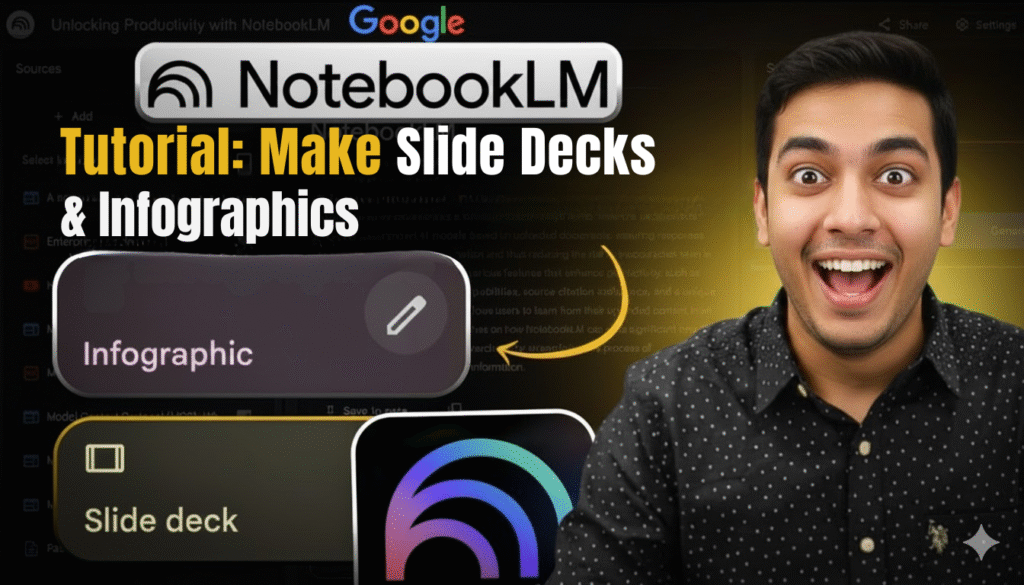
You’ve spent hours collecting research, only to stare at a blank slide deck or infographic template… wondering why it takes forever to look professional. Here’s the fix: Google NotebookLM instantly turns your PDFs, docs, and links into stunning notebooklm slide decks, notebooklm infographics, audio overviews, quizzes, and more — all with zero design skills required. No design skills necessary. No endless formatting. Simply upload your original content, and AI will take care of the rest so you can concentrate on what really matters—creating content that expands your audience.
Let’s see how your content development process can be transformed by this powerfull AI writing assistant.
What Is Google NotebookLM and Why Creators Are Obsessed →
Google NotebookLM is an AI-powered research and content production assistant that works as your personal research analyst, content strategist, and design assistant packaged into one productivity software application.
NotebookLM only uses your uploaded sources, such as documents, PDFs, websites, YouTube videos, and audio files, in contrast to generic AI tools for business. This means every output is founded in your specific content, making it exceptionally accurate and relevant for digital marketing automation needs.
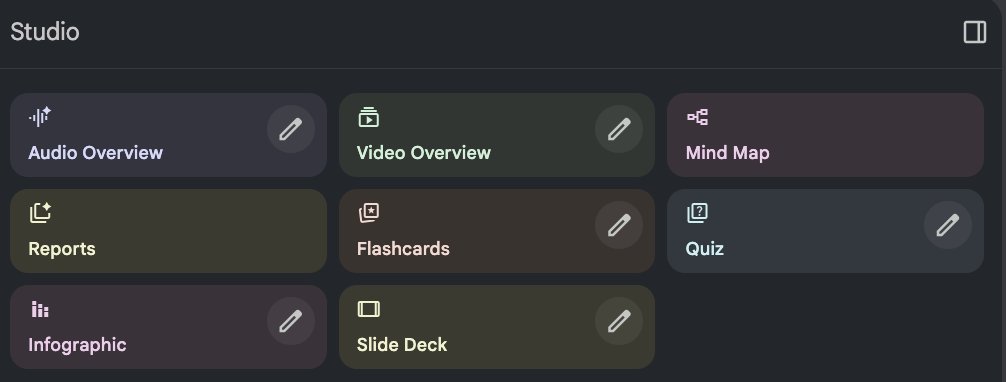
Why it’s a game-changer for creators:
- 🎯 Turns 50-page research papers into slide decks in 2 minutes
- 📌 Generates audio podcasts describing your information in natural discourse
- 🚀 Creates study materials (flashcards, quizzes) from any document
- Builds infographics and mind maps from difficult information
- Completely free with a Google account
According to Google’s creator growth research, consistency and efficiency are the top qualities differentiating successful creators from those who struggle. NotebookLM automates the time-consuming content repurposing process, letting you focus on audience interaction instead of formatting.
Real-world impact: A marketing consultant utilizing NotebookLM decreased client presentation prep time from 6 hours to 45 minutes—freeing up time to serve more customers and improve revenue.
Ready to revolutionize how you create? Let’s examine every feature and start this notebooklm tutorial.
Also Read: What Is Notion 2.0? Full Guide for Smarter AI Notes (2025)
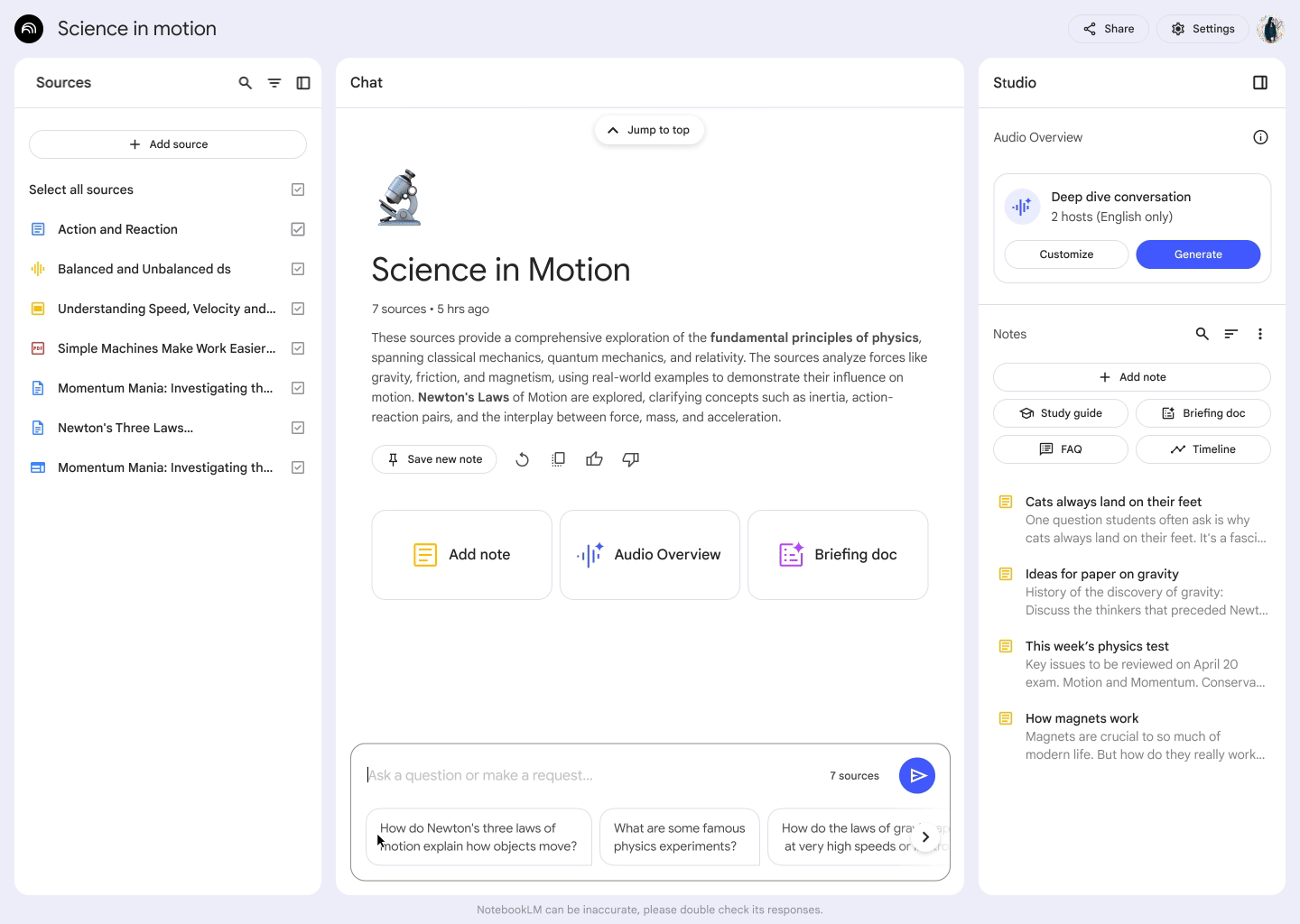
Getting Started → Setting Up Your First Notebook
Step 1: Access NotebookLM
Go to notebooklm.google.com and log in using your Google credentials. It is completely free and doesn’t require a subscription.
Step 2: Create a New Notebook
Click “New Notebook” and think of it as a project folder. Each notebook can hold up to 50 inputs and generate unlimited outputs.
The third step is to upload your sources.
NotebookLM accepts:
- Google Docs (straight from Drive)
- PDFs (up to 500,000 words each)
- Text files (.txt format)
- Website URLs (it extracts the text)
- YouTube videos (by URL—it transcribes automatically)
- Audio files (MP3, WAV—up to 200MB)
- Markdown files (.md format)
- Copied text (paste directly)
Pro tip for US users: Upload many sources on the same topic. Everything is cross-referenced by the AI, producing outputs that are richer and more thorough—ideal for workflows including content creation software.
Example workflow: A course creator uploaded:
- Three textbooks in PDF format
- 10 YouTube lecture transcripts
- Five blog posts
NotebookLM integrated everything into a complete course outline with quiz questions in 8 minutes.
Explore additional AI tools and methods on Zypa’s blog to enhance your digital growth toolset.
What will you make first?
The Complete Feature Suite → Your Digital Creation Powerhouse
Google NotebookLM isn’t just one tool—it’s a full content production software ecosystem. Let’s go down every feature and exactly how to use each one to improve your online business success.
Audio Overview → Turn Documents Into Engaging Podcasts
What it does: It creates a podcast-style dialogue between two AI hosts about the stuff you’ve supplied, lasting five to twenty minutes. They explain concepts, debate ideas, and make complicated information accessible.
How to utilize it:
- Upload your original documents, such as research papers, publications, and PDFs.
- Click “Audio Overview” in the top menu
- Wait 3-5 minutes for generation
- Get the MP3 or play it straight in your browser.
The best use cases are:
- 🎯 Students should transform their hefty textbooks into study sessions that are convenient for their commutes.
- 📌 While your team is multitasking, give them a briefing on industry reports.
- 🚀 Coaches: Create “behind the scenes” content detailing your methods
- Researchers: Review literature while exercising or driving
A freelance consultant reduced the number of onboarding sessions by 40% by creating audio briefings for new team members and uploading client onboarding documents.
It’s now possible to provide personalized instructions! Click “Customize” before creating and tell the AI to focus on specific topics, use simpler language, or target a particular audience level.
According to Google’s audience engagement research, audio content increases retention by 65% compared to text alone—making Audio Overview a powerful tool for keeping your audience engaged.
Quick win: Repurpose blog posts into audio material for podcast platforms or social media—tapping into the burgeoning audio content market without recording equipment.
Have long-form material accumulating dust? Turn that into audio gold.
Also Read: How to Use Midjourney V7: Pro Tips & Elite Prompts (2025)
Video Synopsis → Turn Research Into Watchable Content
What it does: Creates brief, animated video summaries (1-3 minutes) of your sources with voiceover narration, great for social media, presentations, or course modules.
How to utilize it:
- Choose your sources from the notebook.
- Navigate to “Video Overview” option
- Choose video length (30 sec, 1 min, 3 min)
- Create and download an MP4 file.
Platform optimization:
- Instagram Reels and TikTok: 30-second instructional videos
- YouTube Shorts: 60-second educational content
- LinkedIn: 3-minute thought leadership pieces
- Course platforms: Summaries or introductions to modules
Marketing advantage: Video content generates 1200% more shares than text and photos combined, making this feature crucial for software reviews, SaaS comparative content, or instructional content.
Creator strategy: A tech reviewer uploads product documentation and makes brief “first look” movies before the official product launch—getting ahead of competition using standard video editing software tools.
Develop premium digital product concepts by marketing video summaries as “executive briefings” or “quick study guides” for time-pressed professionals who are prepared to pay for distilled information.
Turn static research into scroll-stopping video in under 5 minutes.
Mind Map → Quickly Visualize Complicated Ideas
It automatically creates dynamic mind maps that illustrate the connections between concepts, ideas, and themes from your sources. These mind maps are ideal for planning, brainstorming, and comprehending difficult subjects.
How to utilize it:
- Add in-depth sources about a particular subject.
- Click “Create” → “Mind Map”
- AI creates a visual hierarchy by analyzing connections.
- Engage with branches by expanding and contracting parts.
- Share a live link or export as a PNG.
Strong applications:
- 🎯 Content strategists: Map content pillar subjects and subtopics
- 📌 Project managers: Visualize project dependencies and workflows
- 🚀 Writers: Outline article structure before writing
- Students: Connect lecture themes for exam preparation
Design integration: Export your mind map and import into graphic design software tools like Canva or Adobe Express for further customization—bridging AI efficiency with creative control.
Gain insight into your growth strategy by using mind maps to find holes in your niche’s content. One blogger uncovered 23 untapped subtopics in their area using NotebookLM, leading to 6 months of post ideas and 300% traffic gain.
Bonus for teams: Share mind map connections with collaborators for async brainstorming—no design tools or pricey company growth software required.
See the big picture. Spot the gaps. Strategically fill them.
Also Read: Top 11 AI Tools for Creators: Best Power-Picks (Free & Paid)
Reports → Generate Professional Summaries and Analyses
What it does: Creates structured, formatted reports from your sources—think executive summaries, research briefings, or full overviews with sections, headers, and key takeaways.
How to utilize it:
- Upload all relevant sources for your topic
- Select “Create” → “Report”
- Choose report type:
- Executive Summary (1-2 pages, high-level)
- Detailed Analysis (five to ten pages, thorough)
- Comparative Report (contrasts multiple sources)
- If necessary, alter the focal areas.
- Generate, evaluate, and export as Google Doc
Professional use cases:
- Consultants: Client presentation decks and deliverables
- Researchers: Literature review summaries
- Marketers: Competitive analysis reports
- Content agencies: Audits of client content
Quality benchmark: NotebookLM reports adhere to professional and academic formatting guidelines, including appropriate citations, logical flow, and distinct section headings. Perfect for email marketing platforms review content or software comparison guides.
Time savings calculator: Traditional report writing: 4-8 hours. NotebookLM report generation: 3-7 minutes. For first drafts, that is a time reduction of over 95%.
Credibility boost: Reports incorporate source citations automatically, supporting E-E-A-T principles and making your content trustworthy—crucial for marketing software for small business audiences who need dependable information.
Professional deliverables in minutes, not days.
Flashcards → Build Study Tools From Any Content
What it does: Automatically generates question-and-answer flashcards from your submitted materials—perfect for teaching, training, or information retention.
How to utilize it:
- Upload educational content (textbooks, lecture notes, articles)
- Select “Create” → “Flashcards”
- Indicate the quantity of cards (10, 25, 50, or custom).
- Review and edit cards as needed
- Export as PDF, Quizlet-compatible format, or use built-in study mode
Target audiences:
- 🎯 Teachers: Produce study materials for pupils right away.
- 📌 Corporate trainers: Compliance training and employee onboarding
- 🚀 Bonus materials for premium course tiers are provided by the course developers.
- Students: Self-study resources to help them prepare for tests
Monetization strategy: Package flashcard sets as “downloadable study guides” for subscription pricing models or sell as one-time premium digital products—a burgeoning market among professional certification applicants.
Spaced repetition has been shown to boost retention by 200%, which is an advantage for learning science. NotebookLM’s flashcard output works with popular spaced repetition programs like Anki or Quizlet, making your information scientifically designed for learning.
Creator example: A language coach uploaded vocabulary lists and grammar rules, made 500 flashcards in 10 minutes, and packaged them as a $29 “Complete Study Bundle”—selling 43 copies in the first month.
Convert knowledge into study resources that consumers genuinely desire to purchase.
Test → Automatically Generate Interactive Evaluations
What it does: Generates multiple-choice, true/false, and short-answer quizzes based on your source material—complete with answer keys and explanations.
How to utilize it:
- Upload the material you wish to evaluate
- Select “Create” → “Quiz”
- Choose:
- Question types (multiple choice, T/F, short answer)
- Difficulty level (beginning, moderate, advanced)
- Number of questions (5-50)
- Generate, review, and customize
- Export as Google Form, PDF, or integrate with learning management systems
High-value applications:
- Online course creators: Module assessments and final exams
- Verification of skills and certification exams are part of corporate training.
- Bloggers: Interactive content to enhance engagement metrics
- Coaches: Client progress tracking and knowledge checks
According to Google’s creator guidelines, interactive content (such as quizzes) improves average session time by 88% and page visits by 135%—critical ranking factors.
Automation advantage: Link quizzes to email marketing systems for automated lead nurturing—”Score 80%+ and unlock our advanced guide” type campaigns that segment audiences intelligently.
Analytics opportunity: Track quiz results to uncover knowledge gaps in your audience, directing future content strategy—a approach utilized by great bloggers to continuously create what their audience wants.
Engage your audience. Prove your value. Build better content.
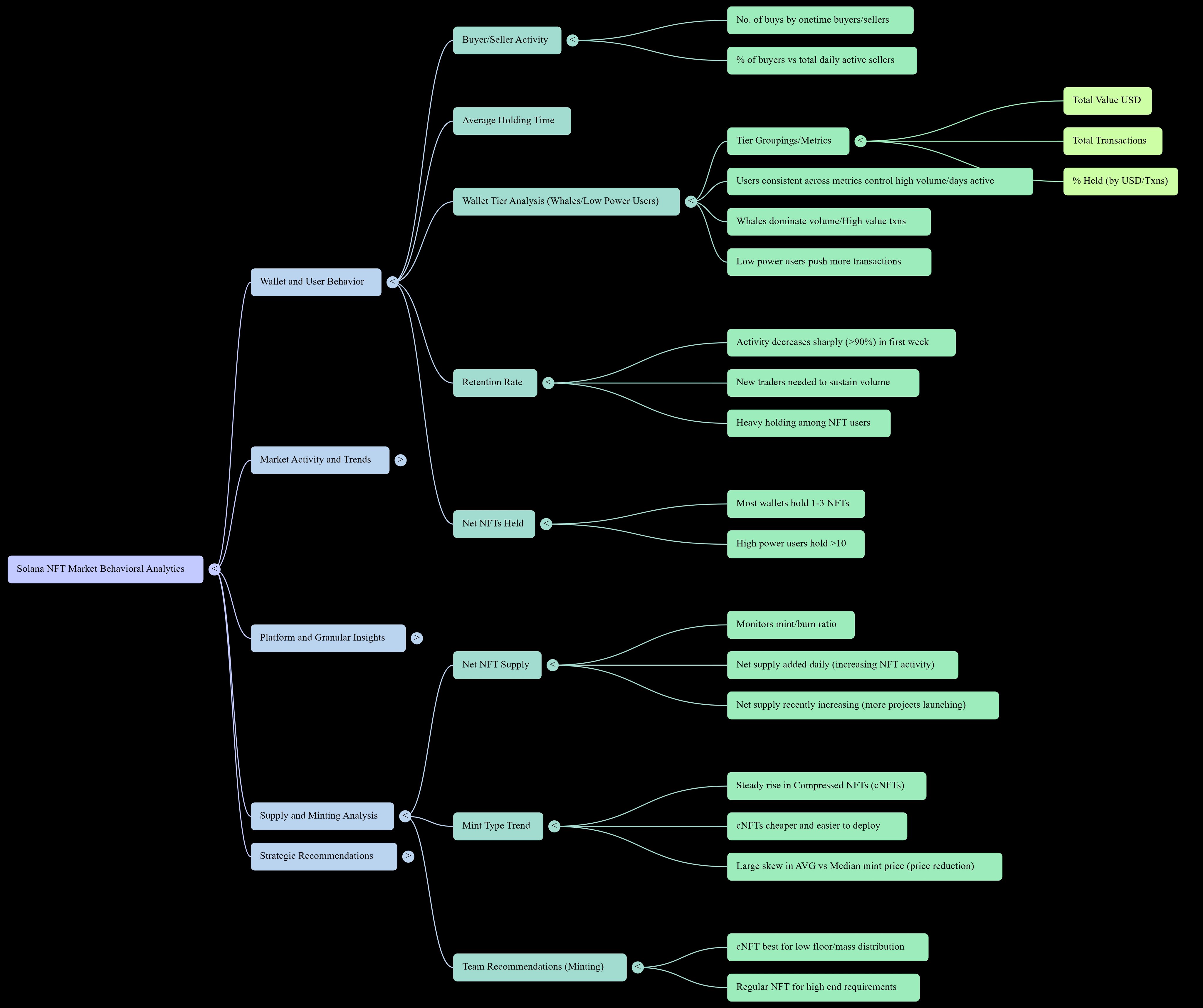
NotebookLM slide deck → Design Presentations Without the Design Work
What it does: Transforms your studies, articles, or papers into professionally structured presentation slides—complete with title slides, content slides, and summary slides.
How to utilize it:
- Upload your content sources
- Click “Create” → “Slide Deck”
- Specify:
- Number of slides (10, 20, 30, or bespoke)
- Presentation style (educational, business, pitch)
- Key points to emphasize
- Create and evaluate
- Export as Google Slides or PowerPoint (.pptx)
Design quality: Slides include:
- Consistent formatting (fonts, colors, layouts)
- Logical flow (introduction → body → conclusion)
- Bullet points and headers (professionally balanced)
Each slide’s talking points are included in the speaker notes.
Business applications:
- 🎯 Pitch decks: Investor presentations from business plans
- 📌 Presentations to clients: Case study-based service proposals
- 🚀 Webinar slides: Educational material from blog posts
- Presenting slides from research papers at conferences
Design enhancement workflow: Export to Google Slides, then apply your brand colors and logo utilizing website builder tools or graphic design software—combining AI speed with brand consistency.
Speaking circuit advantage: Professional speakers charge $5,000-$15,000 per presentation. NotebookLM manages the content structure, letting you focus on delivery and audience connection—maximizing your high paying freelance prospects.
Presentation hack: Upload rival presentations or industry reports, produce comparative slides, and pitch your solution as the superior alternative—perfect for SaaS comparison 2025 content campaigns.
Present like a pro without the 8-hour design marathon.
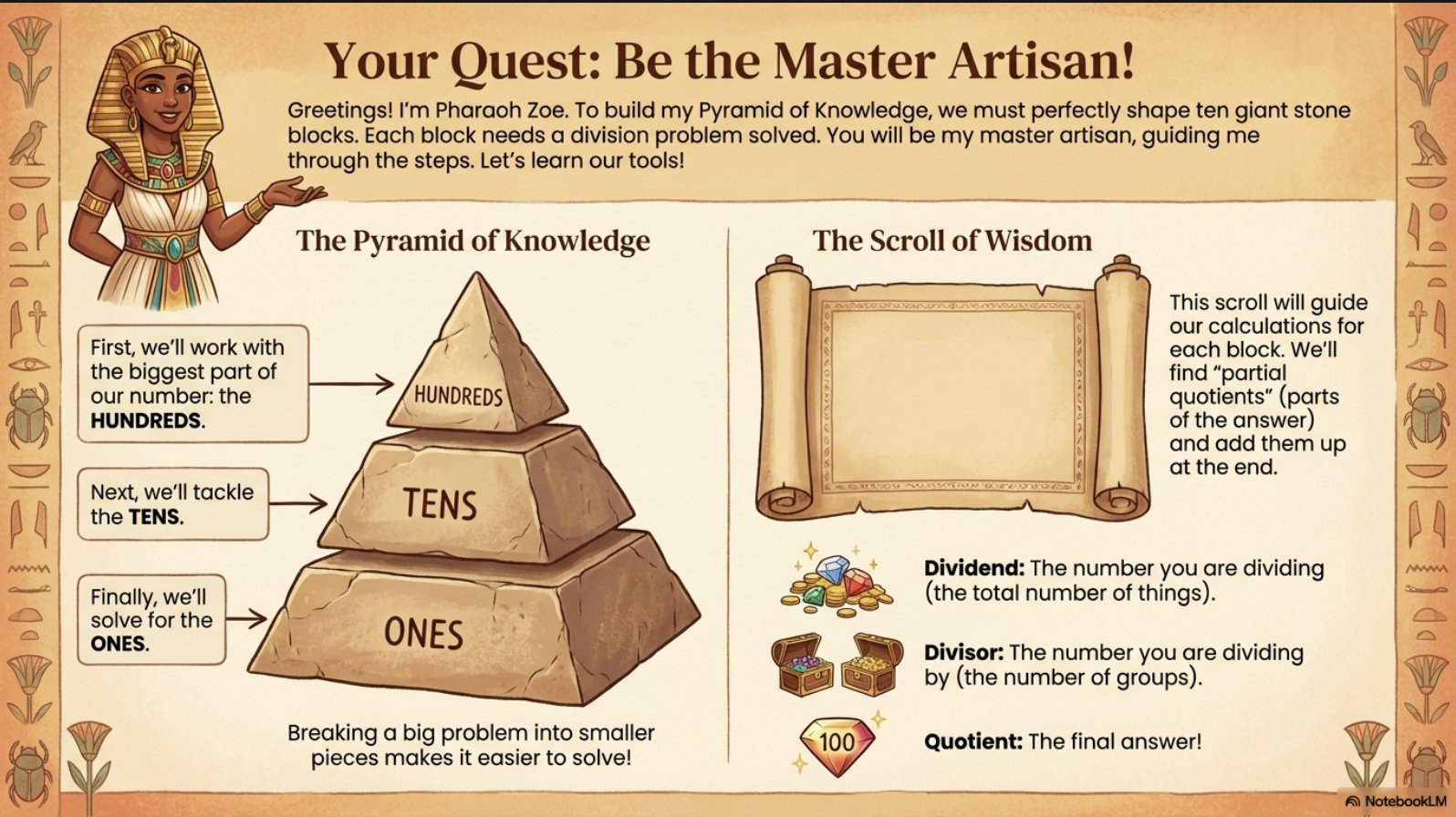
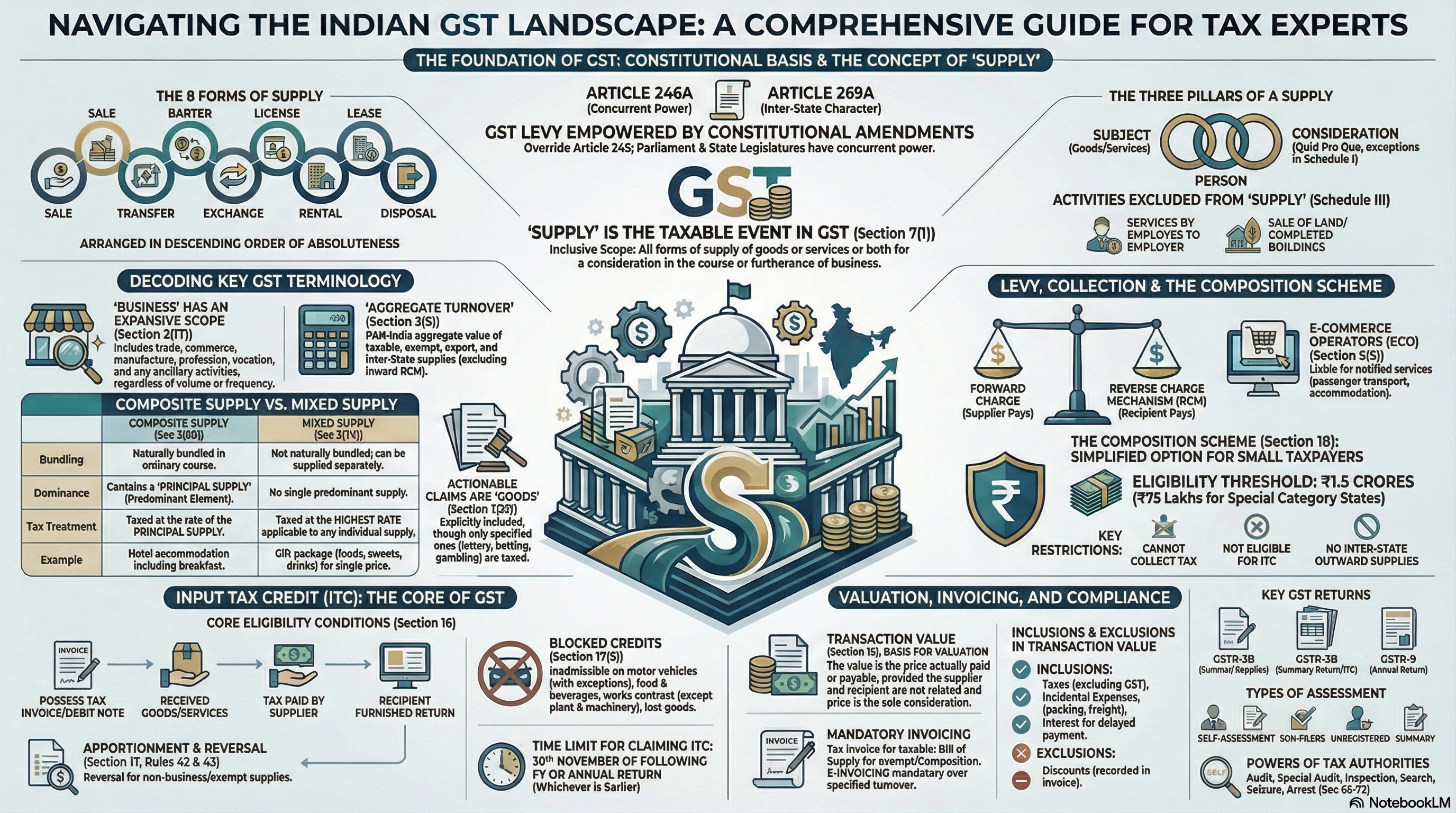
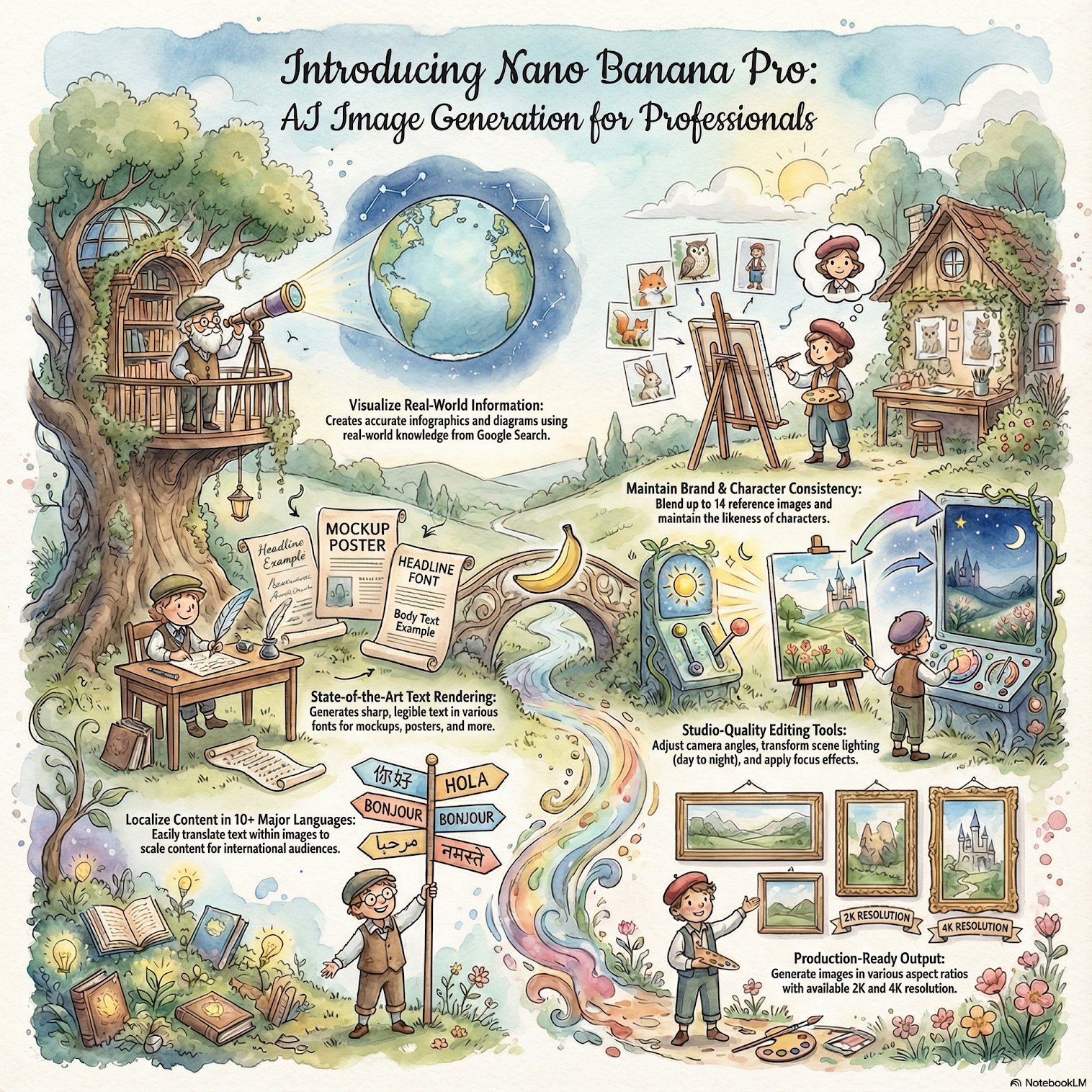
NotebookLM infographics → An Easy Way to Visualize Data
It transforms data, procedures, or ideas from your sources into infographic designs that can be shared, making them ideal for blog articles, social media, or marketing materials.
How to utilize it:
- Upload sources providing data, statistics, or step-by-step processes
- Select “Create” → “Infographic”
- Choose template style:
- Statistical (data-heavy, charts/graphs)
- The process (step-by-step flowcharts)
- Comparison (side-by-side analysis)
- Timeline (chronological occurrences)
- Customize colors and layout if desired
- Export as PDF, SVG, or PNG
Content marketing power: Infographics are shared 3x more than other content formats and produce 12% more traffic than text-only posts—making them important for content creation software campaigns focused on organic growth.
Platform optimization:
- Pinterest: Vertical infographics (1000x1500px) bring significant referral traffic
- LinkedIn: Professional infographics promote thought leadership
- Instagram: Carousel infographics improve engagement by 150%
- Blog posts: Visual breaks reduce bounce rate by 40%
SEO advantage: Image alt text and file names incorporating desired keywords (such “best software for creators 2025”) increase ranks and attract image search traffic—often neglected by competitors.
Agency workflow: Marketing companies utilize NotebookLM to batch-create infographics for client social calendars—producing 30 infographics in an afternoon instead of 30 hours across numerous designers.
Create “infographic packs” for particular industries, such as real estate, fitness, or banking, utilizing NotebookLM as your first design engine before customizing them in Canva to sell digital templates online.
Stop spending $150 per infographic. Create endless designs for free.
Advanced Workflows → Integrating Elements for Optimal Effect
The Content Multiplier Strategy:
- Upload a single research paper or lengthy article.
- Generate audio overview (podcast content)
- Create video overview (social media clips)
- Create a presentation or webinar slide deck.
- Design infographic (social shares and Pinterest)
- Create an engagement and lead generation quiz.
Result: One source → 6 content assets across different platforms = 600% content output increase.
Case study: A productivity coach uploaded their book manuscript to NotebookLM and generated:
- A 12-minute podcast episode from Spotify or Apple Podcasts
- Eight brief videos on YouTube, Instagram, and TikTok
- 30-slide presentation (speaking engagements)
- 5 infographics (Pinterest, driving 2,400 monthly blog visits)
- 20-question test (lead magnet, gathering 340 emails)
Investment: 45 minutes of setup time. Return: multi-platform content drove a six-figure launch.
Just one upload. Infinite possibilities.
Crucial Advice and Undiscovered Shortcuts for Power Users
Keyboard Shortcuts for Speed:
Ctrl/Cmd + K: Quick source searchCtrl/Cmd + /: Command palette (access all features)Ctrl/Cmd + Enter: Generate with current settings
Source Management Hacks:
- 🎯 Pin important sources (star icon) for quick reference
- 📌 Color-code sources by topic or project phase
- 🚀 Create source sets for different content angles
Quick Engineering for Improved Results:
When modifying outputs or utilizing the chat feature, try:
- “Explain this for a 12-year-old” (simplify complicated issues)
- “Focus only on practical applications” refers to content that can be put to use.
- “Compare sources and identify disagreements” (critical analysis)
- “Extract all statistics and data points” (data collecting)
Checklist for Quality Control:
✅ Verify AI-generated facts against authentic sources
✅ Add own insights and experiences (E-E-A-T required)
✅ Customize outputs with brand voice and terminology
✅ Include concrete examples relevant to your audience
✅ Add relevant citations and links to improve authority
Mobile workflow: NotebookLM works on mobile browsers—upload inputs via Google Drive sync, generate outputs on-the-go, and review during commuting times for optimal productivity software efficiency.
Collaboration feature: Share full notebooks with team members (View or Edit access) for collaborative content planning—replacing pricey company growth software subscriptions.
Work smarter, not harder. These shortcuts save hours weekly.
SEO and Content Strategy → Making NotebookLM Work for Rankings
Keyword integration workflow:
- Upload rival articles that rank well for the keywords you want to use.
- Create a report that examines their content strategy.
- Identify gaps and opportunities
- Create greater content with NotebookLM outputs as base
- Add personal experience and updated data
NotebookLM’s internal linking method aids in the identification of subject groups. Generate mind maps of your niche, discover content gaps, then develop linking paths between similar posts—explore Zypa’s blog for examples of efficient internal linking structures.
Upload articles that rank highly on your topic, create a summary, and then rework it as a succinct, structured response that aims for position zero. This is known as “featured snippet optimization.”
E-E-A-T enhancement:
- Experience: Add personal case studies to AI-generated content
- Cite reliable sources (AI recommends them) as part of your expertise.
- Authority: Link to original research and data
- Trust: Fact-check AI outputs against original sources
Top SEO tools review sites utilize a practice called “content refresh,” which involves updating articles to retain rankings, creating updated reports that highlight new information, and uploading old blog posts on a quarterly basis.
Analytics opportunity: Track which AI-generated content categories (audio, video, infographics) produce the greatest interaction using analytics software tools, then double down on high-performers.
AI generates. You optimize. Rankings climb.
Actual Creator Success Stories → Digital Growth from Zero
The Course Creator: Sarah, an online instructor, struggled with developing compelling course content. After discovering NotebookLM:
- Before: 40 hours per course module (slides + scripts + quizzes)
- Each lesson will take six hours to complete (using slide decks, audio summaries, and quizzes).
- Result: Launched 3x more courses, increased income from $3,000/month to $12,000/month
The Marketing Agency: A 3-person agency competing with larger firms:
- Challenge: Limited design bandwidth for client deliverables
- NotebookLM is the solution for reports, infographics, and presentations.
- The impact was a 60% reduction in per-client hours, a 150% increase in client capacity, and the maintenance of premium pricing.
James, the lone blogger, lacked the time to vary his work.
- Strategy: Repurposed blog content into audio (podcast), video (YouTube Shorts), and infographics (Pinterest)
- Traffic growth: 240% in 6 months via multi-platform presence
- Monetization: Added podcast sponsorships ($800/month) and Pinterest affiliate income ($400/month)
These aren’t unicorn stories—they’re systematic results from employing content production software strategically.
What’s your goal? NotebookLM can get you there faster.
Common Mistakes and How to Avoid Them
❌ Mistake #1: Publishing AI outputs without editing
NotebookLM makes fantastic first drafts, but lacks your distinctive voice and experience. Always add:
- Anecdotes and illustrations from personal experience
- Industry-specific perspectives
- Brand voice and terminology
- Fact-checking and source verification
The second mistake is uploading low-quality sources.
AI outcomes mirror input quality. Use:
- Peer-reviewed research papers
- Reputable trade journals
- Your own high-quality original content
- Official records and reports
Avoid: Wikipedia, random blog comments, unconfirmed social media posts.
Ignoring customizing choices is the third mistake.
Avoid clicking “Generate” and leaving. Use:
- Custom instructions for specified outputs
- Style preferences (formal vs. casual)
- Audience specification (beginners vs. experts)
- Focus regions (particular portions or topics)
❌ Mistake #4: Not organizing notebooks strategically
Make distinct notebooks for:
- Different clients or projects
- Themes or pillars of content
- Modules for courses or product lines
- Short-term vs. long-term projects
❌ Mistake #5: Forgetting mobile optimization
Keep in mind that the majority of your US audience uses mobile devices for browsing. Following the creation of content:
- Check mobile readability (short paragraphs, subheaders)
- Optimize picture sizes for fast loading
- Test interactive elements (quizzes, audio players)
- Verify video autoplay settings
Learn from others’ errors. Skip the trial-and-error phase.
Evaluating NotebookLM Against Other Business AI Tools
NotebookLM vs. ChatGPT:
- NotebookLM: Source-grounded, no hallucinations, specialized outputs (slides, audio)
- ChatGPT: Conversational, more comprehensive knowledge that necessitates fact-checking
- Best for: NotebookLM wins for research-based content creation
Canva AI vs. NotebookLM:
- NotebookLM: Content-to-design automation, free, Google integration
- Canva: More design customization, templates, brand kits (paid tiers)
- Workflow: Use NotebookLM for first creation, Canva for brand refinement
Gamma or Beautiful.ai against NotebookLM:
- NotebookLM: Free, limitless, superior content analysis
- Competitors: Higher price points, team features, and premium templates
- Value: NotebookLM gives 90% of capability at $0 cost
NotebookLM vs. Traditional automation tools for creators:
- Conventional tools: Costly (cloud storage software, web hosting for creative professions)
- NotebookLM: Free tier sufficient for most creators
- ROI: NotebookLM pays for itself (negative cost = infinite ROI)
The benefit of integration is that NotebookLM is integrated seamlessly with Docs, Slides, Drive, and Gmail within Google Workspace. Paid automation tools and API setup are not necessary.
The best tool is the one you’ll really use. NotebookLM removes every barrier.
Privacy, Security, and Fair Use Guidelines
Your data, your control:
- Sources are private to your notebook (not utilized for AI training)
- Delete notebooks anytime—permanent removal
- Prior to deletion, download every output (no cloud recovery).
Academic honesty:
- NotebookLM should be cited as a research assistant rather than a primary source.
- Check all data and facts on your own.
- Add novel analysis and interpretation
- Observe the AI usage guidelines set forth by your organization.
Copyright considerations:
- Upload only content you own or have permission to use
- Public domain and Creative Commons content is safe
- Copyrighted PDFs for personal study (fair use) vs. commercial use
- Generated outputs inherit source material copyright status
Professional use:
- Client work: Get authorization before submitting proprietary information
- Use the data area controls in Google Workspace for confidential data.
- GDPR compliance: NotebookLM meets Google’s privacy rules
- Export data: Download all work routinely for backup
Ethical creation checklist:
✅ I own or have rights to all uploaded sources
✅ I will fact-check AI-generated stuff
✅ I will bring innovative insights and expertise
✅ I will cite sources appropriately
✅ I will not misrepresent AI content as totally human-written (where compelled to reveal)
Use responsibly. Make in an ethical manner. Build trust.
AI-Powered Content Creation’s Future
According to Google’s creator platform roadmap, NotebookLM will see the following developments:
- Collaborative real-time editing (creating a team at the same time)
- Template marketplace (community-created output styles)
- Advanced customization (brand voice training, style guides)
- Multi-language support expansion (beyond English)
- Integration APIs (link to small business marketing software)
Industry trend: AI writing helper products are anticipated to expand from $1.1B (2024) to $6.5B (2029)—600% growth as creators embrace automation.
Early adopters—like you—establish market leadership before rivals do. This is known as the “competitive advantage window.” The top design tool rankings for 2025 give preference to developers who become proficient with AI processes in 2024–2025.
Skill evolution: Tomorrow’s successful creators won’t be displaced by AI—they’ll oversee AI teams. NotebookLM is your first AI employee. Now is the time to learn how to delegate well.
Content velocity arms race: Audiences today expect multi-format, multi-platform content. Traditional creation approaches can’t compete with AI-enhanced workflows. Adapt or get left behind.
The future is not near. It’s already here. Are you prepared?
Your Next Steps → Transform Your Content Workflow Today
The 15-Minute Challenge:
- Visit notebooklm.google.com (3 minutes)
- Upload a single piece of existing content. (1 minute)
- Generate an audio summary and slide deck (5 minutes)
- Review and plan distribution strategy (5 minutes)
You saved 1 Minute here!
Goals for the first week:
- Create 3 audio overviews from blog entries → Podcast strategy
- Create five infographics with data-rich information and have a Pinterest presence.
- Build 1 complete slide deck => Speaking chance outreach
- Create flashcards or a quiz and oversee the deployment of magnets.
Goals during the first month:
- 20 existing content items should be repurposed in different formats.
- Establish multi-platform distribution system
- Measure engagement growth (track with analytics software tools)
- Monetize at least one NotebookLM-generated asset
The long-term goal is to create a content engine that allows one hour of production to produce ten or more hours of distributed, multi-format material. This would enable creators to realize their dream of passive income through intelligent automation technologies.
Frequently Asked Questions About Google NotebookLM
Q: Is NotebookLM truly always free?
A: Currently yes—it’s free with a Google account. Google may create premium tiers later (like Workspace), but essential functionality will likely remain free.
Q: Can I use NotebookLM content commercially?
A: Yes, outputs can be utilized commercially, but ensure your source materials have suitable rights.
Q: Does NotebookLM work offline?
A: No, it requires internet connection as it processes stuff on Google’s servers.
Q: What file size constraints exist?
A: 500,000 words per PDF, 200MB for audio recordings, 50 sources each notebook. Plenty for most projects.
Q: Can I train NotebookLM on my brand voice?
A: Not yet, but you can use custom instructions to determine output style. Future upgrades might include full voice training.
Q: What is the AI’s accuracy?
A: Very accurate for factual content from quality sources. Always add expert verification and fact-check significant claims.
Q: Will this replace human creators?
A: No—it boosts creativity and efficiency. Think “creative assistant” not “replacement.” Your expertise, voice, and strategy remain irreplaceable.
Final Thoughts → The Creator Advantage Is Now
The gap between successful creators and failed ones isn’t talent—it’s efficiency and consistency. The production bottleneck that prevents the majority of creators from realizing their full potential is removed by NotebookLM.
You are knowledgeable. You have the audience. You’ve been missing the leverage.
This gives you leverage.
Every minute spent manually formatting slides, creating podcast intros, or designing infographics from scratch is a minute stolen from:
- Creating deeper, better content
- Engaging authentically with your audience
- Building strategic partnerships
- Developing new revenue streams
Consistency and multi-platform presence were critical success elements, according to bloggers who gained 500,000+ readers. NotebookLM makes both doable without burning out.
The innovators who dominate 2025 won’t be the ones generating more—they’ll be the ones creating smarter.
Start today. Not the following day. Today.
Open NotebookLM. Upload something—anything. Generate one output. See what’s possible.
Then imagine doing this for every piece of material you publish.
That’s your future.
Are you prepared to produce ten times as much material without putting in ten times as much effort?
About Zypa: We assist creative and digital entrepreneurs grasp the tools, methods, and mindsets that generate real success. Explore our blog for more in-depth guides on content creation tools, digital marketing automation, and proven tactics from successful creators worldwide.
What will you create with NotebookLM? Share your first project in the comments below.